
GoPro Hero LCD Screen Replacement

River Drake and 4 other contributors
Last updated on Aug 11, 2017
Views: 28K
View statistics:
- Past 24 Hours:
- 3
- Past 7 Days:
- 44
- Past 30 Days:
- 229
- All Time:
- 27,891
Comments: 4
1 comment on steps, 3 guide comments.
Go to guide commentsCompleted: 6 7
6 people have marked this guide "completed." Will you be next?
7 people have marked this guide "completed." Including you — great job!
Favorites: 1 2
1 person has favorited (and subscribed to) this guide. Will you be next?
2 people have favorited (and subscribed to) this guide — including you!
Action Shots
Be an action hero! This guide needs images that better demonstrate how to perform specific actions.
Introduction
Go to step 1 ↓If for some reason, your screen is dysfunctional, you can replace it. Since it is near the bottom of the camera, it is not easy to replace. Grab your screwdrivers and tweezers and let's go!
What you need


-
-
-
Gently pry the back open by inserting a metal spudger between the case and back panel.
-
-
-
Disconnect the battery from the motherboard by unplugging the red, white, and black wires from the white adapter.
-
-
-
Disconnect the ribbon cable from the lens by lifting the black latch and gently pulling the ribbon cable from the socket.
-
-
-
Use a Phillips screwdriver (PH000) to remove the four screws around the white plastic piece.
-
-
-
-
Remove the larger ribbon cable from the daughter board by lifting the black latch and pulling the ribbon cable gently from the socket.
-
Disconnect the smaller ribbon cable leading from the white plastic piece by simply pulling it from the socket.
-
-
-
-
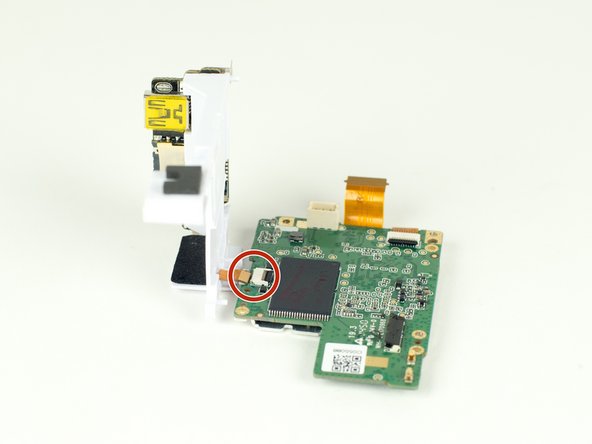
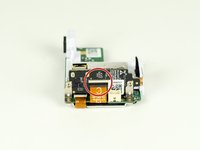
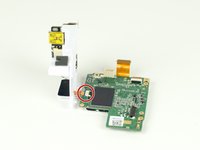
Remove the ribbon cable from the motherboard by simply pulling the cable from the socket.
-
-

 Ask FixBot




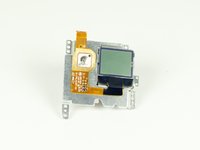
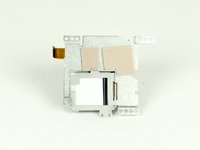
To reassemble your device, follow these instructions in reverse order.
Cancel: I did not complete this guide.
6 other people completed this guide.

Team

Cal Poly, Team 12-2, Lancaster Spring 2015 Member of Cal Poly, Team 12-2, Lancaster Spring 2015
CPSU-LANCASTER-S15S12G2
4 Members
72 Guides authored
3 Guide Comments
Where do you buy the replacement lcd
Gopro hero 7 white repair cost:
Screen: $45 - https://www.ebay.com.au/itm/183828969944
Side panel: $35 - https://www.herogear.com.au/genuine-repl...
I can find the screen but is it compatible with the Hero+
