Introduction
If you have a Kickstarter GoCube and it's not charging, this may help. They'll supposedly fix it if you're under warranty, but if not they'll try to charge you $30 + shipping for a fix or $50 for a new cube. For some reason, the supplied charger can’t seem to charge the cube if it’s been left alone and the battery has fully drained. Like a car needing a jump start for a dead battery, this guide explains how to “jump start” your GoCube battery.
What you need
-
-
-
Follow this vide: https://www.youtube.com/watch?v=PxkZ0zlL...
 Ask FixBot
-
-
-
Using a drill or dremel, create a hole in the inner sphere between the red and white center pieces.
-
-
-
-
You need at least 5 volts. This shows 4 AA batteries together in series. There's a wire connecting the ends on the right. The ends on the left each have a wire coming out. I used copper wire, but metal paper clips would probably be easier to adjust in the next step.
-
-
-
Hold the wire coming from the battery positive terminal to the red solder pad and the negative battery terminal to the black solder pad.
-
Hold it in place for a few seconds. I think I did it while the charger was connected. Not sure if you have to do it that way.
-
Plug the charger back into the cube if it's not already, connect the cube to the GoCube app, and let it charge for a minute.
-
Try removing the cube from the charger and see if it disconnects. If it still disconnections, keep trying. It took me a few tries before it finally worked.
-
-
-
Follow the steps: https://www.youtube.com/watch?v=sbqkBYRD...
-
-
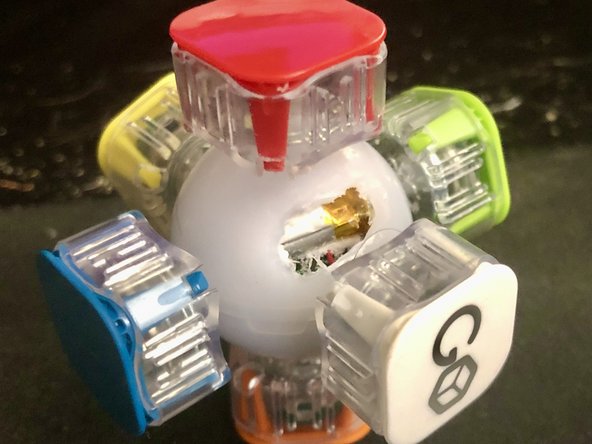
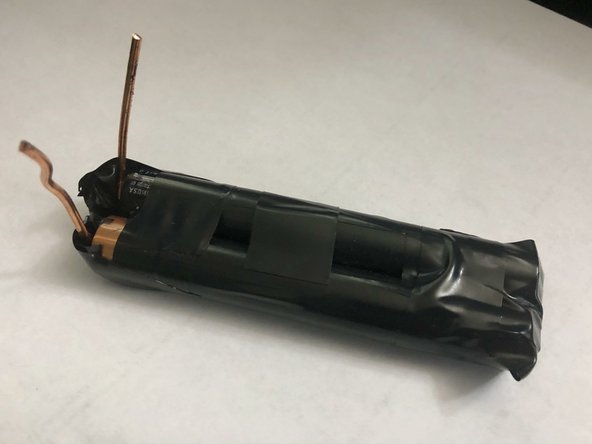
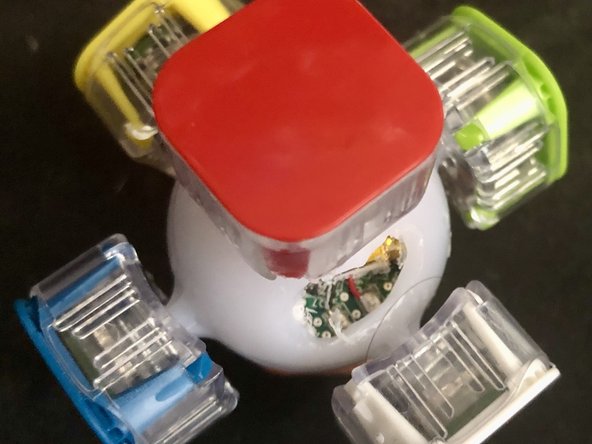
Now just never let it die again, or you'll probably have to do this again. And never buy anything from GoCube again since they're terrible.
Credit for the fix to David García Illanas at https://www.kickstarter.com/projects/192...
Cancel: I did not complete this guide.
2 other people completed this guide.

6 Guide Comments
Sir. Bless you may you live long and prosper.
If this works, I wonder if it might be possible to accomplish the same thing by just sending some excess voltage through the regular charging cable. I might try it out with my useless cube before putting a hole in it.
Any luck with the higher voltage through the regular charging ports?
Thank you for the tips. I have 2. Both dead. One was a replacement for one that was dead in the box. Can't understand was this wasn't a design consideration. I hope they resolved this issue on newer models.
Hello, I tried this method but unfortunately the battery wont charge. Although when I plug the external DIY battery I can connect to the cube and it seems to work well (Enable / disable led and gyro tracking from the app works.
The cube is not dead only the battery is. So I removed it. Now I'm searching for a replacement. Did you guys know where I can find some ?
Maybe solder a connector like those those and print some 3D support for not rechargeable button battery i will have to change regularly...
More ideas are welcome.
