Free Shipping on Domestic Orders $75+

Giant Reign 2 Headset Replacement

What you need

    1. Giant Reign 2 Headset Replacement, Hex Screws: step 1, image 1 of 1
      • Using the 4mm Allen wrench, partially unscrew the 4 (22mm) hex screws on the front of the axle casing to allow the axle to slide freely.

      Ask FixBot

      Add Comment

    2. Giant Reign 2 Headset Replacement, Axle Screw: step 2, image 1 of 2 Giant Reign 2 Headset Replacement, Axle Screw: step 2, image 2 of 2
      • Using the 8mm Allen wrench, loosen the axle screw until 1/2 of the axle screw is visible.

      • Push the axle screw to reveal the axle rod on the other side.

      Ask FixBot

      Add Comment

    3. Giant Reign 2 Headset Replacement: step 3, image 1 of 1
      • Using the Allen wrench, finish unscrewing the axle screw and pull it out.

      • Hold the wheel when pulling out the axle rod so that the bike does not fall.

      Ask FixBot

      Add Comment

    4. Giant Reign 2 Headset Replacement, Front Wheel: step 4, image 1 of 1
      • Pull the wheel from the fork.

      Ask FixBot

      Add Comment

    1. Giant Reign 2 Headset Replacement, Headset: step 5, image 1 of 2 Giant Reign 2 Headset Replacement, Headset: step 5, image 2 of 2
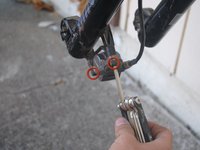
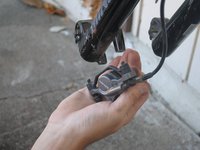
      • Using the 8mm Allen wrench, unscrew 2 (32mm) screws to release the brake calipers from the fork.

      • If necessary use wire cutters to release zip ties attaching cables to the forks.

      Ask FixBot

      Add Comment

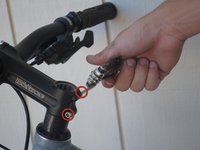
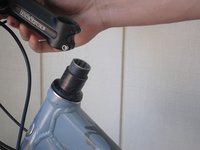
    2. Giant Reign 2 Headset Replacement: step 6, image 1 of 3 Giant Reign 2 Headset Replacement: step 6, image 2 of 3 Giant Reign 2 Headset Replacement: step 6, image 3 of 3
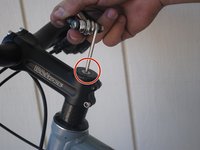
      • Using the 8mm Allen wrench, unscrew the 30mm head screw located on top of the steam.

      • Using the 4mm Allen wrench, loosen the side screw on both sides.

      • Lift off the handlebar.

      • Hang the handlebar gently from the cables. Do not pull the cables as you may damage the brake/derailleur lines.

      Ask FixBot

      Add Comment

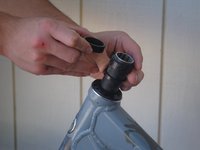
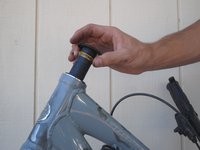
    3. Giant Reign 2 Headset Replacement: step 7, image 1 of 3 Giant Reign 2 Headset Replacement: step 7, image 2 of 3 Giant Reign 2 Headset Replacement: step 7, image 3 of 3
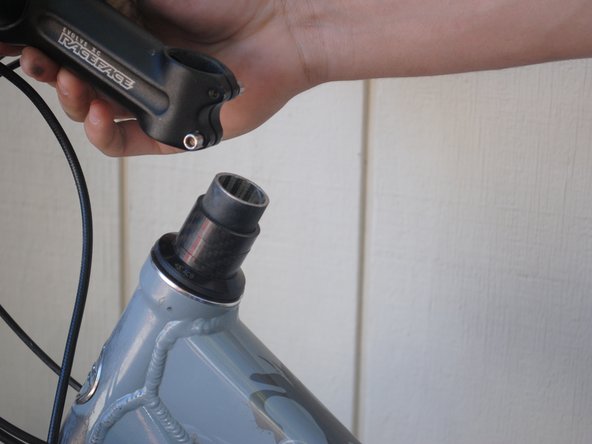
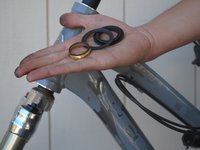
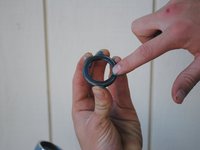
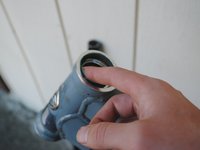
      • Slide off the spacers.

      • Lift off the seal.

      Ask FixBot

      Add Comment

    4. Giant Reign 2 Headset Replacement: step 8, image 1 of 1
      • Slide the fork out of the casing.

      Ask FixBot

      Add Comment

    5. Giant Reign 2 Headset Replacement: step 9, image 1 of 1
      • Using your fingers, pry the bearings from the top and bottom of the headset.

      Ask FixBot

      Add Comment

    6. Giant Reign 2 Headset Replacement: step 10, image 1 of 1
      • Apply WD-40 to both ends of the headset and bearings.

      • Dry headset and bearings with paper towels.

      • Repeat as necessary until clean.

      Ask FixBot

      Add Comment

    7. Giant Reign 2 Headset Replacement: step 11, image 1 of 2 Giant Reign 2 Headset Replacement: step 11, image 2 of 2
      • Using your finger, apply all-purpose lube to the bearings and each end of the headset.

      • Insert the bearings into the headset with the beveled side facing into the headset.

      Ask FixBot

      Add Comment

Conclusion

To reassemble your device, follow these instructions in reverse order.

Cancel: I did not complete this guide.

One other person completed this guide.

Sterling Grande

Member since: 10/08/12

148 Reputation

4 Guides authored

Team

Cal Poly, Team 9-14, Amido Fall 2012 Member of Cal Poly, Team 9-14, Amido Fall 2012

CPSU-AMIDO-F12S9G14

4 Members

10 Guides authored

0 Guide Comments

Add Comment

View Statistics:

Past 24 Hours: 2

Past 7 Days: 14

Past 30 Days: 44

All Time: 4,687