Galaxy S20 Rear Camera Module Replacement

Isaiah Kochis and
Last updated on Jul 29, 2021
Views: 125
View statistics:
- Past 24 Hours:
- 0
- Past 7 Days:
- 3
- Past 30 Days:
- 8
- All Time:
- 125
Comments: 0
No one has left comments on this guide. Will you be first?
Go to guide commentsCompleted: 1 2
1 person has marked this guide "completed." Will you be next?
2 people have marked this guide "completed." Including you — great job!
Favorites: 0 1
No one has favorited (and subscribed to) this guide. Will you be the first?
1 person has favorited (and subscribed to) this guide — and that's you!
Archived Guide
This guide is retained solely for historical purposes. Use the updated version of the guide to perform your repair.
In Progress
This guide is a work in progress. Reload periodically to see the latest changes!
Community-Contributed Guide
An awesome member of our community made this guide. It was not created by iFixit staff.
Introduction
Go to step 1 ↓For the official, updated iFixit guide, click here. This guide is archived for historical purposes.
What you need
Parts

-
-
-
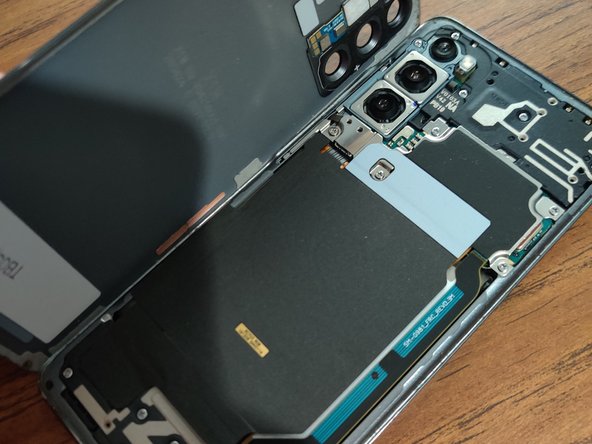
Please be gentle and use a lot of heat as the back glass is very fragile and will easily crack.
 Ask FixBot
-
-
-
-
I would recommend using a plastic spudger and using extreme care not to tear any of the Flex Cables.
-
-



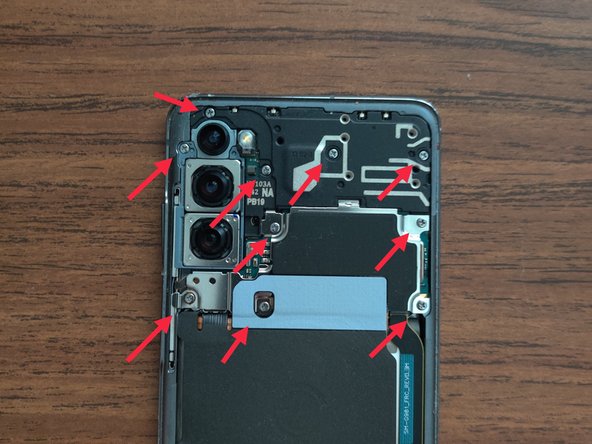
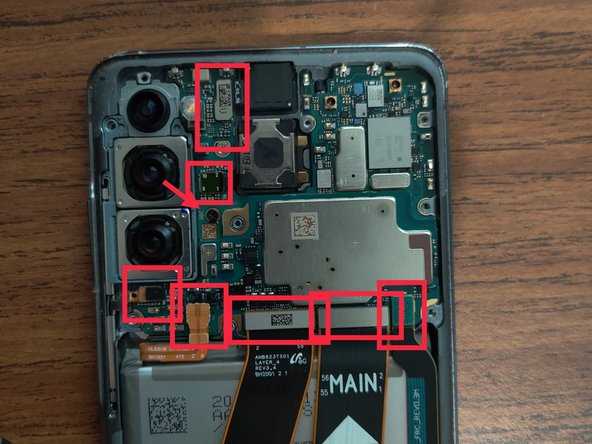
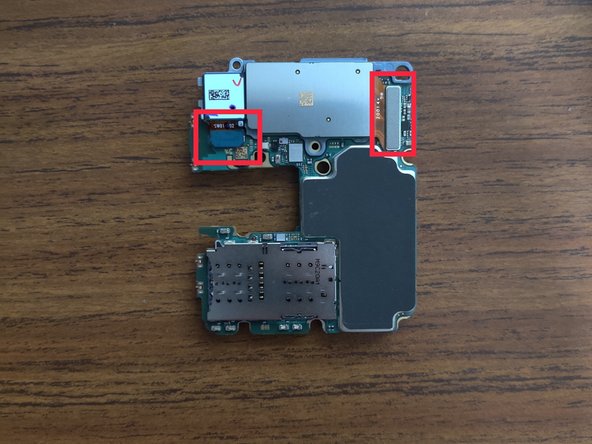
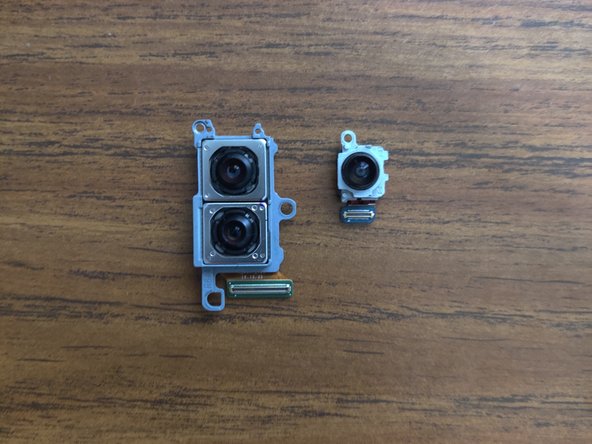


To reassemble your device, follow these instructions in reverse order.
Cancel: I did not complete this guide.
One other person completed this guide.