
Framework Laptop 16 Fastener Guide

Last updated on Feb 3, 2026
Views: 318
View statistics:
- Past 24 Hours:
- 1
- Past 7 Days:
- 20
- Past 30 Days:
- 58
- All Time:
- 318
Comments: 0
No one has left comments on this guide. Will you be first?
Go to guide commentsCompleted: 0 1
No one has marked this guide "completed." Will you be the first?
1 person has marked this guide "completed." It's you — great job!
Favorites: 0 1
No one has favorited (and subscribed to) this guide. Will you be the first?
1 person has favorited (and subscribed to) this guide — and that's you!
OEM Guide
iFixit collaborated with the manufacturer to make this guide.
Introduction
Go to step 1 ↓Did you lose a screw in your Framework Laptop 16? Fear not! Follow this guide to replace your missing screws with the Framework Laptop 16 Fastener Kit.
The Fastener Kit only replaces the non-captive screws in your laptop.
Use the links below to jump to the part and find which screw to use:
What you need


-
-
-
Grey screws labeled "M1.6 1.5mm fastener with a 5.5mm diameter 0.6mm thick T5 head"
-
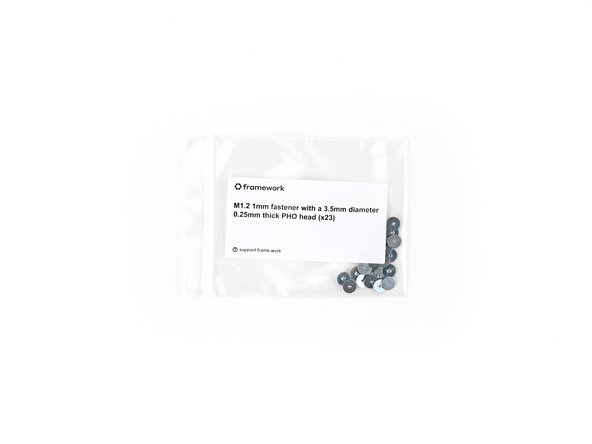
Silver screws labeled "M1.2 1.0mm fastener with a 3.5mm diameter 0.25mm thick PH0 head"
-
Grey screws labeled "M1.4 1.8mm fastener with a 4.0mm diameter 0.4mm thick PH0 head"
-
Gold screws labeled "M1.4 1.4mm fastener with a 4.5mm diameter 0.6mm thick T5 head"
-
Gold screws labeled "M2 3.0mm fastener with a 4.5mm diameter 0.7mm thick T5 head"
-
Black screws labeled "M2.5 3.5mm fastener with a 4.5mm diameter 0.5mm thick T5 head"
 Ask FixBot
-
-
-
Grey screws labeled "M2 2.6mm fastener with a 5.5mm diameter 0.8mm thick T5 head"
-
Grey screws labeled "M2 2.0mm fastener with a 4.5mm diameter 0.5mm thick T5 head"
-
-
-
Use the grey screws labeled "M1.6 1.5mm fastener with a 5.5mm diameter 0.6mm thick T5 head" to secure the Webcam and Mainboard.
-
-
-
Use the silver screws labeled "M1.2 1.0mm fastener with a 3.5mm diameter 0.25mm thick PH0 head" to secure the Input Connector Board and Input Module.
-
-
-
Use the grey screws labeled "M1.4 1.8mm fastener with a 4.0mm diameter 0.4mm thick PH0 head" to secure the Fingerprint Reader and the bottom of the Touchpad.
-
-
-
Use the gold screws labeled "M1.4 1.4mm fastener with a 4.5mm diameter 0.6mm thick T5 head" to secure the Primary and Secondary Storage.
-
-
-
Use the gold screws labeled "M2 3.0mm fastener with a 4.5mm diameter 0.7mm thick T5 head" to secure the Expansion Bay Shell components.
-
-
-
Use the gold screws labeled "M2 3.0mm fastener with a 4.5mm diameter 0.7mm thick T5 head" to secure the Graphics Module cover.
-
-
-
-
Use the black screws labeled "M2.5 2.0mm fastener with a 4.5mm diameter 0.5mm thick T5 head" to secure the hinges to the bottom cover.
-
-
-
Use the grey screws labeled "M2 2.6mm fastener with a 5.5mm diameter 0.8mm thick T5 head" to secure the Bottom Cover screws.
-
-
-
Use the grey screws labeled "M2 2.0mm fastener with a 4.5mm diameter 0.5mm thick T5 head" to secure the display.
-
-




If you need help, contact Framework support.

