-
-
-
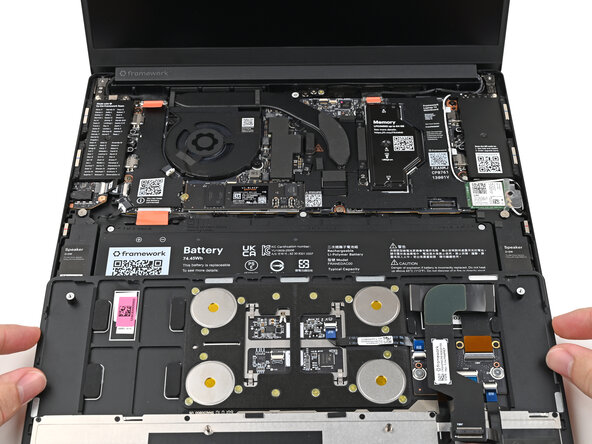
Position the Input Cover, Keyboard down, on top of the laptop so it just covers the Battery.
 Ask FixBot
-
-
-
Insert your finger into the Touchpad Cable press connector loop.
-
Align the press connector over its socket and press down with your finger.
-
-
-
-
Flip the Input Cover over the laptop and align the bottom edges.
-
-
-
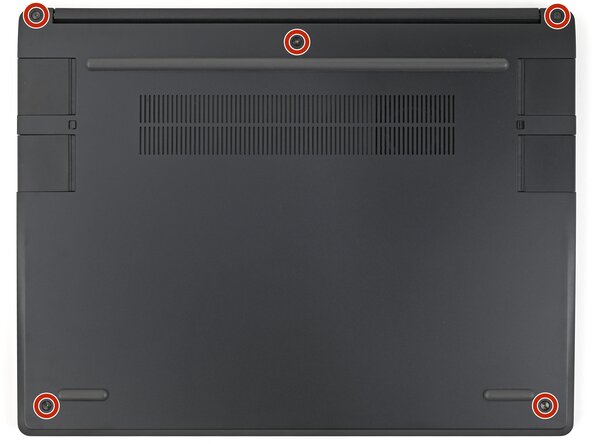
Use your Framework Screwdriver to tighten the five captive T5 Torx screws securing the Input Cover.
-
-




Conclusion
To reassemble your device, follow these instructions in reverse order.

