Free Shipping on Domestic Orders $75+

Framework Laptop 13 Pro Bezel Installation

Prerequisite Only
This is a prerequisite-only guide! This guide is part of another procedure and isn’t meant to be used alone.
    1. Framework Laptop 13 Pro Bezel Installation, Check the cables: step 1, image 1 of 2 Framework Laptop 13 Pro Bezel Installation, Check the cables: step 1, image 2 of 2
      • Before continuing, check if cables next to the hinges are routed properly:

      • The Display Cable should be routed just above the hinge without any large gaps.

      • The Display Cable should be routed between the metal clips.

      • The Webcam Cable should be routed just above the hinge without any large gaps and shouldn't overlap with the antenna cables.

      • If the cables aren't routed properly, the Bezel won't sit flat and you risk damaging the Bezel and the Display during reassembly.

      Ask FixBot

      Add Comment

    2. Framework Laptop 13 Pro Bezel Installation, Install the Bezel: step 2, image 1 of 3 Framework Laptop 13 Pro Bezel Installation, Install the Bezel: step 2, image 2 of 3 Framework Laptop 13 Pro Bezel Installation, Install the Bezel: step 2, image 3 of 3
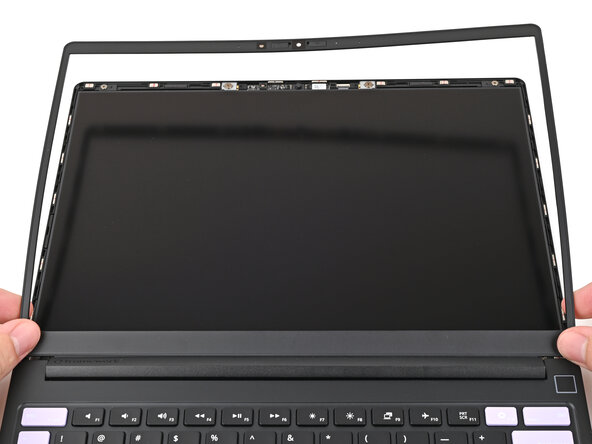
      • Align the bottom edge of the Bezel with the top edge of the Input Cover and press down so the Bezel covers the hinges and cables.

      • The bottom edge of the Bezel should sit flat and the magnets at its edges should "snap" into place.

      • Lay the rest of the Bezel over the screen and let the magnets pull it into place.

      Ask FixBot

      Add Comment

    3. Framework Laptop 13 Pro Bezel Installation: step 3, image 1 of 3 Framework Laptop 13 Pro Bezel Installation: step 3, image 2 of 3 Framework Laptop 13 Pro Bezel Installation: step 3, image 3 of 3
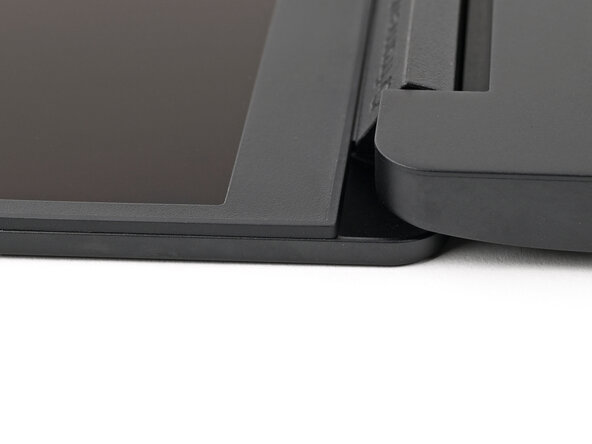
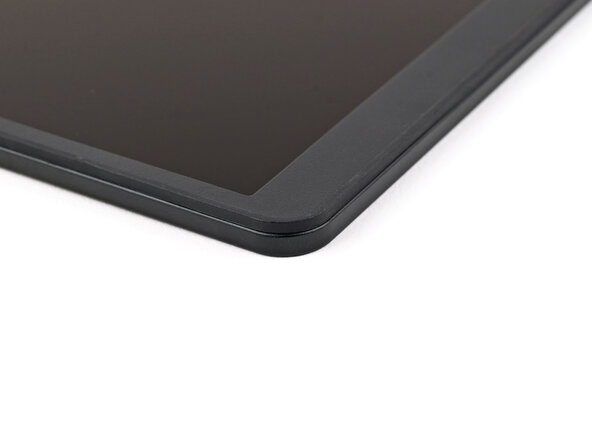
      • Check that all four corners of the Bezel sit flat on the screen. If they're uneven, do the following:

      • Use your fingers to press around the edge of the Bezel. The magnets should easily snap into place.

      • If the Bezel is still uneven, remove the Bezel and reseat it.

      Ask FixBot

      Add Comment

Conclusion

To reassemble your device, follow these instructions in reverse order.

Cancel: I did not complete this guide.

Alex Diaz-Kokaisl

Member since: 01/16/22

249,973 Reputation

1,203 Guides authored

0 Guide Comments

Add Comment

View Statistics:

Past 24 Hours: 0

Past 7 Days: 0

Past 30 Days: 0

All Time: 19