Introduction
Congratulations on getting your capable hands on a Framework Laptop 13 Pre-Built Edition! Follow this quick start guide to assemble your laptop and get it running.
-
-
-
Framework Laptop chassis with pre-installed Bezel, Memory, Storage, and Input Cover.
-
Expansion Cards
-
Power Adapter
-
Framework Screwdriver
 Ask FixBot
-
-
-
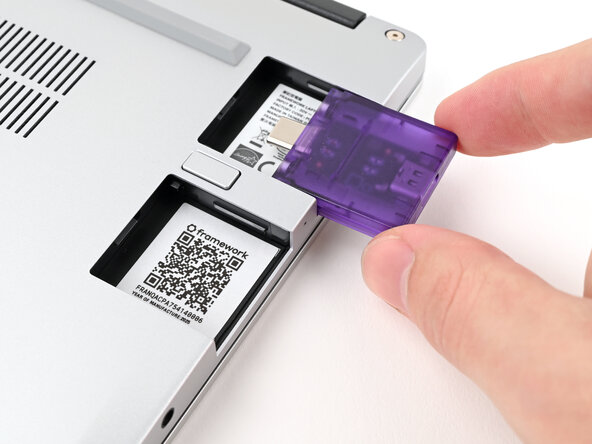
Slide an Expansion Card into an Expansion Card slot.
-
Repeat for the remaining Expansion Cards along that edge.
-
-
-
-
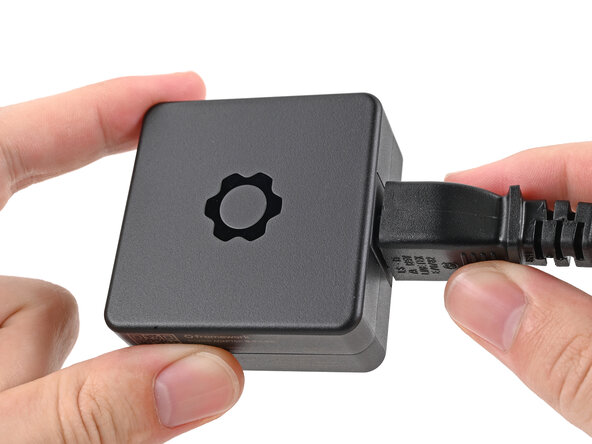
Plug the AC Cable into the Power Adapter.
-
Plug the USB-C Cable into the Power Adapter.
-
Plug the AC Cable into a power outlet.
-
-
-
Your Framework Laptop ships in shipping mode, where the battery is disabled until you plug the laptop in for the first time.
-
Plug the USB-C Cable into any USB-C port on your laptop.
-
-
-
Your Framework Laptop is ready for use! Open the lid and press the power button at the top right corner of the laptop.
-
Follow this guide to check your BIOS.
-
-






For drivers, firmware, and software updates, check out this page.
If you need help, contact Framework support.

