Free Shipping on Domestic Orders $75+

Framework Desktop Primary Storage Removal (Mainboard)

Prerequisite Only
This is a prerequisite-only guide! This guide is part of another procedure and isn’t meant to be used alone.
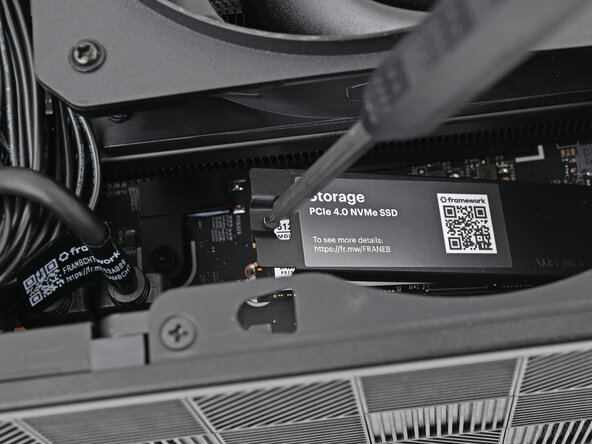
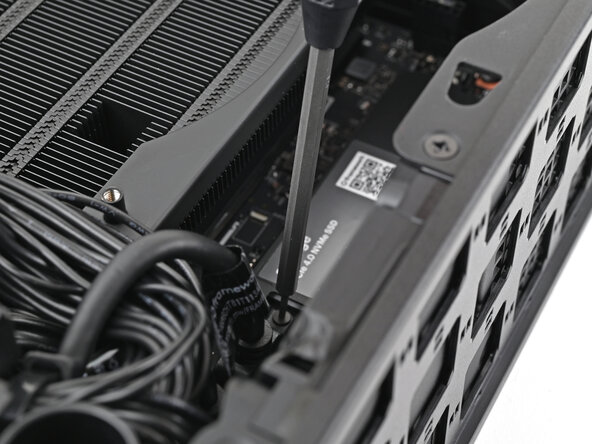
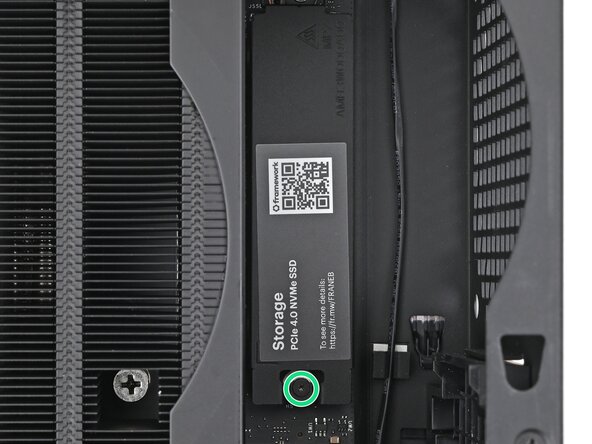
    1. Framework Desktop Primary Storage Removal (Mainboard), Loosen the SSD screw: step 1, image 1 of 2 Framework Desktop Primary Storage Removal (Mainboard), Loosen the SSD screw: step 1, image 2 of 2
      • Use your Framework Desktop Screwdriver to loosen the captive T5 Torx screw securing the SSD.

      • The SSD and its heat spreader will pop up to an angle when its screw is fully loosened.

      Ask FixBot

      Add Comment

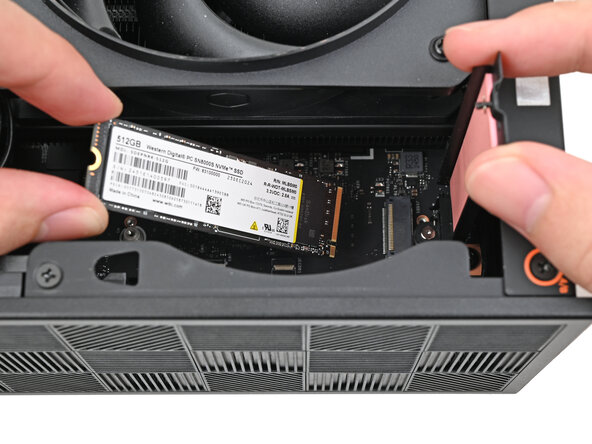
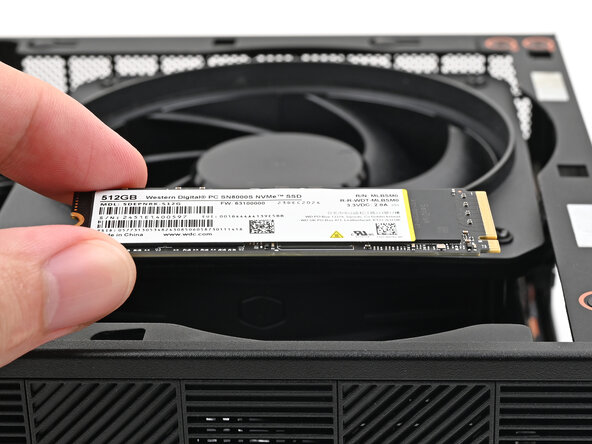
    2. Framework Desktop Primary Storage Removal (Mainboard), Remove the SSD: step 2, image 1 of 3 Framework Desktop Primary Storage Removal (Mainboard), Remove the SSD: step 2, image 2 of 3 Framework Desktop Primary Storage Removal (Mainboard), Remove the SSD: step 2, image 3 of 3
      • While holding the heat spreader upright, grab the SSD by its edges and pull it out of its socket.

      • Remove the SSD.

      Ask FixBot

      Add Comment

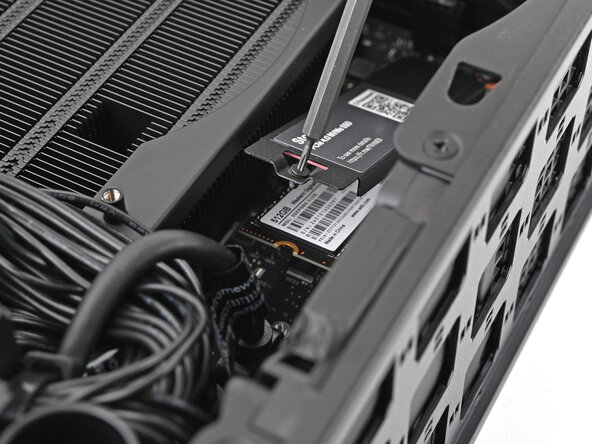
    3. Framework Desktop Primary Storage Removal (Mainboard), Install the heat spreader: step 3, image 1 of 3 Framework Desktop Primary Storage Removal (Mainboard), Install the heat spreader: step 3, image 2 of 3 Framework Desktop Primary Storage Removal (Mainboard), Install the heat spreader: step 3, image 3 of 3
      • Insert your Framework Desktop Screwdriver into the captive screw on the primary storage heat spreader and press it flat to the Mainboard.

      • Tighten the captive T5 Torx screw securing the heat spreader.

      Ask FixBot

      Add Comment

Conclusion

To reassemble your device, follow these instructions in reverse order.

Cancel: I did not complete this guide.

Alex Diaz-Kokaisl

Member since: 01/16/22

249,976 Reputation

1,203 Guides authored

0 Guide Comments

Add Comment

View Statistics:

Past 24 Hours: 1

Past 7 Days: 4

Past 30 Days: 14

All Time: 91