Free Shipping on Domestic Orders $75+

Framework Desktop Power Supply Removal

Prerequisite Only
This is a prerequisite-only guide! This guide is part of another procedure and isn’t meant to be used alone.
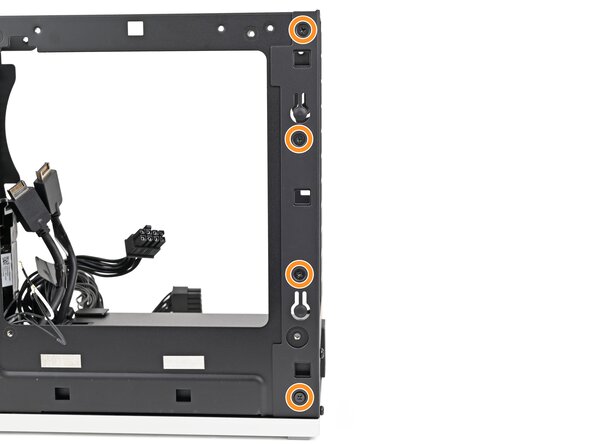
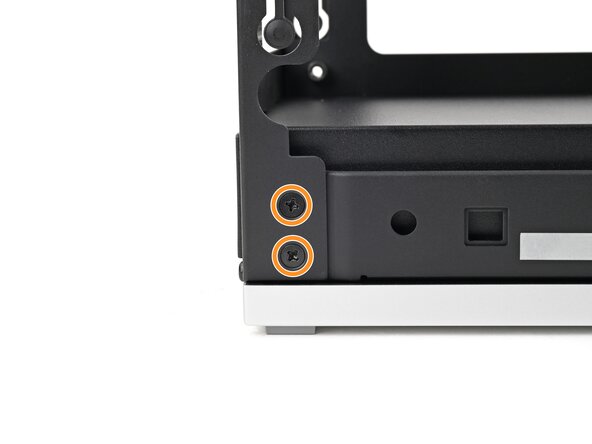
    1. Framework Desktop Power Supply Removal, Remove the rear plate screws: step 1, image 1 of 3 Framework Desktop Power Supply Removal, Remove the rear plate screws: step 1, image 2 of 3 Framework Desktop Power Supply Removal, Remove the rear plate screws: step 1, image 3 of 3
      • Use your Framework Desktop Screwdriver to remove the three 5.9 mm‑long Phillips screws securing the power supply.

      • Optionally, you can remove the six 4.0 mm‑long screws securing the rear plate to make removing the power supply easier.

      • If you don't remove the rear plate screws, skip the next step.

      Ask FixBot

      Add Comment

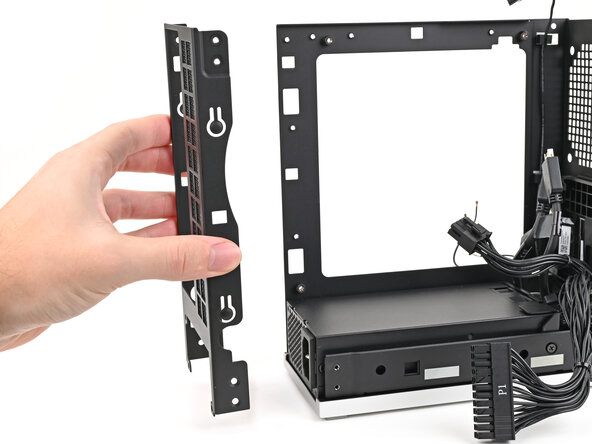
    2. Framework Desktop Power Supply Removal, Remove the rear plate: step 2, image 1 of 2 Framework Desktop Power Supply Removal, Remove the rear plate: step 2, image 2 of 2
      • Pull the rear plate off the back of the Desktop and remove it.

      Ask FixBot

      Add Comment

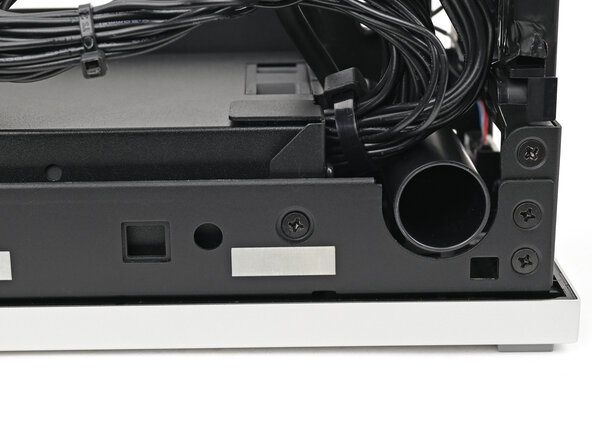
    3. Framework Desktop Power Supply Removal, Remove the power supply screw: step 3, image 1 of 2 Framework Desktop Power Supply Removal, Remove the power supply screw: step 3, image 2 of 2
      • Use your Framework Desktop Screwdriver to remove the 4.0 mm‑long Phillips screw securing the power supply.

      Ask FixBot

      Add Comment

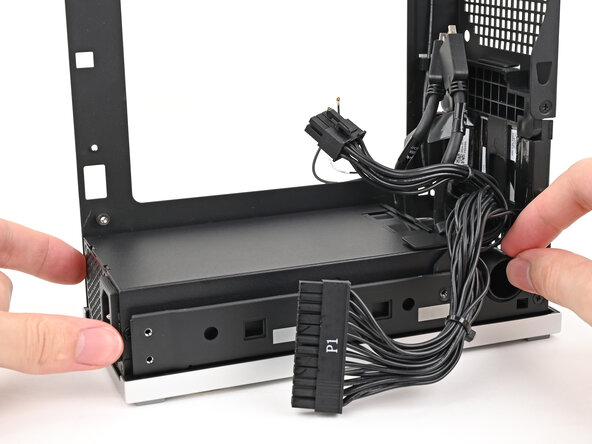
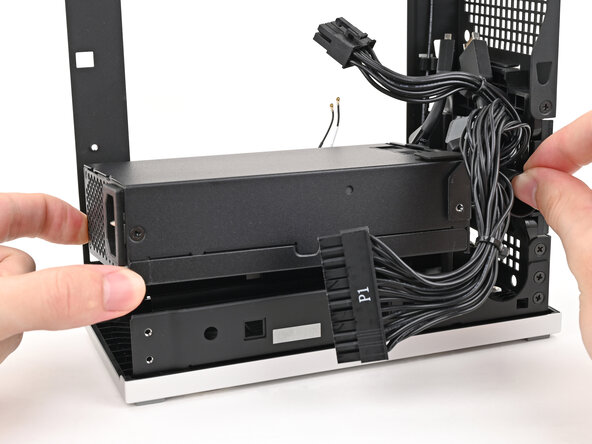
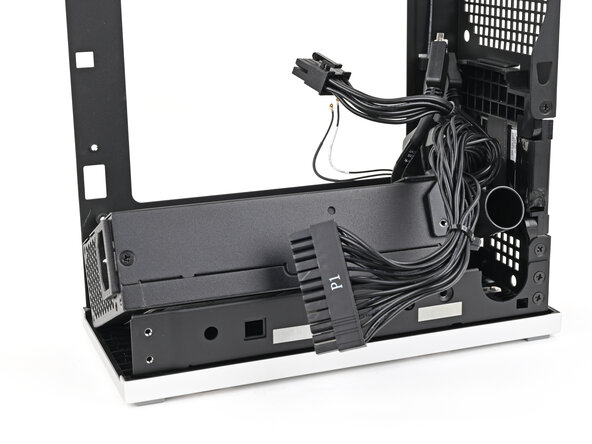
    4. Framework Desktop Power Supply Removal, Reposition the power supply: step 4, image 1 of 3 Framework Desktop Power Supply Removal, Reposition the power supply: step 4, image 2 of 3 Framework Desktop Power Supply Removal, Reposition the power supply: step 4, image 3 of 3
      • Lift the power supply out of its slot and let it rest on the left side of the Desktop.

      Ask FixBot

      Add Comment

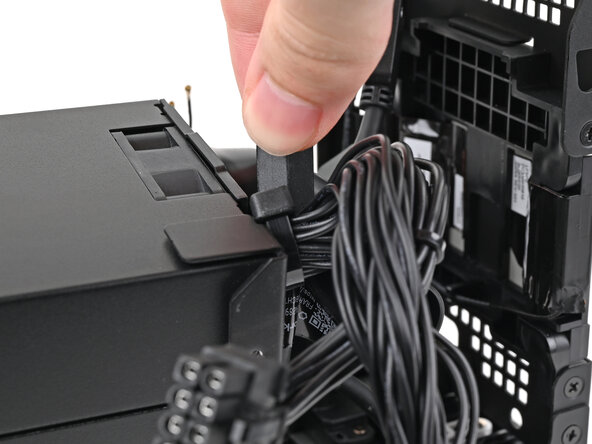
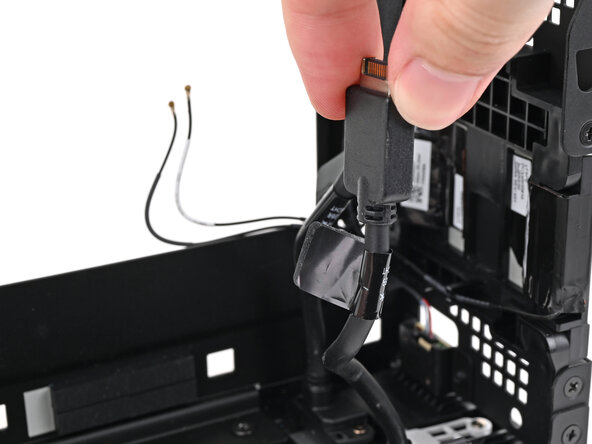
    5. Framework Desktop Power Supply Removal, Remove the power supply: step 5, image 1 of 3 Framework Desktop Power Supply Removal, Remove the power supply: step 5, image 2 of 3 Framework Desktop Power Supply Removal, Remove the power supply: step 5, image 3 of 3
      • Push the right Expansion Card cable through the gap between the power supply and its duct.

      • The gap is very small and might require some force to thread the cable through.

      • Remove the power supply.

      Ask FixBot

      Add Comment

Conclusion

To reassemble your device, follow these instructions in reverse order.

Cancel: I did not complete this guide.

Alex Diaz-Kokaisl

Member since: 01/16/22

249,976 Reputation

1,203 Guides authored

0 Guide Comments

Add Comment

View Statistics:

Past 24 Hours: 0

Past 7 Days: 1

Past 30 Days: 6

All Time: 82