Introduction
Adventurer 5M Cold Pull Procedure to help clean the nozzle without removal of the nozzle
What you need
-
-
-
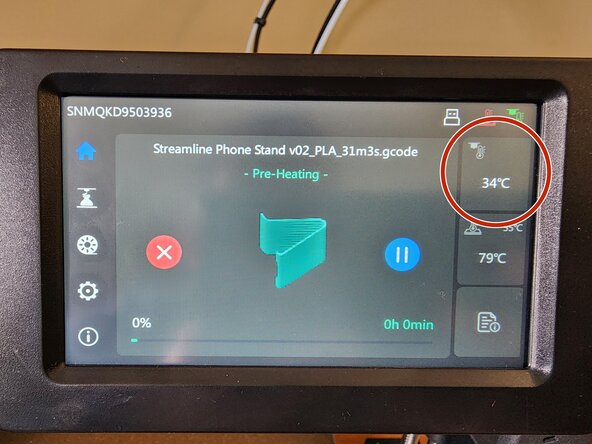
Start by cutting and removing any current filament that is loaded inside the nozzle. Then heat the nozzle by pressing the nozzle temperature icon, a popup should appear asking you how hot you would like the nozzle. Heat up to 230 degrees or higher.
-
The heat bed does not need to be heat up.
 Ask FixBot
-
-
-
-
Grab unused filament and slowly push it down the nozzle.
-
Once you think you have pushed far enough(Ideally untill filament starts to ooze out of the nozzle) yank it out with a swift movement to grab any dust
-
Do this as many times as desired(5-7 times is ideal, but for more thorough cleaning, 9-12 or more is needed)
-
-


When done, always make sure you set the nozzle temperature back to 0.

