Introduction
Let's see what HP EliteBook 8 G1i 14 looks like inside
What you need
-
-
-
Unscrew 4 Phillips head screws, use prying/pick tool to start prying close to hinge to remove the bottom cover
-
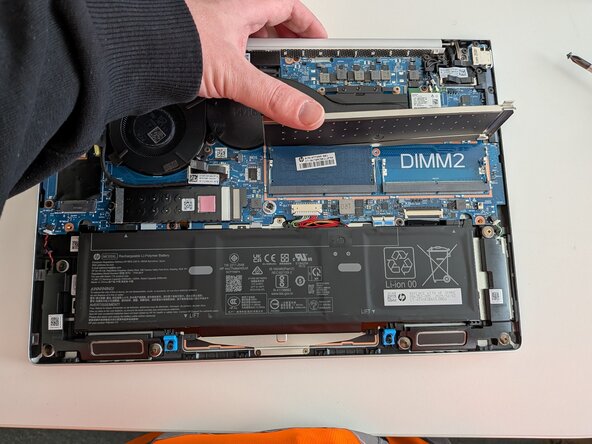
Remove another screw marked with circle and lift the ram cover. SSD marked with orange arrow and WIFI-card with green arrow
-
Remove RAM stick or add another one, this one came with a single 16Gb DDR5 5600 stick
 Ask FixBot
-
-
-




Conclusion
To reassemble your device, follow these instructions in reverse order.

