Free Shipping on Domestic Orders $75+

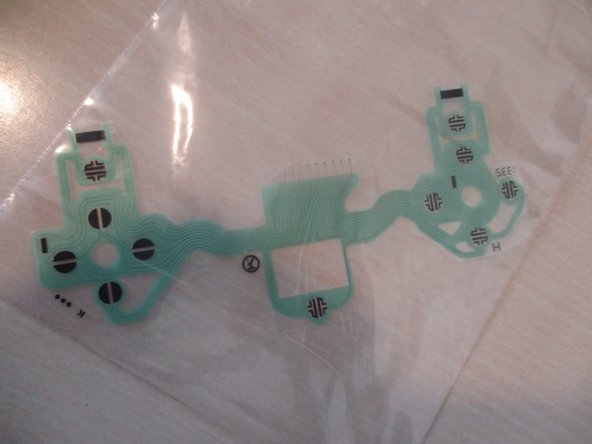
DualShock 4 Button Flex Board Replacement

Archived Guide
This guide is retained solely for historical purposes. Use the updated version of the guide to perform your repair.

What you need

    1. DualShock 4 Button Flex Board Replacement, Opening the enclosure: step 1, image 1 of 3 DualShock 4 Button Flex Board Replacement, Opening the enclosure: step 1, image 2 of 3 DualShock 4 Button Flex Board Replacement, Opening the enclosure: step 1, image 3 of 3
      • Unscrew these 4 PH0 Screws to open the back cover.

      • Carefully pry around the cover with a spudger. Pull the back part to open the enclosure.

      • Be careful not to pull too far though, because there is a fragile connector connecting the light bar assembly.

      • Disconnect the light bar ribbon cable.

      Ask FixBot

      Add Comment

    2. DualShock 4 Button Flex Board Replacement, Please note:: step 2, image 1 of 1
      • Note that when opening the case, the following parts might fall off: L2 Trigger, R2 trigger, 2x trigger springs. If they don't, remove them and keep them in a safe place for later.

      Ask FixBot

      Add Comment

    3. DualShock 4 Button Flex Board Replacement, Disconnecting cables: step 3, image 1 of 2 DualShock 4 Button Flex Board Replacement, Disconnecting cables: step 3, image 2 of 2
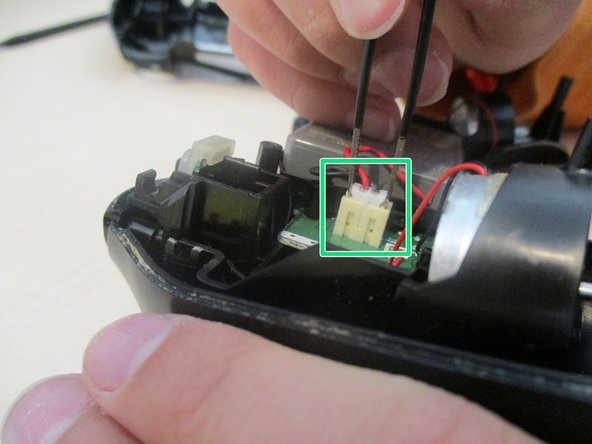
      • Disconnect the battery connector and remove the battery.

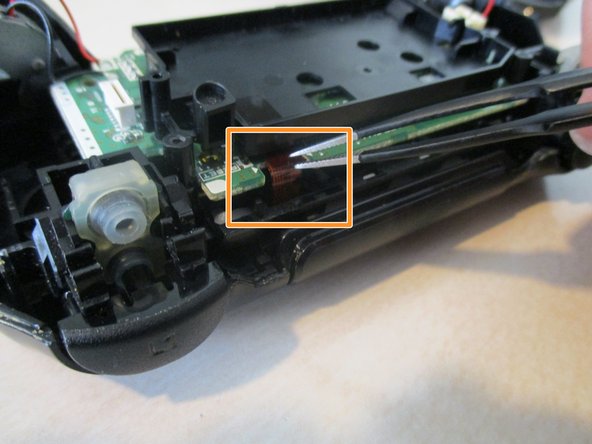
      • And the touch bar cable. Push the cable carefully through the small hole in the plastic midframe.

      Ask FixBot

      Add Comment

    4. DualShock 4 Button Flex Board Replacement, Removing the front cover: step 4, image 1 of 3 DualShock 4 Button Flex Board Replacement, Removing the front cover: step 4, image 2 of 3 DualShock 4 Button Flex Board Replacement, Removing the front cover: step 4, image 3 of 3
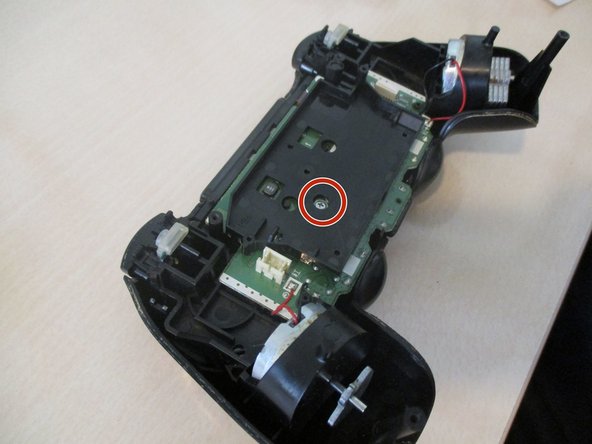
      • Remove the lonely, PH1 screw holding the motherboard and the midframe.

      • Remove the front cover from the midframe. If it gets stuck, you may need to jiggle the joysticks.

      • Take care while jiggling the sticks and removing the cover, because the vibration motors that are soldered on the board may get detached, which can be very frustrating to reassemble.

      Ask FixBot

      Add Comment

    5. DualShock 4 Button Flex Board Replacement, Removing the button board- Part 1: step 5, image 1 of 3 DualShock 4 Button Flex Board Replacement, Removing the button board- Part 1: step 5, image 2 of 3 DualShock 4 Button Flex Board Replacement, Removing the button board- Part 1: step 5, image 3 of 3
      • Starting from the bottom, carefully remove the board from these 4 latches. It might also get caught on the bottom of the speaker grille.

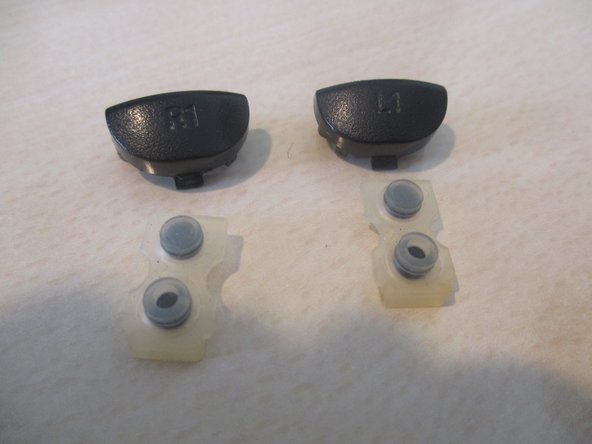
      • Then, remove the bumper buttons and the contact pads outward from for them and the triggers. A slight force must be applied.

      • The top of your controller should now look like pic. 3 Then, unlatch the board from there as well

      • To be continued...

      Ask FixBot

      Add Comment

    6. DualShock 4 Button Flex Board Replacement, Removing the button board- part 2: step 6, image 1 of 3 DualShock 4 Button Flex Board Replacement, Removing the button board- part 2: step 6, image 2 of 3 DualShock 4 Button Flex Board Replacement, Removing the button board- part 2: step 6, image 3 of 3
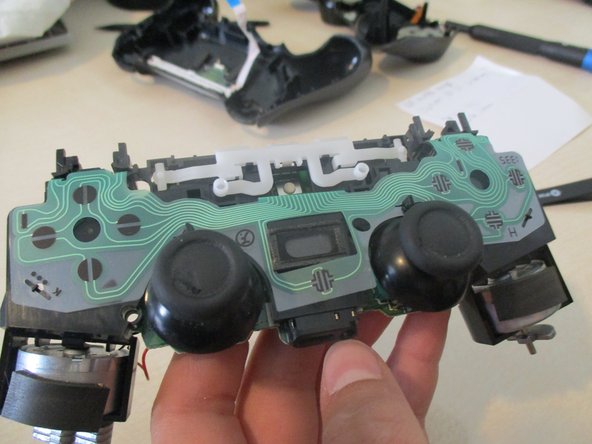
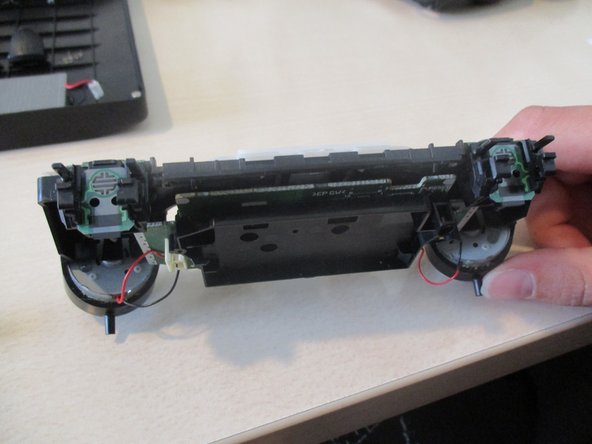
      • Now that your controller looks something like pic 1, open the midframe Partially.

      • Again, be careful here, because the vibration motors are hard-soldered on the board.

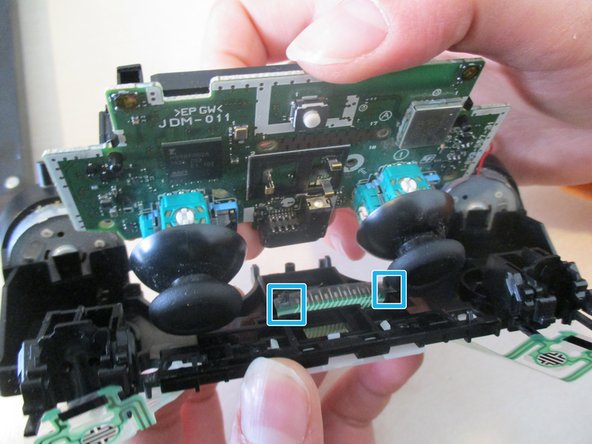
      • Remove the two more latches on the sides of the contact pins.

      • Pull the board out carefully.

      Ask FixBot

      Add Comment

    7. DualShock 4 Button Flex Board Replacement, That's it! Well... Kinda: step 7, image 1 of 1
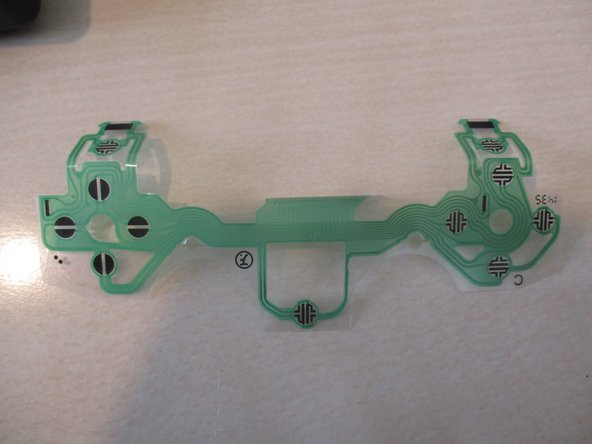
      • Get your new button board and follow the steps in reverse order to reassemble your device. If you need help re installing the trigger buttons (trust me, it is hard to do so) follow this guide: PS4 Dualshock 4 trigger reassembly

      Ask FixBot

      Add Comment

Conclusion

To reassemble your device, follow this guide: PS4 Dualshock 4 trigger reassembly

Cancel: I did not complete this guide.

Devnol

Member since: 12/01/18

3,032 Reputation

4 Guides authored

0 Guide Comments

Add Comment

View Statistics:

Past 24 Hours: 0

Past 7 Days: 2

Past 30 Days: 6

All Time: 66