Download original Aorus23 CD/DVD

  1. Download original Aorus23 CD/DVD, Download CD/DVD from Microsoft OneDrive: step 1, image 1 of 3 Download original Aorus23 CD/DVD, Download CD/DVD from Microsoft OneDrive: step 1, image 2 of 3 Download original Aorus23 CD/DVD, Download CD/DVD from Microsoft OneDrive: step 1, image 3 of 3
  2. Download original Aorus23 CD/DVD, Extract ZIP file: step 2, image 1 of 3 Download original Aorus23 CD/DVD, Extract ZIP file: step 2, image 2 of 3 Download original Aorus23 CD/DVD, Extract ZIP file: step 2, image 3 of 3
    • We select the downloaded ZIP file, go to the top, click on Compressed Folder Tools, and then click on Extract All.

    • We will choose the path or leave the default one and click on Extract.

  3. Download original Aorus23 CD/DVD, Run the installer: step 3, image 1 of 2 Download original Aorus23 CD/DVD, Run the installer: step 3, image 2 of 2
    • Click on Setup to install the manufacturer's program with the correct drivers.

    • To perform the installation, we will need Administrator permissions on the computer.

  4. Download original Aorus23 CD/DVD, Support tools part 1: step 4, image 1 of 3 Download original Aorus23 CD/DVD, Support tools part 1: step 4, image 2 of 3 Download original Aorus23 CD/DVD, Support tools part 1: step 4, image 3 of 3
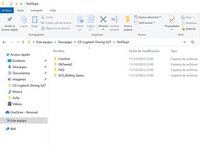
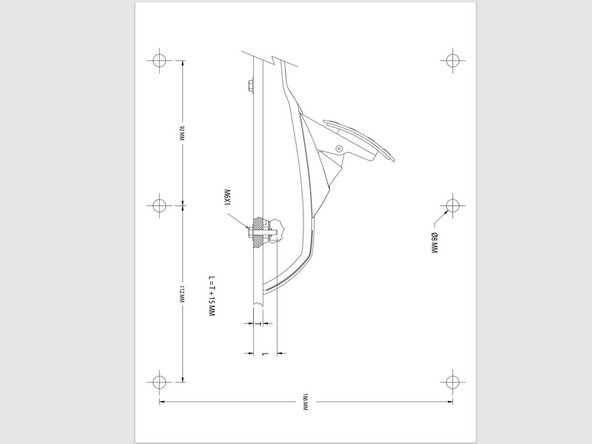
    • If we go to the TechSupt folder, we will see Guides, Calibration Program, Frequently Asked Questions, and the plans.

    • If you have Microsoft Defender's SmartScreen, you will need to click on "More info" to run the calibration program anyway.

    • DXTweak2, downloadable from Microsoft OneDrive: https://1drv.ms/f/s!Apuk8EyuLbW8jjPw1_aB...

  5. Download original Aorus23 CD/DVD, Support tools part 2: step 5, image 1 of 3 Download original Aorus23 CD/DVD, Support tools part 2: step 5, image 2 of 3 Download original Aorus23 CD/DVD, Support tools part 2: step 5, image 3 of 3
Conclusion

To reassemble your device, follow these instructions in reverse order.

Special thanks to these translators:

es en

100%

Josh Yacktman is helping us fix the world! Want to contribute?
Start translating ›

Alpc360

Member since: 12/11/23

387 Reputation

4 Guides authored

0 Guide Comments

Add Comment

View Statistics:

Past 24 Hours: 0

Past 7 Days: 4

Past 30 Days: 19

All Time: 257