
Motorola V557 Rear Casing Replacement

Alex Georges and 11 other contributors
Last updated on Jan 14, 2026
Views: 1.9K
View statistics:
- Past 24 Hours:
- 2
- Past 7 Days:
- 11
- Past 30 Days:
- 40
- All Time:
- 1,885
Comments: 1
1 comment on steps.
Completed: 0 1
No one has marked this guide "completed." Will you be the first?
1 person has marked this guide "completed." It's you — great job!
Favorites: 0 1
No one has favorited (and subscribed to) this guide. Will you be the first?
1 person has favorited (and subscribed to) this guide — and that's you!
Introduction
Go to step 1 ↓If you need to remove or replace the back case of your Motorola V557, follow this guide. You may need to do this repair if your back case has cracked or if you need to access the internal components of your phone.
What you need
Tools
-
-
Spudger4.9
-


-
-
-
First, on the back of the phone find the silver button on the top left corner of the phone.
-
Simultaneously push down the button and slide the back plate down to reveal the battery.
 Ask FixBot
-
-
-
Grab the lower edge of the battery at the two bottom corners.
-
Pull upward on the edges to remove the battery.
-
-
-
-
-
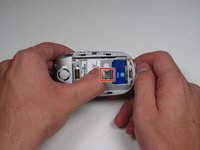
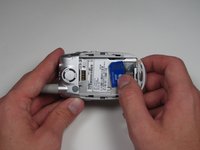
Push the metal slider towards the top of the phone until it clicks out of the original position.
-
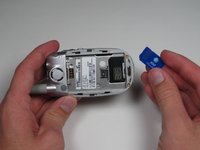
Gently slide out and remove the SIM card.
-
-
-
-
-
Grip the antenna and twist it counterclockwise to loosen it.
-
When it has been loosened all the way, pull gently to remove the antenna piece.
-
-
-
-
-
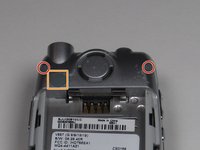
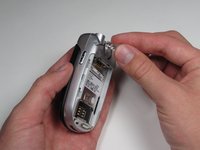
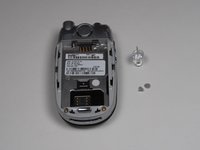
Using the push pin, gently pry the top two screws of the cover off.
-
The cover in the upper left of the back plate does not need to be removed.
-
-
-
-
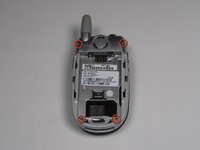
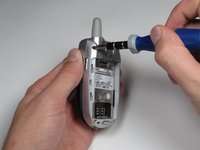
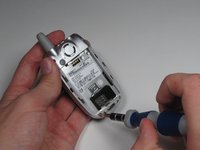
At the corners of the phone, remove all four 6.0 mm Torx screws, using your screwdriver.
-
-
-
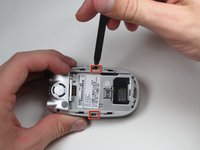
Next, insert a spudger into the marked holes. One at a time pry away from the phone to release the internal tabs.
-
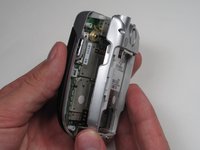
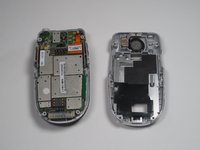
Then, separate and detach the rear casing.
-
-








To reassemble your device, follow these instructions in reverse order.

Team

Cal Poly, Team 7-50, Amido Fall 2010 Member of Cal Poly, Team 7-50, Amido Fall 2010
CPSU-AMIDO-F10S7G50
4 Members
144 Guides authored
