Introduction
This guide covers a Livebox router teardown. This guide helps you differentiate the components more easily and know their functions. It is not recommended to use this guide to repair the router.
-
-
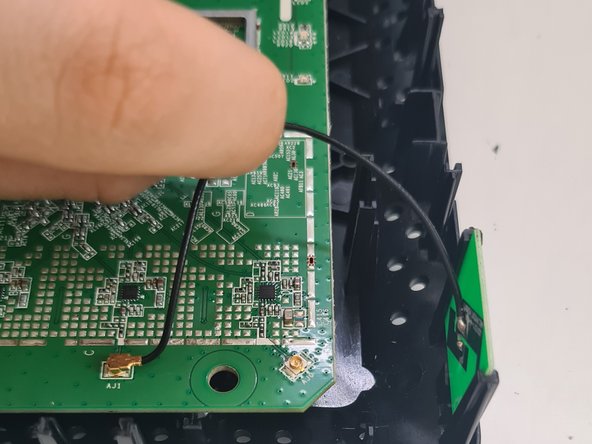
Inside the Router you can see some green PCBs, some are soldered while others are held in place by sockets.
-
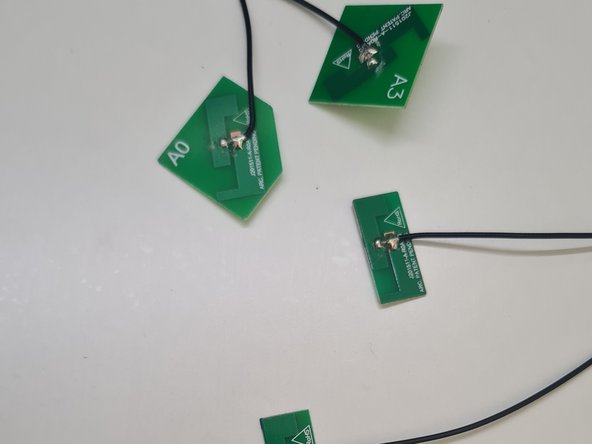
The small socketed PCBs are antennas, they allow the transfer speed to be increased by allowing the data transfer in parallel. These antennas make it unnecessary to install external antennas as on other routers, which benefits users when installing the device on a table or shelf.
-
To extract them, we can remove the ones in sockets, if we want to remove the cable also we unplug them from the main PCB.
-
-
-
-
In the center we can see a small black "card" connected by metal projections that are soldered to the board. I do not recommend extracting it because it is very difficult to do without damage so unless you are skilled and have good reason, such as salvaging for re-use, is pointless.
-
It is a read-only-memory (ROM) chip that stores instructions and data permanently. It contains the router's firmware.
-
-
-
Finally, you can disassemble the rest of the Router's parts, such as the semiconductor located to the right of the processor, which in my opinion is related to the RAM memory and the processor.
-
The rest of the electrolytic capacitors, with a lower capacity than the one already analyzed, can also be dismantled.
-
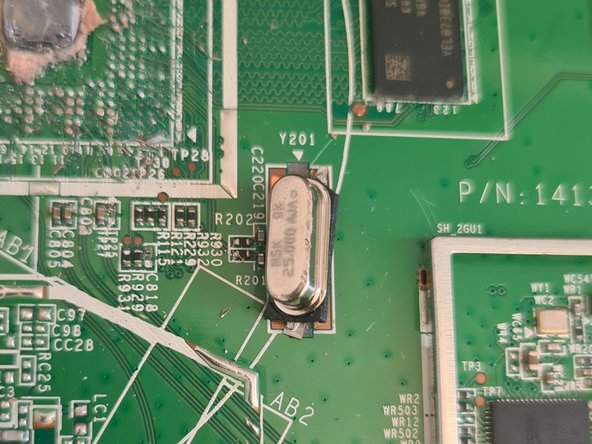
The rest of the components can also be disassembled, although some smaller ones are complicated, such as some connectors, ports or chips, which serve for correct functioning of the device and the Wifi.
-







To reassemble your device, follow these instructions in reverse order.
Special thanks to these translators:
100%

Juan Garcia is helping us fix the world! Want to contribute?
Start translating ›

