15% Off Selected iFixit Tools — Limited Time
Free Shipping on Domestic Orders $75+

Disassembling Sony Ericsson w600i LCD Section

What you need

  1. Disassembling Sony Ericsson w600i LCD Section, Disassembling Sony Ericsson w600i Battery Cover: step 1, image 1 of 1
    • Grip the lower portion of the back of the phone and slide downwards.

    Ask FixBot

    Add Comment

  2. Disassembling Sony Ericsson w600i LCD Section, Battery: step 2, image 1 of 1
    • Lift battery at the rounded notch near the bottom of the phone.

    Ask FixBot

    Add Comment

  3. Disassembling Sony Ericsson w600i LCD Section, Back housing: step 3, image 1 of 1
    • Unscrew the four Torx screws from the backplate.

    • The backplate may begin to separate from the keypad face. Do not try to remove it yet.

    • The screws are T5 Torx screws, 5.6mm.

    Ask FixBot

    Add Comment

  4. Disassembling Sony Ericsson w600i LCD Section: step 4, image 1 of 1
    • Swivel the phone open.

    Ask FixBot

    Add Comment

  5. Disassembling Sony Ericsson w600i LCD Section: step 5, image 1 of 1
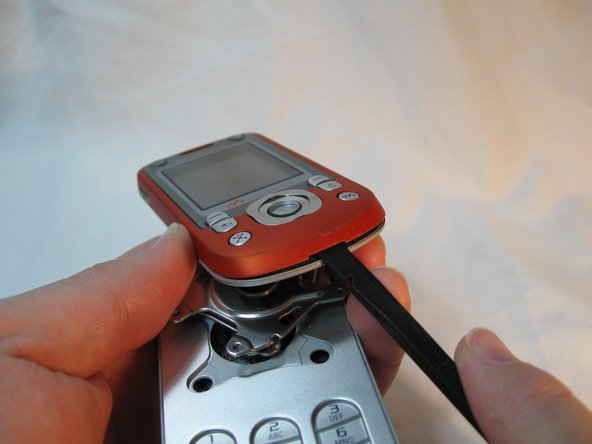
    • Using the Spudger, gently pry up the U-shaped grey cover below the keypad.

    • The cover is secured with adhesive tape. The gentler this is removed, the easier it will be to reassemble.

    Ask FixBot

    Add Comment

  6. Disassembling Sony Ericsson w600i LCD Section: step 6, image 1 of 1
    • Remove the two Torx screws from below the cover.

    • These are T5 Torx screws, 8.6mm.

    Ask FixBot

    Add Comment

  7. Disassembling Sony Ericsson w600i LCD Section: step 7, image 1 of 1
    • Gently work a spudger or a fingernail between the keypad face and the backplate.

    • The pieces are clipped together most tightly at the bottom loop section.

    Ask FixBot

    Add Comment

  8. Disassembling Sony Ericsson w600i LCD Section: step 8, image 1 of 2 Disassembling Sony Ericsson w600i LCD Section: step 8, image 2 of 2
    • Separate the keypad face from the backplate.

    • The keypad keys and the button component are both loose inside the phone, so take note of their orientation in case they become dislodged.

    • Take note of the braided cord's state. Upon reassembly it should be returned to the same orientation.

    Ask FixBot

    Add Comment

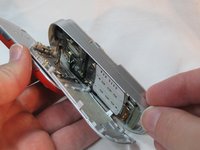
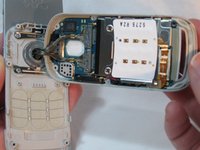
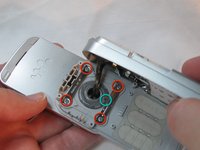
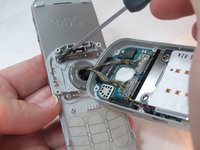
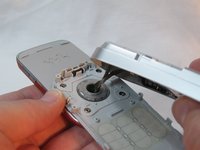
  9. Disassembling Sony Ericsson w600i LCD Section: step 9, image 1 of 3 Disassembling Sony Ericsson w600i LCD Section: step 9, image 2 of 3 Disassembling Sony Ericsson w600i LCD Section: step 9, image 3 of 3
    • Holding the backplate away from the swivel, remove the 4 small Phillips screws and both stamped struts from the swivel assembly.

    • Note that only the bottom strut has a tab.

    • The screws are Phillips, 2.9mm

    Ask FixBot

    Add Comment

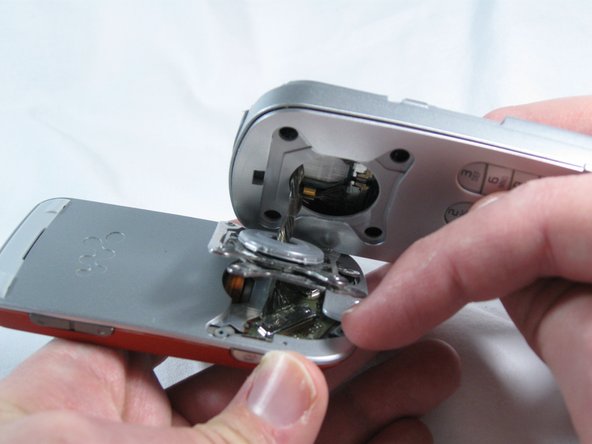
  10. Disassembling Sony Ericsson w600i LCD Section: step 10, image 1 of 1
    • The back housing is now disassembled, and the swivel assembly is revealed.

    Ask FixBot

    Add Comment

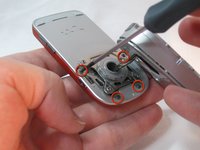
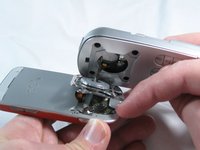
  11. Disassembling Sony Ericsson w600i LCD Section, LCD Section: step 11, image 1 of 2 Disassembling Sony Ericsson w600i LCD Section, LCD Section: step 11, image 2 of 2
    • Remove the four black Phillips screws holding the swivel assembly to the LCD section of the phone.

    • Be mindful of the screws, as they are very small.

    • The screws are Phillips, 2.4mm

    Ask FixBot

    Add Comment

  12. Disassembling Sony Ericsson w600i LCD Section: step 12, image 1 of 1
    • Gently remove the grey plastic cover at the top-rear of the LCD section with a spudger.

    • It is secured with adhesive tape, the more gently you remove this piece, the easier reassembly will be later.

    Ask FixBot

    Add Comment

  13. Disassembling Sony Ericsson w600i LCD Section: step 13, image 1 of 1
    • Remove the two Torx screws revealed under the grey cover.

    • The screws are Torx T5, 5.6mm

    Ask FixBot

    Add Comment

  14. Disassembling Sony Ericsson w600i LCD Section: step 14, image 1 of 1
    • Gently pry off the front face, starting at the bottom slot.

    Ask FixBot

    Add Comment

  15. Disassembling Sony Ericsson w600i LCD Section: step 15, image 1 of 1
    • Remove the Torx screws near the buttons.

    • The screws are Torx T5, 5.6mm

    Ask FixBot

    Add Comment

  16. Disassembling Sony Ericsson w600i LCD Section: step 16, image 1 of 2 Disassembling Sony Ericsson w600i LCD Section: step 16, image 2 of 2
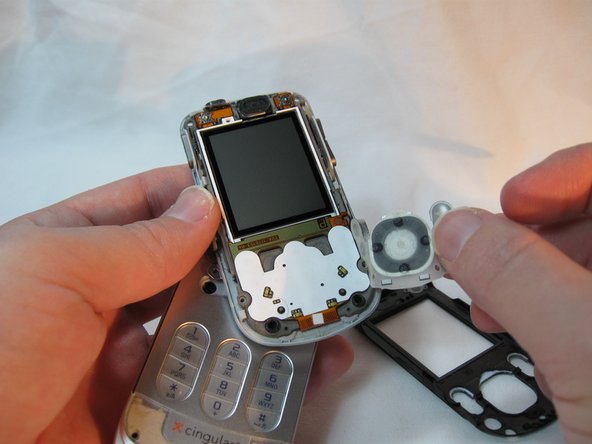
    • Remove the black front plate.

    • Remove the button overlay, taking note of its position for reassembly. There are small grey nubs that correspond to holes in the overlay.

    Ask FixBot

    Add Comment

  17. Disassembling Sony Ericsson w600i LCD Section: step 17, image 1 of 1
    • Gently release the small grey retaining clips around the outside of the display assembly.

    • Separate the display assembly from its backplate.

    • Take care; some of the side buttons may dislodge as the backplate is separated.

    • The LCD section is now disassembled.

    Ask FixBot

    Add Comment

Conclusion

To reassemble your device, follow these instructions in reverse order.

Cancel: I did not complete this guide.

One other person completed this guide.

Beau Blanchard

Member since: 09/30/12

20 Reputation

6 Guides authored

Team

0 Guide Comments

Add Comment

View Statistics:

Past 24 Hours: 0

Past 7 Days: 11

Past 30 Days: 37

All Time: 1,002