Free Shipping on Domestic Orders $75+

Disassembling Sony Ericsson W200i Core

Prerequisite Only
This is a prerequisite-only guide! This guide is part of another procedure and isn’t meant to be used alone.

What you need

    1. Disassembling Sony Ericsson W200i Core, Disassembling Sony Ericsson W200i Battery: step 1, image 1 of 2 Disassembling Sony Ericsson W200i Core, Disassembling Sony Ericsson W200i Battery: step 1, image 2 of 2
      • Slide the battery cover up and off the phone.

      Ask FixBot

      Add Comment

    2. Disassembling Sony Ericsson W200i Core: step 2, image 1 of 2 Disassembling Sony Ericsson W200i Core: step 2, image 2 of 2
      • Pop the battery out of its slot by lifting it up.

      Ask FixBot

      Add Comment

    1. Disassembling Sony Ericsson W200i Core, Front Case: step 3, image 1 of 3 Disassembling Sony Ericsson W200i Core, Front Case: step 3, image 2 of 3 Disassembling Sony Ericsson W200i Core, Front Case: step 3, image 3 of 3
      • Insert the plastic opening tool in between the front case and the back case.

      • Apply downward pressure to make the case lift upwards, thus popping the front case off.

      • Use caution when removing the front case. It may seem stuck but just ease it out.

      Ask FixBot

      Add Comment

    1. Disassembling Sony Ericsson W200i Core, Core: step 4, image 1 of 2 Disassembling Sony Ericsson W200i Core, Core: step 4, image 2 of 2
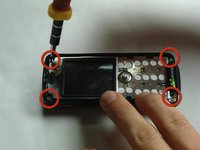
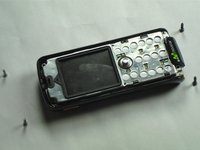
      • Remove the 4 screws in the corners of the front of the phone using a T6 screwdriver.

      • Note that the top 2 screws are silver and the bottom 2 screws are black.

      Ask FixBot

      Add Comment

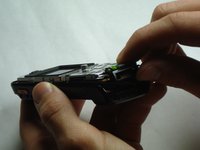
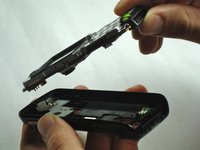
    2. Disassembling Sony Ericsson W200i Core: step 5, image 1 of 3 Disassembling Sony Ericsson W200i Core: step 5, image 2 of 3 Disassembling Sony Ericsson W200i Core: step 5, image 3 of 3
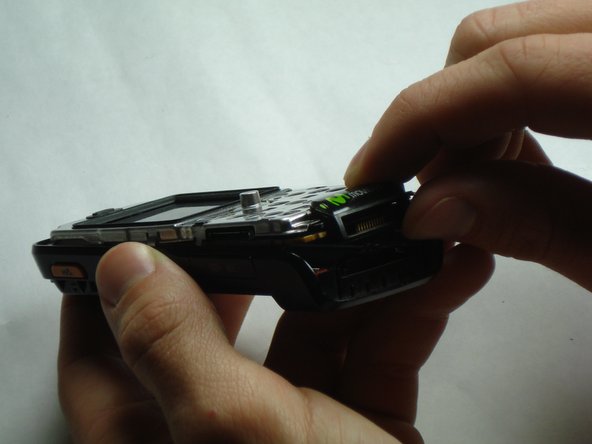
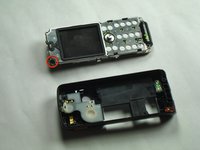
      • There is a black tab in the top left corner holding the core in place.

      • Remove the core by pulling straight up to prevent breaking the tab.

      Ask FixBot

      Add Comment

Conclusion

To reassemble your device, follow these instructions in reverse order.

Cancel: I did not complete this guide.

Emily Prescott

Member since: 01/10/11

531 Reputation

4 Guides authored

Team

Cal Poly, Team 14-10, Forte Winter 2011 Member of Cal Poly, Team 14-10, Forte Winter 2011

CPSU-FORTE-W11S14G10

5 Members

96 Guides authored

0 Guide Comments

Add Comment

View Statistics:

Past 24 Hours: 0

Past 7 Days: 4

Past 30 Days: 23

All Time: 784