Free Shipping on Domestic Orders $75+

Disassembling Samsung NX3000

What you need

  1. Disassembling Samsung NX3000, Battery: step 1, image 1 of 3 Disassembling Samsung NX3000, Battery: step 1, image 2 of 3 Disassembling Samsung NX3000, Battery: step 1, image 3 of 3
    • Turn the camera upside down. Only remove the lens if you have to in order to access the battery compartment, as dust particles could easily enter the main body and fall onto the delicate sensor.

    • Slide the button to the left to open the battery compartment.

    • Push the blue button up to release the battery.

    • The battery is not shown in these photos.

    Ask FixBot

    Add Comment

  2. Disassembling Samsung NX3000, Disassembling Samsung NX3000: step 2, image 1 of 2 Disassembling Samsung NX3000, Disassembling Samsung NX3000: step 2, image 2 of 2
    Tool used on this step:
    Tweezers
    $4.99
    Buy
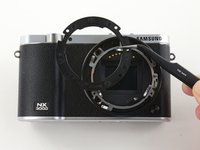
    • Remove the four 7.3 mm Phillips screws from the front of the lens assembly.

    • Remove the silver ring with tweezers.

    Ask FixBot

    Add Comment

  3. Disassembling Samsung NX3000: step 3, image 1 of 2 Disassembling Samsung NX3000: step 3, image 2 of 2
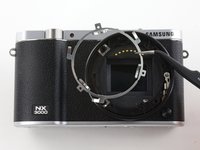
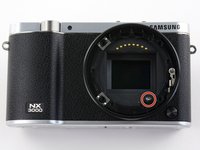
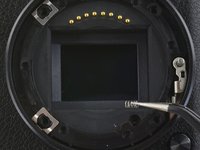
    • Use tweezers to remove the black plastic ring and small metal ring inside the lens assembly.

    Ask FixBot

    Add Comment

  4. Disassembling Samsung NX3000: step 4, image 1 of 3 Disassembling Samsung NX3000: step 4, image 2 of 3 Disassembling Samsung NX3000: step 4, image 3 of 3
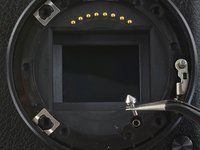
    • Use tweezers to remove the pin and small spring from the lens assembly.

    Ask FixBot

    Add Comment

  5. Disassembling Samsung NX3000: step 5, image 1 of 2 Disassembling Samsung NX3000: step 5, image 2 of 2
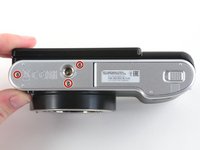
    • Remove the three 4.3 mm Phillips screws from the bottom of the camera.

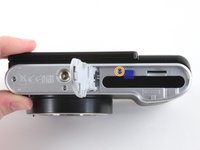
    • Remove the 4.3 mm Phillips screw hiding inside the battery compartment.

    Ask FixBot

    Add Comment

  6. Disassembling Samsung NX3000: step 6, image 1 of 2 Disassembling Samsung NX3000: step 6, image 2 of 2
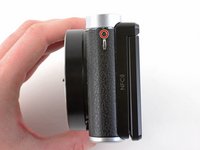
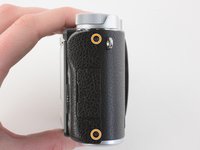
    • Remove the 4.2 mm Phillips screw from the left handgrip.

    • Remove the two 4.2 mm Phillips screws from the right handgrip.

    Ask FixBot

    Add Comment

  7. Disassembling Samsung NX3000: step 7, image 1 of 2 Disassembling Samsung NX3000: step 7, image 2 of 2
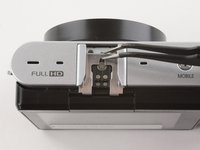
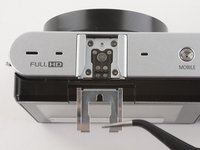
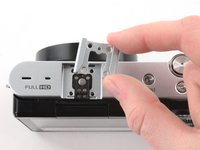
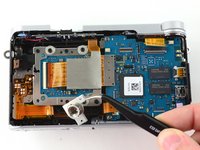
    • Use tweezers to pull the metal shield straight out of the external flash mount.

    Ask FixBot

    Add Comment

  8. Disassembling Samsung NX3000: step 8, image 1 of 1
    • Remove the four 5 mm Phillips screws from the external flash mount .

    Ask FixBot

    Add Comment

  9. Disassembling Samsung NX3000: step 9, image 1 of 2 Disassembling Samsung NX3000: step 9, image 2 of 2
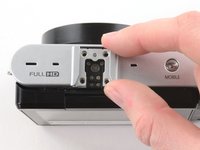
    • Remove the external flash mount.

    Ask FixBot

    Add Comment

  10. Disassembling Samsung NX3000: step 10, image 1 of 2 Disassembling Samsung NX3000: step 10, image 2 of 2
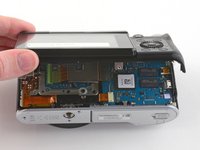
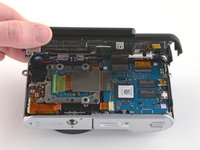
    • Slowly pull the bottom of the back case away from the camera.

    • Do not attempt to remove the back case as it is attached to the motherboard by a ribbon cable.

    Ask FixBot

    Add Comment

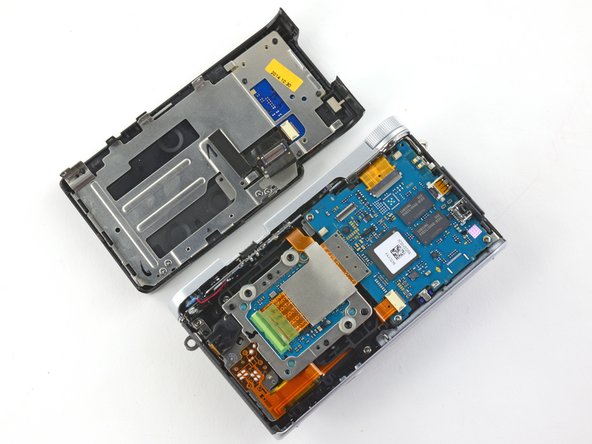
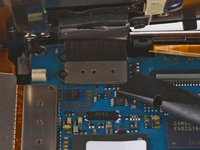
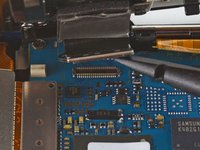
  11. Disassembling Samsung NX3000: step 11, image 1 of 3 Disassembling Samsung NX3000: step 11, image 2 of 3 Disassembling Samsung NX3000: step 11, image 3 of 3
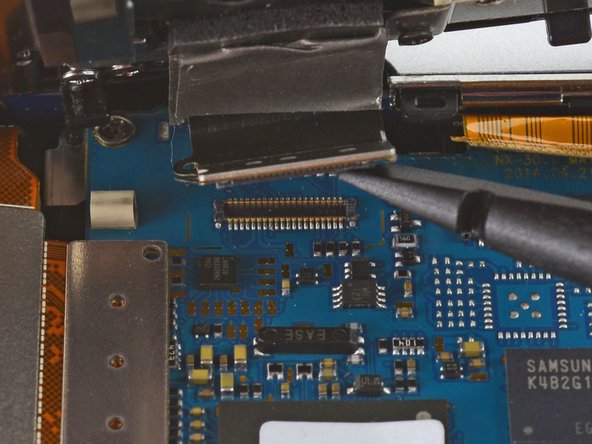
    • Use the flat end of a spudger to pry the flat topped connector straight up from the motherboard.

    • Remove the back case.

    Ask FixBot

    Add Comment

  12. Disassembling Samsung NX3000: step 12, image 1 of 3 Disassembling Samsung NX3000: step 12, image 2 of 3 Disassembling Samsung NX3000: step 12, image 3 of 3
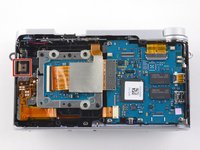
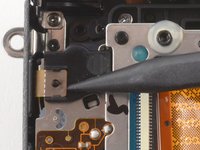
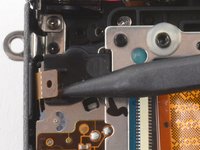
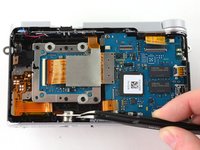
    • Use the pointed end of a spudger to lift the ribbon cable straight out of the black clip located near the left handgrip.

    Ask FixBot

    Add Comment

  13. Disassembling Samsung NX3000: step 13, image 1 of 2 Disassembling Samsung NX3000: step 13, image 2 of 2
    • Use tweezers to pull the tripod mount out of the front case.

    Ask FixBot

    Add Comment

  14. Disassembling Samsung NX3000: step 14, image 1 of 3 Disassembling Samsung NX3000: step 14, image 2 of 3 Disassembling Samsung NX3000: step 14, image 3 of 3
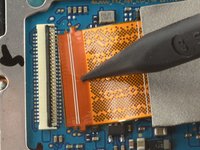
    • Use the flat end of a spudger to disconnect the large ribbon cable by prying its metal connector straight up from the motherboard.

    Ask FixBot

    Add Comment

  15. Disassembling Samsung NX3000: step 15, image 1 of 3 Disassembling Samsung NX3000: step 15, image 2 of 3 Disassembling Samsung NX3000: step 15, image 3 of 3
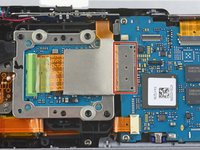
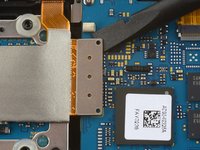
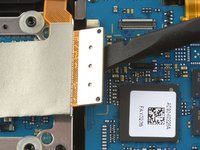
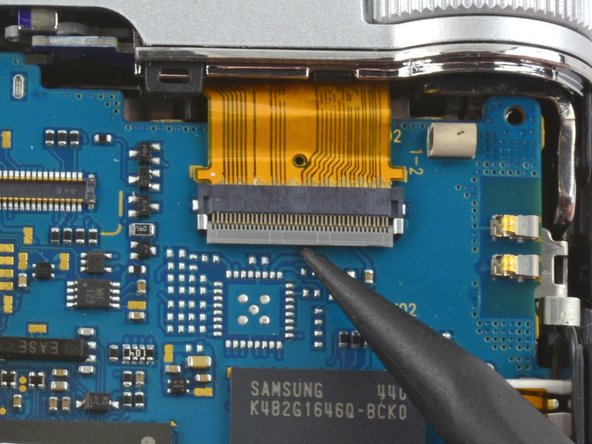
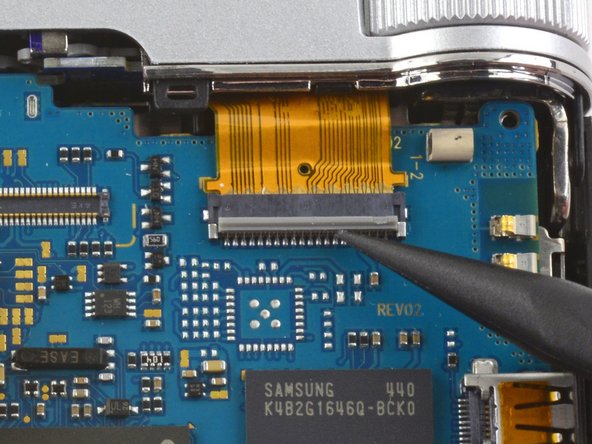
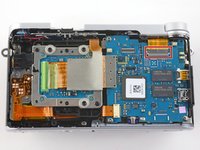
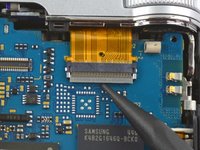
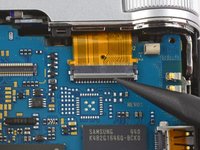
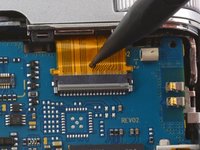
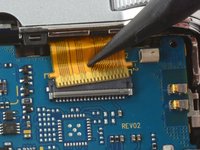
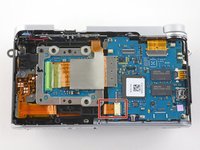
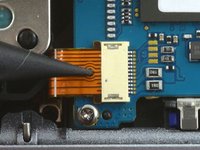
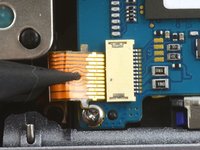
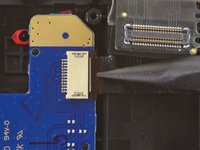
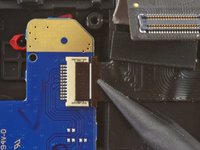
    • Use the pointed tip of a spudger to unlock the ZIF connector by flipping the black bar straight up from the motherboard.

    Ask FixBot

    Add Comment

  16. Disassembling Samsung NX3000: step 16, image 1 of 2 Disassembling Samsung NX3000: step 16, image 2 of 2
    • Insert the pointed end of a spudger into the hole on the ribbon cable.

    • Pull the ribbon cable straight out of the ZIF connector.

    Ask FixBot

    Add Comment

  17. Disassembling Samsung NX3000: step 17, image 1 of 3 Disassembling Samsung NX3000: step 17, image 2 of 3 Disassembling Samsung NX3000: step 17, image 3 of 3
    • Insert the pointed end of a spudger into the hole on the ribbon cable in the bottom left corner of the motherboard.

    • Pull the ribbon straight out of the connector.

    Ask FixBot

    Add Comment

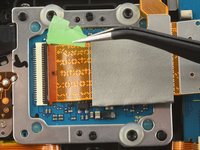
  18. Disassembling Samsung NX3000: step 18, image 1 of 3 Disassembling Samsung NX3000: step 18, image 2 of 3 Disassembling Samsung NX3000: step 18, image 3 of 3
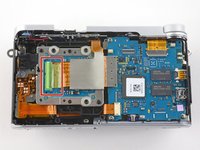
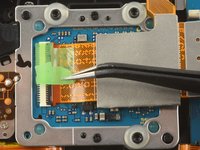
    • Use tweezers to remove the green tape covering the ribbon cable on the image sensor.

    Ask FixBot

    Add Comment

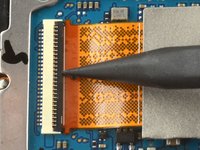
  19. Disassembling Samsung NX3000: step 19, image 1 of 2 Disassembling Samsung NX3000: step 19, image 2 of 2
    • Use the pointed tip of a spudger to flip the black bar on the ZIF connector straight up from the ribbon cable.

    Ask FixBot

    Add Comment

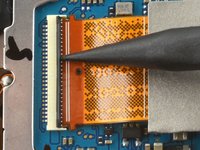
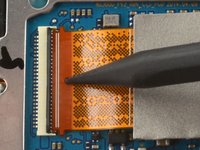
  20. Disassembling Samsung NX3000: step 20, image 1 of 2 Disassembling Samsung NX3000: step 20, image 2 of 2
    • Insert the pointed end of a spudger into the hole on the ribbon cable.

    • Pull the ribbon cable straight out of the connector.

    Ask FixBot

    Add Comment

  21. Disassembling Samsung NX3000: step 21, image 1 of 1
    • Use a spudger to peel back the large ribbon cable on the sensor assembly.

    • The ribbon cable may be attached with adhesive.

    Ask FixBot

    Add Comment

  22. Disassembling Samsung NX3000: step 22, image 1 of 1
    • Remove the two black 3.8 mm Phillips screws on the sensor assembly.

    Ask FixBot

    Add Comment

  23. Disassembling Samsung NX3000: step 23, image 1 of 1
    • Remove the three 5.3 mm Phillips screws holding the sensor assembly in place.

    Ask FixBot

    Add Comment

  24. Disassembling Samsung NX3000: step 24, image 1 of 1
    • Remove the image sensor.

    Ask FixBot

    Add Comment

  25. Disassembling Samsung NX3000: step 25, image 1 of 3 Disassembling Samsung NX3000: step 25, image 2 of 3 Disassembling Samsung NX3000: step 25, image 3 of 3
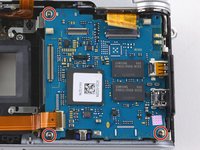
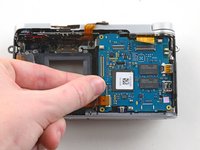
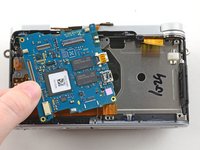
    • Remove the three 4.3 mm Phillips screws from the motherboard.

    • Remove the motherboard from the camera.

    Ask FixBot

    Add Comment

  26. Disassembling Samsung NX3000: step 26, image 1 of 3 Disassembling Samsung NX3000: step 26, image 2 of 3 Disassembling Samsung NX3000: step 26, image 3 of 3
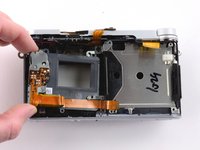
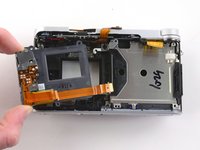
    • Remove the two 5.3 mm Phillips screws holding the sensor frame to the case.

    • Remove the sensor frame.

    Ask FixBot

    Add Comment

  27. Disassembling Samsung NX3000: step 27, image 1 of 2 Disassembling Samsung NX3000: step 27, image 2 of 2
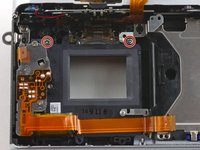
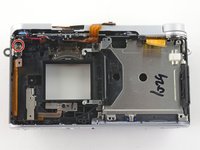
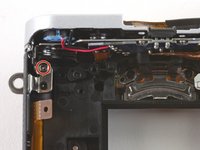
    • Remove the 4.3 mm Phillips screw in the upper left corner that secures the top plate to the front case

    Ask FixBot

    Add Comment

  28. Disassembling Samsung NX3000: step 28, image 1 of 2 Disassembling Samsung NX3000: step 28, image 2 of 2
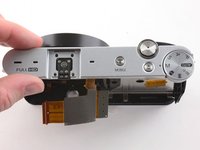
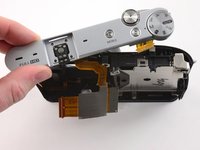
    • Remove the top plate.

    Ask FixBot

    Add Comment

  29. Disassembling Samsung NX3000: step 29, image 1 of 3 Disassembling Samsung NX3000: step 29, image 2 of 3 Disassembling Samsung NX3000: step 29, image 3 of 3
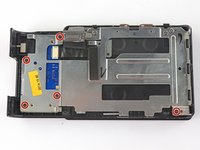
    • To remove the metal shield on the back case, remove the following screws:

    • Five black 4.2 mm Phillips screws .

    • Four silver 5.3 mm Phillips screws.

    Ask FixBot

    Add Comment

  30. Disassembling Samsung NX3000: step 30, image 1 of 3 Disassembling Samsung NX3000: step 30, image 2 of 3 Disassembling Samsung NX3000: step 30, image 3 of 3
    • Use the pointed end of a spudger to remove the ribbon cable attaching the button panel to the back case.

    • Remove the button panel.

    Ask FixBot

    Add Comment

  31. Disassembling Samsung NX3000: step 31, image 1 of 2 Disassembling Samsung NX3000: step 31, image 2 of 2
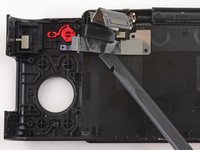
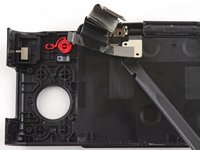
    • Use a spudger to peel back the LCD ribbon from the back case.

    • The ribbon is held in place by adhesive.

    Ask FixBot

    Add Comment

  32. Disassembling Samsung NX3000: step 32, image 1 of 2 Disassembling Samsung NX3000: step 32, image 2 of 2
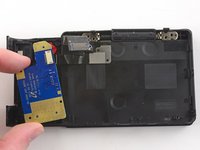
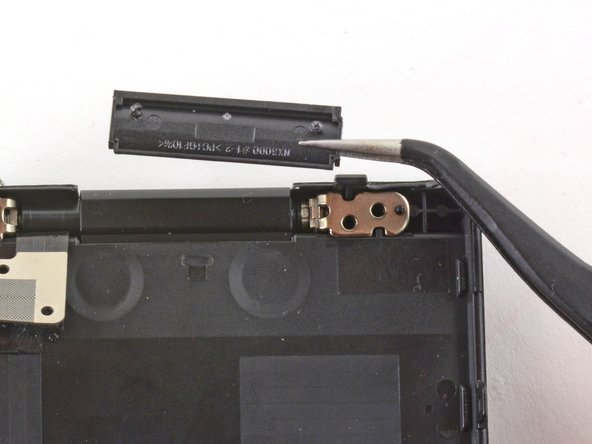
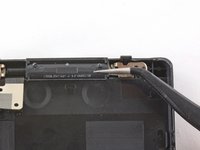
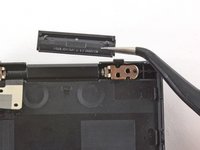
    • Use tweezers to remove the plastic cover on the LCD hinge.

    Ask FixBot

    Add Comment

  33. Disassembling Samsung NX3000: step 33, image 1 of 2 Disassembling Samsung NX3000: step 33, image 2 of 2
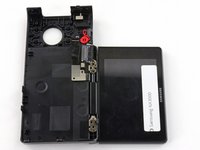
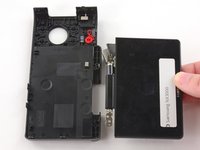
    • Tilt the LCD so it lays flat against the back case.

    • Wiggle the LCD joints and pull the LCD away from the back case.

    Ask FixBot

    Add Comment

  34. Disassembling Samsung NX3000: step 34, image 1 of 1
    • You have successfully disassembled the Samsung NX 3000!

    Ask FixBot

    Add Comment

Conclusion

To reassemble your device, follow these instructions in reverse order.

Cancel: I did not complete this guide.

9 other people completed this guide.

Kelsea Weber

Member since: 11/12/15

21,352 Reputation

32 Guides authored

11 Guide Comments

Excellent photo documentation.

ernestlaisa - Reply Share

Thank you ernestliasa!

Kelsea Weber - Reply Share

Where can I found the camera's microphone?

william_oliveira87 - Reply Share

Hi dude. I did all the steps and disassembled the camera and I removed the IR filter from the sensor. All is good until that point. And then I assembled the camera in reverse order but now there is no display on screen. In my first attempt I got the menu working but I got no live view display or photo. Then I re-opened and assembled again. This time there is just nothing. Camera turns on but no display, no messages. the zoom button, on/off and even the video record button works all well but no display.. Any thoughts on this pls?

PS: This is an excellent tutorial by the way. I must have done smth. wrong, otherwise I had no issues on disassembly.

edayi - Reply Share

Thanks for the perfect instructions!

I was able to fix “random mode switching” glitch.

Went up to step 16 (skipping steps 12 and 14). Then removed the top panel.

Extracted the scheme and put it into a cup filled with 91% alcohol for 10 minutes. Meantime opened up the plastic part of the mode switcher and applied 2 drops of universal oil. Then took the scheme out of the cup and carefully cleaned it with cotton swabs and alcohol. Sprayed it with cleaning duster. Assembled everything back and so far the glitch is fixed.

Dim - Reply Share

Add Comment

View Statistics:

Past 24 Hours: 3

Past 7 Days: 21

Past 30 Days: 107

All Time: 8,202