15% Off Selected iFixit Tools — Limited Time
Free Shipping on Domestic Orders $75+

Disassembling Olympus Stylus 1010 Case

What you need

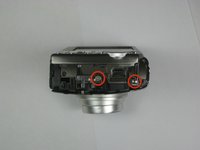
  1. Disassembling Olympus Stylus 1010 Case, Disassembling Olympus Stylus 1010 Case: step 1, image 1 of 2 Disassembling Olympus Stylus 1010 Case, Disassembling Olympus Stylus 1010 Case: step 1, image 2 of 2
    • Remove the five Phillips #00 bottom and right side panel screws.

    Ask FixBot

    Add Comment

  2. Disassembling Olympus Stylus 1010 Case: step 2, image 1 of 1
    • Remove the right side panel by pulling off the large silver piece.

    Ask FixBot

    Add Comment

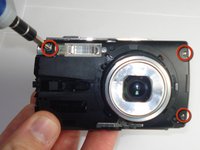
  3. Disassembling Olympus Stylus 1010 Case: step 3, image 1 of 2 Disassembling Olympus Stylus 1010 Case: step 3, image 2 of 2
    • Remove the remaining three Phillips #00 side and front panel screws.

    Ask FixBot

    Add Comment

  4. Disassembling Olympus Stylus 1010 Case: step 4, image 1 of 1
    • Using your thumb and forefinger, pull off the silver name plate and silver "T-shape" piece.

    Ask FixBot

    Add Comment

  5. Disassembling Olympus Stylus 1010 Case: step 5, image 1 of 1
    • Remove the black front panel by sliding it towards the lens and then pulling it up off of the camera.

    Ask FixBot

    Add Comment

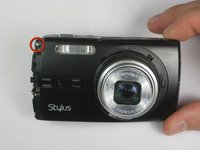
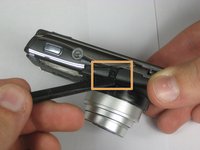
  6. Disassembling Olympus Stylus 1010 Case: step 6, image 1 of 3 Disassembling Olympus Stylus 1010 Case: step 6, image 2 of 3 Disassembling Olympus Stylus 1010 Case: step 6, image 3 of 3
    • Remove the three Phillips #00 screws from the front of the camera.

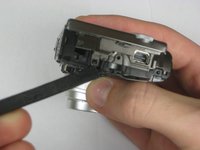
    • Using a spudger, lift the two tabs to separate the case—one tab on top and one tab on the right side.

    Ask FixBot

    Add Comment

  7. Disassembling Olympus Stylus 1010 Case: step 7, image 1 of 3 Disassembling Olympus Stylus 1010 Case: step 7, image 2 of 3 Disassembling Olympus Stylus 1010 Case: step 7, image 3 of 3
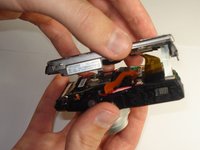
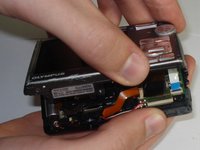
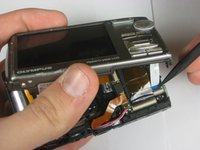
    • Using a plastic spudger, lift up the black clips.

    • Still using the plastic spudger, detach the gold connector strip and white connector strip.

    • Using both hands, pull the camera apart into two pieces.

    Ask FixBot

    Add Comment

Conclusion

To reassemble your device, follow these instructions in reverse order.

Cancel: I did not complete this guide.

One other person completed this guide.

Max McIntyre

Member since: 01/21/11

544 Reputation

4 Guides authored

Team

Cal Poly, Team 13-4, Forte Winter 2011 Member of Cal Poly, Team 13-4, Forte Winter 2011

CPSU-FORTE-W11S13G4

6 Members

12 Guides authored

1 Guide Comment

How did you get the ring around the lens off?? I can't seem to find that step and in all the pictures it's already off

Maureen - Reply Share

Add Comment

View Statistics:

Past 24 Hours: 2

Past 7 Days: 10

Past 30 Days: 47

All Time: 3,633