
Disassembling IBM ThinkPad T42 Plastic Edge Cover

Gerald Watanabe and 8 other contributors
Last updated on Jan 16, 2026
Views: 7.6K
View statistics:
- Past 24 Hours:
- 2
- Past 7 Days:
- 30
- Past 30 Days:
- 93
- All Time:
- 7,591
Comments: 2
2 comments on steps.
Completed: 0 1
No one has marked this guide "completed." Will you be the first?
1 person has marked this guide "completed." It's you — great job!
Favorites: 0 1
No one has favorited (and subscribed to) this guide. Will you be the first?
1 person has favorited (and subscribed to) this guide — and that's you!
Needs Better Images
Better photos will improve this guide. Help out by taking, editing, or uploading new ones!
Missing Steps
Oops! This guide is currently missing one or more important steps.
Student In Progress
This guide is being worked on by hardworking students.
Incorrect Tools
Help make this guide better by using the correct tools in images and/or text.
Better Introduction
Improve this guide by completing or revising its introduction.
Introduction
Go to step 1 ↓How to remove the edge cover of the IBM ThinkPad T42 and access specific components within your personal device.
What you need
Tools

-
-
-
Use a Phillips #0 screwdriver to remove the twenty screws on the underside of the T42.
 Ask FixBot
-
-
-
Remove the four Phillips screws located on either side of the rear of the T42 (there are two on each end.)
-
-
-
-
-
-
Flip the laptop over and open the screen to access the keyboard and trackpad.
-
-
-
Carefully maneuver the palm rest away from the keyboard, as both the keyboard and palm rest/trackpad will come off together.
-
-
-
-
-
Starting from the bottom right, carefully remove the bezel by pulling it up gently. If needed use a spudger or flathead screwdriver to help.
-
-


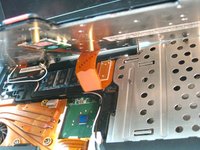
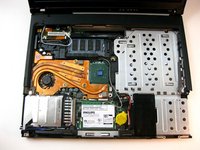


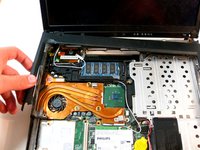
To reassemble your device, follow these instructions in reverse order.

Team

Cal Poly, Team 29-76, Johann Spring 2010 Member of Cal Poly, Team 29-76, Johann Spring 2010
CPSU-JOHANN-S10S29G76
4 Members
180 Guides authored
