Free Shipping on Domestic Orders $75+

Disassembling IBM ThinkPad A30 Modem and Ethernet Cards

What you need

  1. Disassembling IBM ThinkPad A30 Modem and Ethernet Cards, Battery: step 1, image 1 of 2 Disassembling IBM ThinkPad A30 Modem and Ethernet Cards, Battery: step 1, image 2 of 2
    • Flip the ThinkPad over so that it is upside down.

    • Slide the highlighted tab to the left.

    • With your finger on the tab, remove the battery by lifting it upwards away from the laptop.

    Ask FixBot

    Add Comment

  2. Disassembling IBM ThinkPad A30 Modem and Ethernet Cards, Modem and Ethernet Cards: step 2, image 1 of 2 Disassembling IBM ThinkPad A30 Modem and Ethernet Cards, Modem and Ethernet Cards: step 2, image 2 of 2
    • Remove the two 5.3mm cover screws.

    • Gently lift the cover.

    Ask FixBot

    Add Comment

  3. Disassembling IBM ThinkPad A30 Modem and Ethernet Cards: step 3, image 1 of 1
    • Remove the four 9.1mm screws attached to the ethernet and modem cards.

    Ask FixBot

    Add Comment

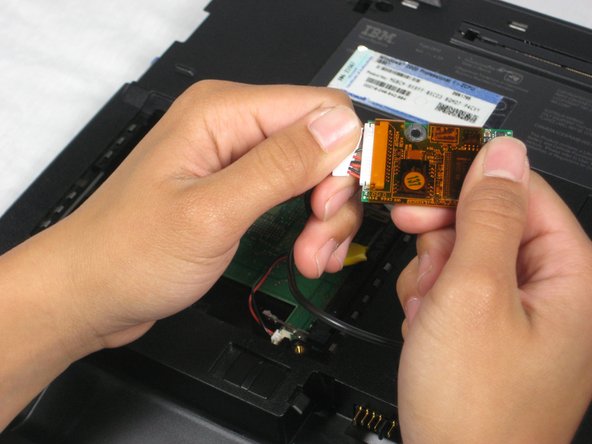
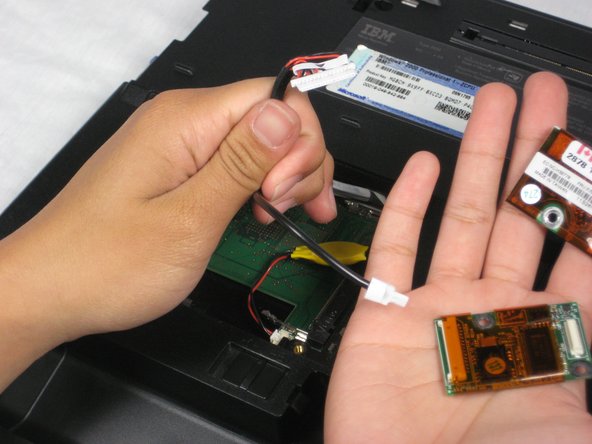
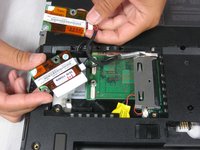
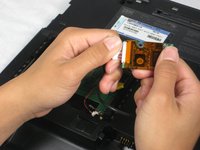
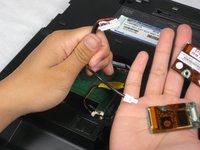
  4. Disassembling IBM ThinkPad A30 Modem and Ethernet Cards: step 4, image 1 of 3 Disassembling IBM ThinkPad A30 Modem and Ethernet Cards: step 4, image 2 of 3 Disassembling IBM ThinkPad A30 Modem and Ethernet Cards: step 4, image 3 of 3
    • When lifting the cards, be careful not to rip out the cables!

    • Gently lift the modem and ethernet cards.

    • Remove the cables that attach the modem and ethernet cards.

    Ask FixBot

    Add Comment

Conclusion

To reassemble your device, follow these instructions in reverse order.

Cancel: I did not complete this guide.

Alan

Member since: 10/07/10

380 Reputation

6 Guides authored

Team

Cal Poly, Team 4-44, Amido Fall 2010 Member of Cal Poly, Team 4-44, Amido Fall 2010

CPSU-AMIDO-F10S4G44

4 Members

26 Guides authored

0 Guide Comments

Add Comment

View Statistics:

Past 24 Hours: 3

Past 7 Days: 7

Past 30 Days: 66

All Time: 2,281