Free Shipping on Domestic Orders $75+

Disassembling Behringer Eurolive B212D Power & Control Panel

Views: 10K

View statistics:

Past 24 Hours:
4
Past 7 Days:
30
Past 30 Days:
149
All Time:
10,242
Comments: 3

1 comment on steps, 2 guide comments.

Go to guide comments
Completed: 6

6 people have marked this guide "completed." Will you be next?

Favorites: 2

2 people have favorited (and subscribed to) this guide. Will you be next?

Time Required: 20 - 25 minutes
Difficulty: Moderate
Community-Contributed Guide

An awesome member of our community made this guide. It was not created by iFixit staff.

Confusing Text

Some of this guide's text is confusing, duplicated, or off-topic. Clarify it by editing!

Needs Better Images

Better photos will improve this guide. Help out by taking, editing, or uploading new ones!

Disassembling Behringer Eurolive B212D Power & Control Panel

Introduction

Go to step 1 ↓

This speaker contains 3 main PCB's. One is for audio control, one is for power control, and the other (and largest) is for audio amplification. To access any of them for replacement, you must first open up the metal electronics box.

What you need

Tools

    1. Disassembling Behringer Eurolive B212D Power & Control Panel, Electronics Box: step 1, image 1 of 1
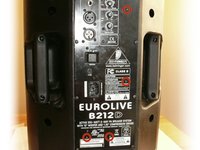
      • CAUTION: Unplug your speaker from the power outlet.

      • Remove the 8 Phillips screws from the back of the speaker.

      Ask FixBot

      Add Comment

    2. Disassembling Behringer Eurolive B212D Power & Control Panel: step 2, image 1 of 1
      • Carefully remove the back panel, lifting out the metal electronics-box with it.

      • To avoid damaging your speaker, remove slowly, as there is still a wire attached from the electronics box to the speaker.

      Ask FixBot

      Add Comment

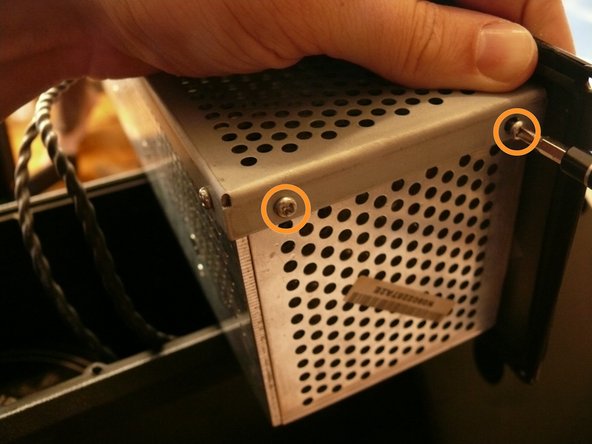
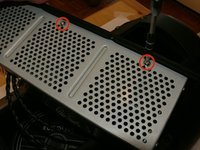
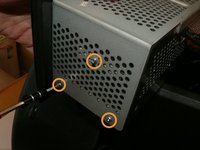
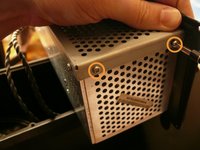
    1. Disassembling Behringer Eurolive B212D Power & Control Panel, Electronics Box: step 3, image 1 of 3 Disassembling Behringer Eurolive B212D Power & Control Panel, Electronics Box: step 3, image 2 of 3 Disassembling Behringer Eurolive B212D Power & Control Panel, Electronics Box: step 3, image 3 of 3
      • There are two silver, 6 mm-long machine screws with two 1/8" inner-diameter washers on the exterior of the metal electronics box; remove these first using a #2 philips screwdriver.

      • There are five of the same type of machine screw (silver, 6 mm-long) remaining around the metal electronics box's exterior; remove these as well.

      • You should have removed a total of 7 machine screws and 2 washers.

      • The reason for removing the two screws with the two washers first (or replacing them last when reassembling) is that their holes are actually slots. They are designed as slots to accommodate slop in the assembly, and if unscrewed out of order, you may have difficulty while removing - or possibly even damage - the other five screws.

      Ask FixBot

      Add Comment

    2. Disassembling Behringer Eurolive B212D Power & Control Panel: step 4, image 1 of 1
      • Remove the portion of the metal housing that you freed with the 7 screws in the previous step.

      Ask FixBot

      Add Comment

    3. Disassembling Behringer Eurolive B212D Power & Control Panel: step 5, image 1 of 3 Disassembling Behringer Eurolive B212D Power & Control Panel: step 5, image 2 of 3 Disassembling Behringer Eurolive B212D Power & Control Panel: step 5, image 3 of 3
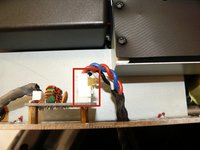
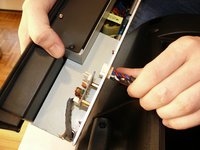
      • Inside the metal electronics box housing is a white clip attached to a small PCB; remove this.

      • The white clip in this image has been glued, indicating that the manufacturer may not expect the end user to remove this clip; it is difficult to proceed with the disassembling without doing so, however, because the rest of the speaker does not provide a sufficient surface on which to work.

      • Snake the clip head through the hole in the metal electronics box casing.

      Ask FixBot

      Add Comment

    1. Disassembling Behringer Eurolive B212D Power & Control Panel, Power & Control Panel: step 6, image 1 of 2 Disassembling Behringer Eurolive B212D Power & Control Panel, Power & Control Panel: step 6, image 2 of 2
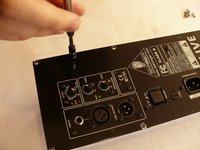
      • Remove the 4, 7/32" long machine screws with a #2 phillips head screwdriver.

      Ask FixBot

      Add Comment

    2. Disassembling Behringer Eurolive B212D Power & Control Panel: step 7, image 1 of 2 Disassembling Behringer Eurolive B212D Power & Control Panel: step 7, image 2 of 2
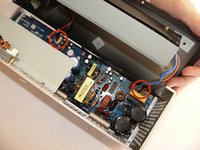
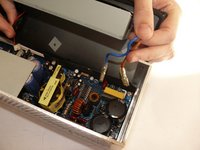
      • Caution: The circuit board contains many capacitors that could cause serious injury if touched. If possible, use a capacitor discharge probe to safely rid the capacitors of dangerous charges.

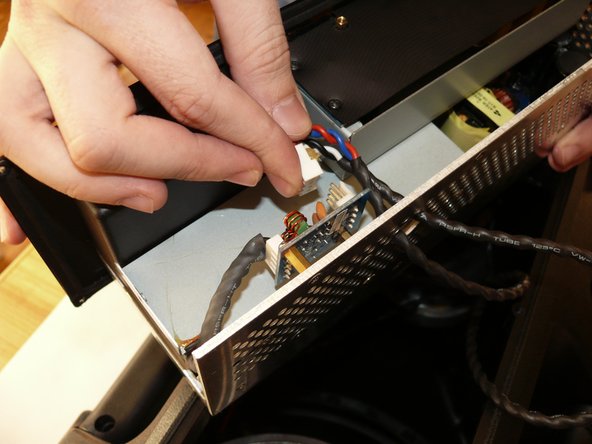
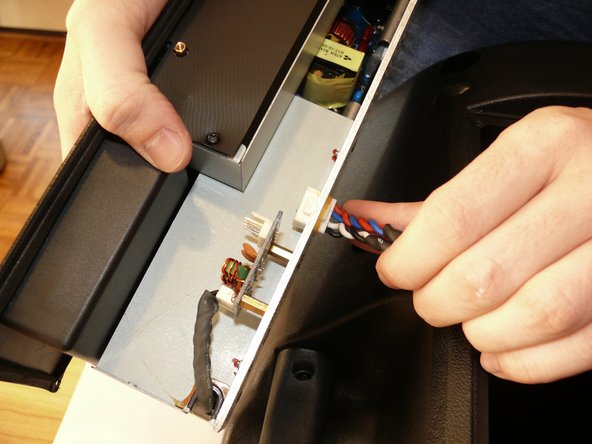
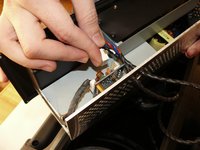
      • Rotate the back panel so you can view the interior; note the three wires attached.

      • Remove the wires to you can fully remove the back panel.

      Ask FixBot

      Add Comment

Conclusion

To reassemble your device, follow these instructions in reverse order.

Cancel: I did not complete this guide.

6 other people completed this guide.

Troy W. Weber

Member since: 03/29/12

1,506 Reputation

6 Guides authored

2 Guide Comments

[|hello sir i am using behringer b215 d eurolive active speaker and power controler ic shot in one spesker and his ic code is this]-VIPer22A (4C6107) and please solve my this problems can you help me

ANWAR ALI WARSI - Reply Share

If problem exist please contact stprofessionals@gmail.com

They're from Lahore they'll solve your problem. Email them get their contact and go to the store and have your all equipment fixed.

Syed Asim Ali Zaidi - Reply Share

Add Comment

View Statistics:

Past 24 Hours: 4

Past 7 Days: 30

Past 30 Days: 149

All Time: 10,242