Disassembling Beats Pill 1.0

Last updated on Apr 26, 2022
Views: 5.3K
View statistics:
- Past 24 Hours:
- 2
- Past 7 Days:
- 5
- Past 30 Days:
- 42
- All Time:
- 5,281
Comments: 1
1 comment on steps.
Completed: 5 6
5 people have marked this guide "completed." Will you be next?
6 people have marked this guide "completed." Including you — great job!
Favorites: 1 2
1 person has favorited (and subscribed to) this guide. Will you be next?
2 people have favorited (and subscribed to) this guide — including you!
Prerequisite Only
This is a prerequisite-only guide! This guide is part of another procedure and isn’t meant to be used alone.
Introduction
Go to step 1 ↓The following guide will help with the safe disassembly of the Beats Pill casing and the two separate the sides of the device. Follow each step carefully as to not damage the device.
What you need
Tools
-
Spudger4.9


-
-
-
Using the spudger, create space between the speaker covers and then remove.
-
On the underside of the device, remove the rubber stand with the BeatsPill logo on it.
-
Using an ESD-safe Phillips #0 screwdriver, remove the four screws that were underneath the rubber stand.
 Ask FixBot
-
-
-
Remove the two screws with a Phillips #0 screwdriver.
-
Slowly remove the center band and two clip rings until the adhesive separates. Sit to the side the clip rings and the center band
-
-
-
-
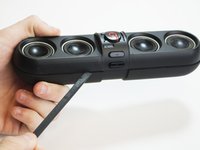
Use the spudger to pry the device apart along its seam, starting in the middle.
-
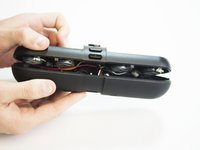
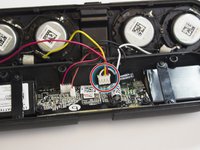
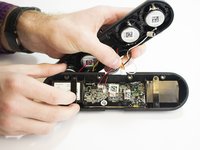
Open the device to separate the front and back panels.
-
-
-
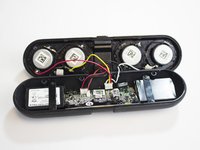
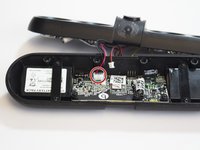
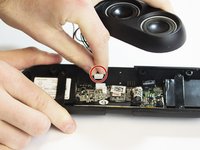
Carefully remove the yellow, red, black, and white wires from the motherboard.
-
-
-
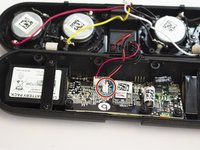
Carefully remove the black and red NFC sensor wires.
-
-
-
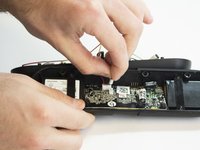
Carefully remove the control cables (4 black, 1 red).
-
-








To reassemble your device, simply follow the disassembly guide in reverse. If you have questions or concerns about the disassembly of your device, please see the device page or troubleshooting page for the Beats Pill 1.0 for more information.
Cancel: I did not complete this guide.
5 other people completed this guide.