Introduction
In this guide it will be demonstrated how to replace the memory on a Dell Inspiron 910 laptop.
What you need
-
-
-
Flip the laptop so the battery is facing upwards.
-
Push the battery release tabs toward the center of the device.
-
Remove the battery.
 Ask FixBot
-
-
-
-
-
Disconnect any cables or external devices from the laptop, then flip it and remove the battery by pressing the battery tabs inward.
-
-
-
-
Locate the large black panel with two screws holding it in place. (This is the panel with ventilation holes)
-
Unscrew both of the screws using a Philips Screwdriver.
-
-
-
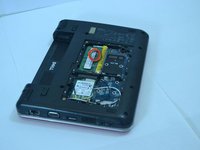
After removing the panel, locate the memory modules.
-
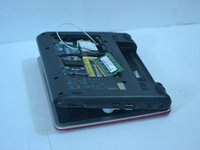
Look for the silver tabs on either side of the white plastic holding the RAM in place. Then gently remove the RAM.
-
-
-
Depress the RAM until it locks into place; there should be an audible clicking noise when it does so and the gold contacts should be barely visible.
-
-



To reassemble your device, follow these instructions in reverse order.
Cancel: I did not complete this guide.
4 other people completed this guide.

Team

Cal Poly, Team 14-10, Forte Spring 2012 Member of Cal Poly, Team 14-10, Forte Spring 2012
CPSU-FORTE-S12S14G10
5 Members
84 Guides authored
