This translation was generated by a machine and has not been reviewed by a person yet. Speak this language? Review it.
-
-
-
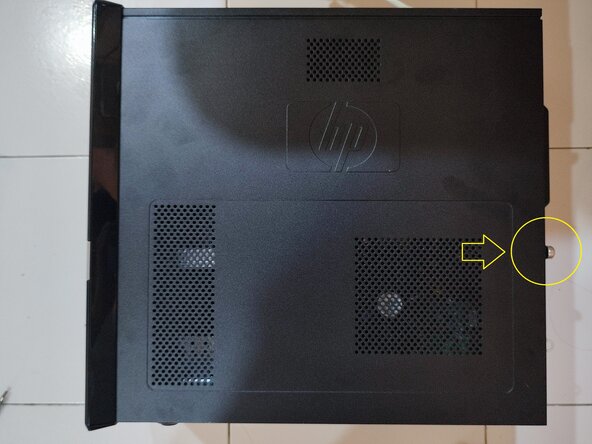
Use a screwdriver or your hands to unscrew the screws.
 Ask FixBot
-
-
-
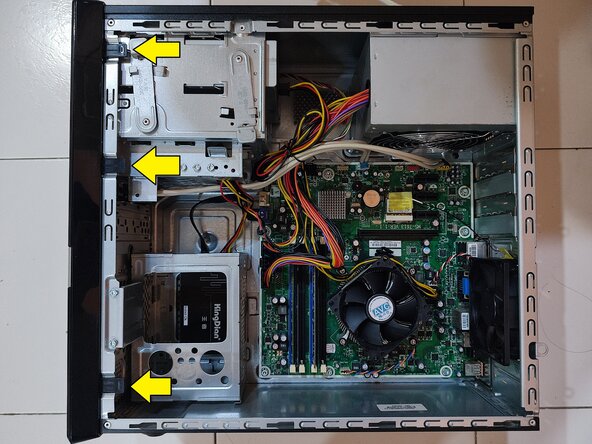
Unhook the three clips to complete the removal of the front panel.
-
It is recommended to stand the computer upright, as this will make the removal easier.
-
-
-
-
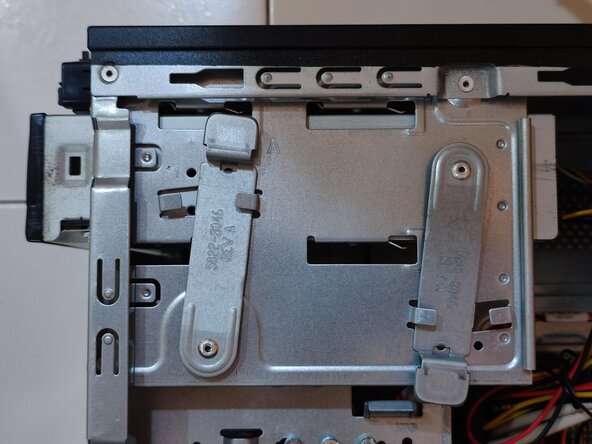
Pull the clip up slightly.
-
Then push it in the direction of the arrow until it appears as shown in Figure 2.
-
-
-
Push the DVD drive in the direction of the arrow from the back to perform its removal.
-
-






Conclusion
To reassemble your device, follow the instructions in reverse order.

