Shop the Holiday Gift Guide
Free Shipping on Domestic Orders $75+

DJI Phantom 4 Advanced Remote Controller Power Button Replacement

Views: 1.4K

View statistics:

Past 24 Hours:
1
Past 7 Days:
10
Past 30 Days:
54
All Time:
1,433
Comments: 0

No one has left comments on this guide. Will you be first?

Go to guide comments
Completed: 2

2 people have marked this guide "completed." Will you be next?

Favorites: 1

1 person has favorited (and subscribed to) this guide. Will you be next?

Time Required: 10 - 25 minutes
Difficulty: Moderate
Action Shots

Be an action hero! This guide needs images that better demonstrate how to perform specific actions.

Better Introduction

Improve this guide by completing or revising its introduction.

DJI Phantom 4 Advanced Remote Controller Power Button Replacement

Introduction

Go to step 1 ↓

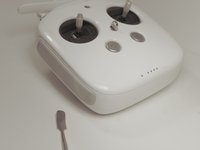
The DJI Phantom 4 is a drone used for photography and videography. This guide will show you how to replace the power button on the Advanced Remote Controller. Make sure the controller is powered off during this process. Finally, keep track of all of your screws and the three different sizes.

What you need

Parts

Tools

    1. DJI Phantom 4 Advanced Remote Controller Power Button Replacement, Back Panel: step 1, image 1 of 1
      • Remove the four screws with a Torx T8 screwdriver to access the back con board.

      Ask FixBot

      Add Comment

    2. DJI Phantom 4 Advanced Remote Controller Power Button Replacement: step 2, image 1 of 2 DJI Phantom 4 Advanced Remote Controller Power Button Replacement: step 2, image 2 of 2
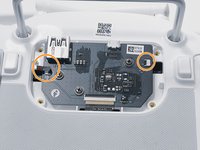
      • Remove three screws using a Phillips #00 screwdriver.

      Ask FixBot

      Add Comment

    3. DJI Phantom 4 Advanced Remote Controller Power Button Replacement: step 3, image 1 of 2 DJI Phantom 4 Advanced Remote Controller Power Button Replacement: step 3, image 2 of 2
      Tool used on this step:
      Tweezers
      $4.99
      Buy
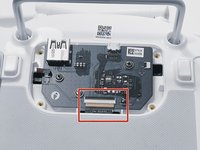
      • With tweezers, gently remove the large con board tab.

      • Use your hands to remove the two small clips. Pull out from the socket, in a horizontal direction.

      Ask FixBot

      Add Comment

    4. DJI Phantom 4 Advanced Remote Controller Power Button Replacement: step 4, image 1 of 2 DJI Phantom 4 Advanced Remote Controller Power Button Replacement: step 4, image 2 of 2
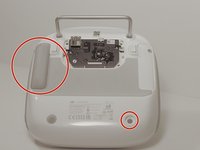
      • Peel off the rubber grips to access the screw holes.

      • Make sure to save your grips and do not to get them stuck to anything, you are going to want to save the adhesive.

      • Remove the back board and set it aside.

      Ask FixBot

      Add Comment

    5. DJI Phantom 4 Advanced Remote Controller Power Button Replacement: step 5, image 1 of 2 DJI Phantom 4 Advanced Remote Controller Power Button Replacement: step 5, image 2 of 2
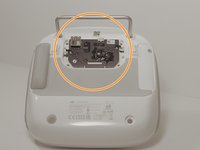
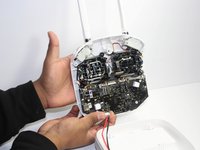
      • Pull apart the back plastic panel.

      • Recommended tool for this would be the metal spudger, but not required.

      • Once the back panel is off, you will have access to the motherboard.

      Ask FixBot

      Add Comment

    1. DJI Phantom 4 Advanced Remote Controller Power Button Replacement, Motherboard: step 6, image 1 of 3 DJI Phantom 4 Advanced Remote Controller Power Button Replacement, Motherboard: step 6, image 2 of 3 DJI Phantom 4 Advanced Remote Controller Power Button Replacement, Motherboard: step 6, image 3 of 3
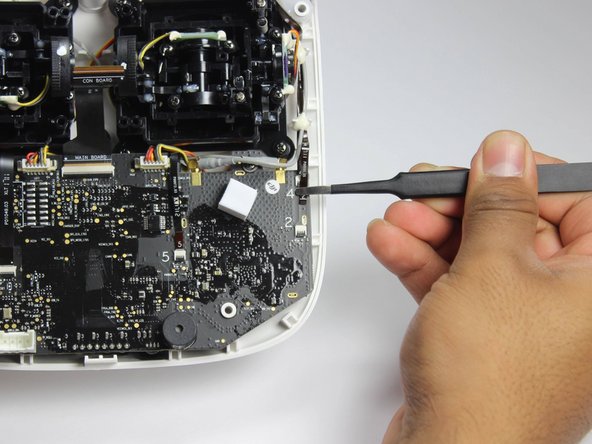
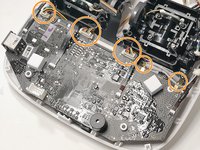
      • Disconnect ribbon tabs 1,2,5,8G, and 3.

      • Remove ribbon tab by pulling gently along motherboard. Do not pull straight out.

      • Then remove the plugs

      Ask FixBot

      Add Comment

    2. DJI Phantom 4 Advanced Remote Controller Power Button Replacement: step 7, image 1 of 2 DJI Phantom 4 Advanced Remote Controller Power Button Replacement: step 7, image 2 of 2
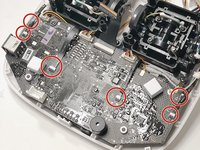
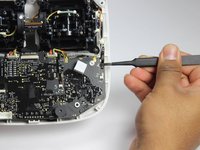
      • With the Phillips #00 screwdriver, remove the two Phillips screws.

      Ask FixBot

      Add Comment

    3. DJI Phantom 4 Advanced Remote Controller Power Button Replacement: step 8, image 1 of 1
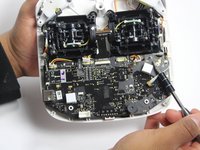
      • Double check to make sure all tabs, plugs and screws are removed or disconnected.

      • Gently lift motherboard out of the case.

      Ask FixBot

      Add Comment

    1. DJI Phantom 4 Advanced Remote Controller Power Button Replacement, Power Button: step 9, image 1 of 2 DJI Phantom 4 Advanced Remote Controller Power Button Replacement, Power Button: step 9, image 2 of 2
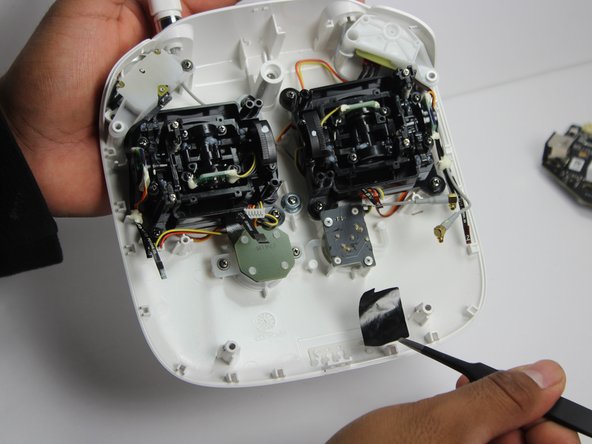
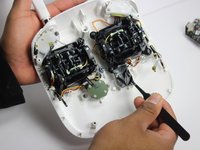
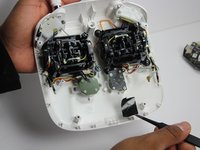
      • Carefully remove the plastic. This will help you gain access to the power button panel.

      Ask FixBot

      Add Comment

    2. DJI Phantom 4 Advanced Remote Controller Power Button Replacement: step 10, image 1 of 2 DJI Phantom 4 Advanced Remote Controller Power Button Replacement: step 10, image 2 of 2
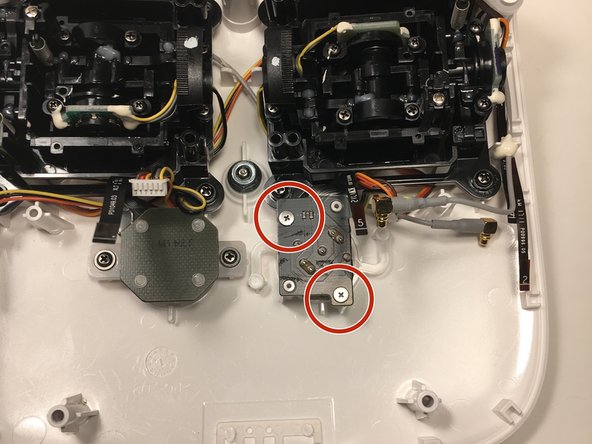
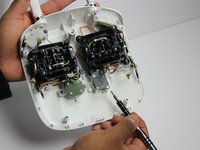
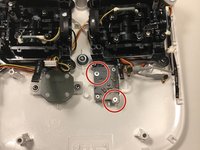
      • With a Phillips #00 screwdriver, remove the two screws on the power button panel.

      Ask FixBot

      Add Comment

    3. DJI Phantom 4 Advanced Remote Controller Power Button Replacement: step 11, image 1 of 1
      • Gently pull the power button out from the panel. Replace it with a new one.

      Ask FixBot

      Add Comment

Conclusion

To reassemble your device, follow these instructions in reverse order.

Cancel: I did not complete this guide.

2 other people completed this guide.

0 Guide Comments

Add Comment

View Statistics:

Past 24 Hours: 1

Past 7 Days: 10

Past 30 Days: 54

All Time: 1,433