Free Shipping on Domestic Orders $75+

DBPOWER RD-810 Magnifier Replacement

What you need

    1. DBPOWER RD-810 Magnifier Replacement, Top Cover: step 1, image 1 of 2 DBPOWER RD-810 Magnifier Replacement, Top Cover: step 1, image 2 of 2
      • Make sure the projector is unplugged before starting

      • Place the projector upside down to access the screws on the bottom.

      • Remove the five 7mm long screws using a #3 Phillips screwdriver at least 2 inches long.

      Ask FixBot

      Add Comment

    2. DBPOWER RD-810 Magnifier Replacement: step 2, image 1 of 1
      • Flip the projector over and then remove the cover by lifting it up.

      Ask FixBot

      Add Comment

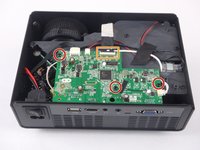
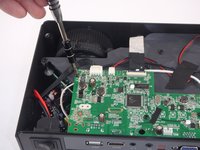
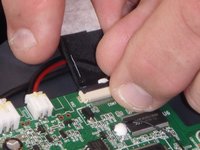
    1. DBPOWER RD-810 Magnifier Replacement, Motherboard and LED Bulb: step 3, image 1 of 3 DBPOWER RD-810 Magnifier Replacement, Motherboard and LED Bulb: step 3, image 2 of 3 DBPOWER RD-810 Magnifier Replacement, Motherboard and LED Bulb: step 3, image 3 of 3
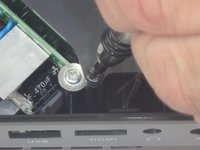
      • Remove the three 6mm PH2 phillips head screws.

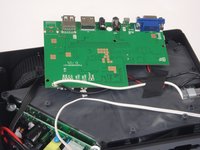
      • Disconnect the ribbon cable by flipping up the latch on the connector and then pull the ribbon out.

      Ask FixBot

      Add Comment

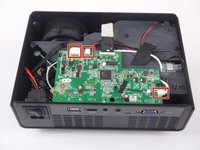
    2. DBPOWER RD-810 Magnifier Replacement: step 4, image 1 of 3 DBPOWER RD-810 Magnifier Replacement: step 4, image 2 of 3 DBPOWER RD-810 Magnifier Replacement: step 4, image 3 of 3
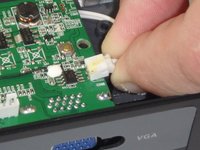
      • Disconnect the three wire connectors. Grasp both sides of the connector and pull apart.

      • Keep the connector parallel to the mother board to avoid breaking the solder connection.

      • Lift the motherboard up and place it out of the way.

      Ask FixBot

      Add Comment

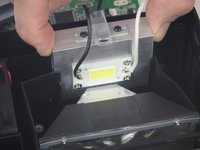
    3. DBPOWER RD-810 Magnifier Replacement: step 5, image 1 of 3 DBPOWER RD-810 Magnifier Replacement: step 5, image 2 of 3 DBPOWER RD-810 Magnifier Replacement: step 5, image 3 of 3
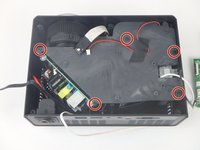
      • Remove the five 7mm PH2 phillips head screws on the black plate and lift the plate out.

      • Lift the aluminum heat sink up to remove it from the projector.

      • The motherboard is already removed in this step.

      Ask FixBot

      Add Comment

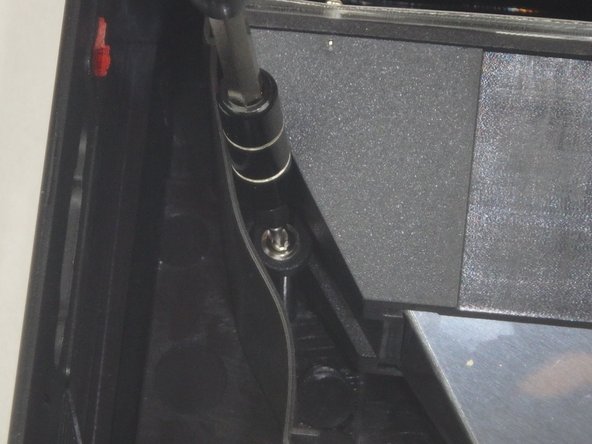
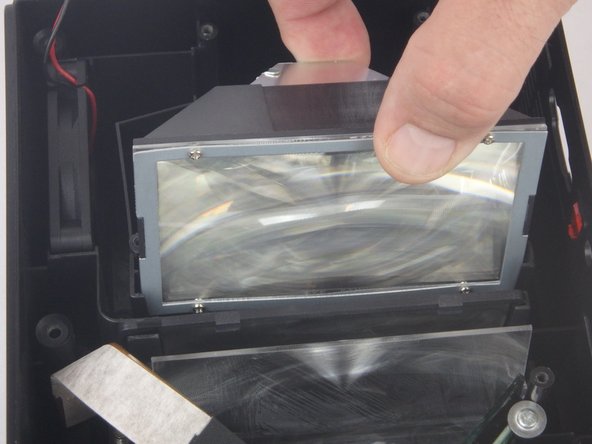
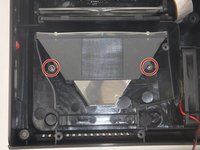
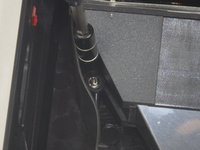
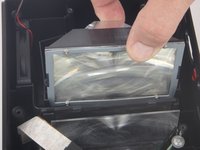
    1. DBPOWER RD-810 Magnifier Replacement, Magnifier: step 6, image 1 of 3 DBPOWER RD-810 Magnifier Replacement, Magnifier: step 6, image 2 of 3 DBPOWER RD-810 Magnifier Replacement, Magnifier: step 6, image 3 of 3
      • Remove the two 9mm PH2 phillips head screws.

      • Lift the Magnifier out of the projector.

      Ask FixBot

      Add Comment

Conclusion

To reassemble your device, follow these instructions in reverse order.

Cancel: I did not complete this guide.

John Russell

Member since: 02/14/18

941 Reputation

9 Guides authored

Team

USF Tampa, Team S5-G3, Eyestone Spring 2018 Member of USF Tampa, Team S5-G3, Eyestone Spring 2018

USFT-EYESTONE-S18S5G3

3 Members

18 Guides authored

0 Guide Comments

Add Comment

View Statistics:

Past 24 Hours: 0

Past 7 Days: 5

Past 30 Days: 26

All Time: 589