
Creative Ziio 7" LCD Screen Replacement

Last updated on May 7, 2024
Views: 2K
View statistics:
- Past 24 Hours:
- 3
- Past 7 Days:
- 22
- Past 30 Days:
- 81
- All Time:
- 1,982
Comments: 2
2 guide comments.
Go to guide commentsCompleted: 2 3
2 people have marked this guide "completed." Will you be next?
3 people have marked this guide "completed." Including you — great job!
Favorites: 2 3
2 people have favorited (and subscribed to) this guide. Will you be next?
3 people have favorited (and subscribed to) this guide — including you!
Action Shots
Be an action hero! This guide needs images that better demonstrate how to perform specific actions.
Needs Better Images
Better photos will improve this guide. Help out by taking, editing, or uploading new ones!
Introduction
Go to step 1 ↓The Creative Ziio boasts excellent sound quality and usability. It uses a 7'' LCD screen that cannot be replaced by a generic screen. Replacement screens may be provided by contacting Creative, depending on warranty details. Searching local tech stores or online tech supply sites may be helpful as well.
What you need
Tools


-
-
-
Remove the back panel by using the plastic opening tool to carefully pry around the panel's edges.
 Ask FixBot
-
-
-
-
-
Remove the four 3mm Philips #00 screws around the large silver battery.
-
-
Tool used on this step:Tweezers$4.99
-
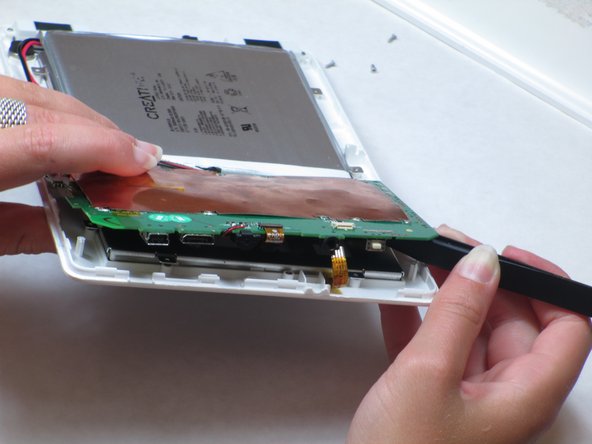
Remove the ribbon cable from the exposed side of circuit board near the headphone jack.
-
Carefully lift up the circuit board on the detached side.
-
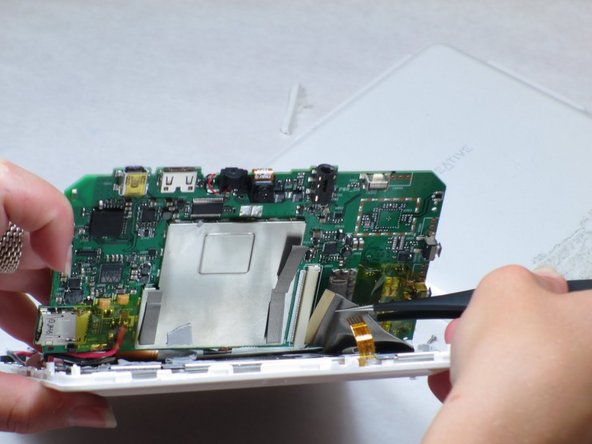
Disconnect the second ribbon cable by pulling the end of the ribbon from its housing on the circuit board with tweezers.
-
-
-
On the opposite end of the device: Remove the ribbon cable in between the speakers at the end of the battery.
-
-
-
There are three additional 3mm Philips #00 screws underneath the circuit board that need to be removed.
-
Now, remove the battery and circuit board with the LCD attached and turn it over so the screen is facing upwards.
-
-
-


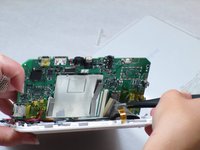


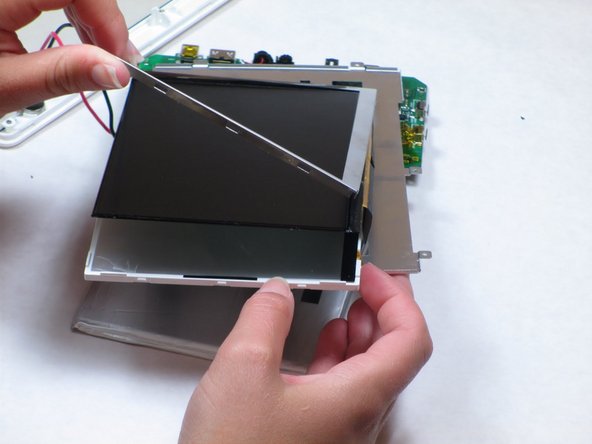

To reassemble your device, follow these instructions in reverse order.
Cancel: I did not complete this guide.
2 other people completed this guide.

Team

Cal Poly, Team 14-10, Maness Spring 2013 Member of Cal Poly, Team 14-10, Maness Spring 2013
CPSU-MANESS-S13S14G10
4 Members
84 Guides authored
2 Guide Comments
Where can I buy Creative Ziio 7" LCD Scren?
i need LCD Creative Labs ZIIO 7 Inch Tablet, where i can buy?... please help me... thx before...
