Free Shipping on Domestic Orders $75+

This translation was generated by a machine and has not been reviewed by a person yet. Speak this language? Review it.

Convert into an iKeyBoard Pro

What you need

    1. Convert into an iKeyBoard Pro, Recycle your MacBook Pro: step 1, image 1 of 2 Convert into an iKeyBoard Pro, Recycle your MacBook Pro: step 1, image 2 of 2
      • If you have a broken screen or poor image quality, you can remove it to reduce weight and turn your MacBook Pro into an iKeyBoard Pro.

      • By removing the screen, you will no longer have Wi-Fi antennas. If you have a broken iPad, you can recycle its antennas or buy a USB Wi-Fi adapter as the fastest alternative. You can also buy a USB Ethernet (cable) adapter.

      • This device is a Late 2013 MacBook Pro.

      Ask FixBot

      Add Comment

    2. Convert into an iKeyBoard Pro, Recycling iPad Wi-Fi Antennas (Broken): step 2, image 1 of 3 Convert into an iKeyBoard Pro, Recycling iPad Wi-Fi Antennas (Broken): step 2, image 2 of 3 Convert into an iKeyBoard Pro, Recycling iPad Wi-Fi Antennas (Broken): step 2, image 3 of 3
      • If we want to continue recycling things and we have a broken iPad, we can remove the Wi-Fi antennas to reuse them.

      • Remove the screen correctly to be able to reuse it if it works and is not broken.

      • If you don't want to get too involved, just buy a USB Wi-Fi or Ethernet adapter compatible with the operating system.

      Ask FixBot

      Add Comment

    3. Convert into an iKeyBoard Pro, Connecting the iKeyBoard Pro to the TV or Monitor: step 3, image 1 of 2 Convert into an iKeyBoard Pro, Connecting the iKeyBoard Pro to the TV or Monitor: step 3, image 2 of 2
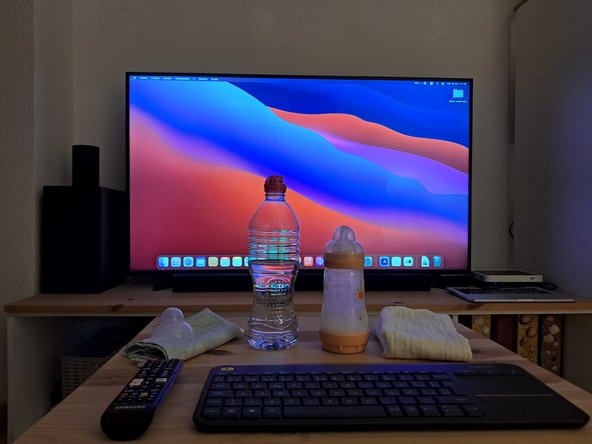
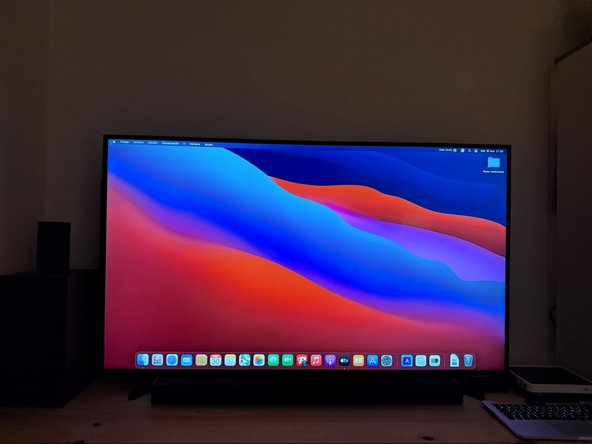
      • Now we need to connect the new iKeyBoard Pro to the TV or Monitor and start it up.

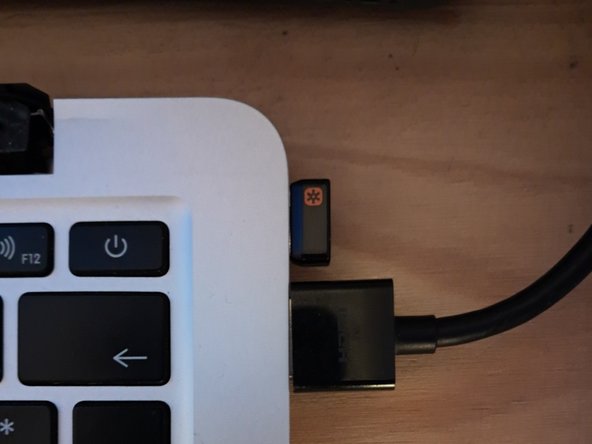
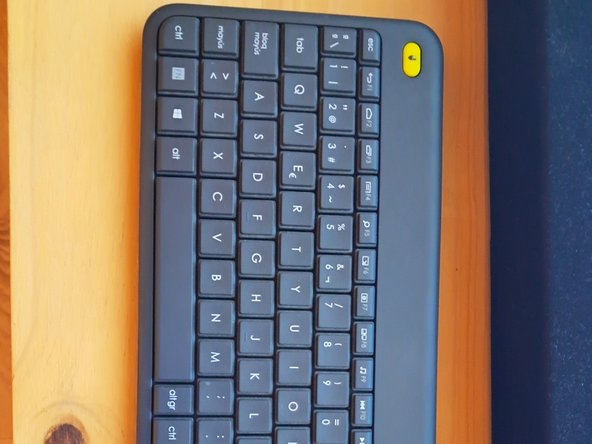
      • If the computer's keyboard does not work, or if you prefer to be comfortable on the sofa, you can purchase a wireless keyboard compatible with the iKeyBoard Pro.

      • To select the Apple boot menu with a traditional PC keyboard, press the left ALT key multiple times.

      Ask FixBot

      Add Comment

    4. Convert into an iKeyBoard Pro, Configuring TV or Monitor Picture Settings: step 4, image 1 of 3 Convert into an iKeyBoard Pro, Configuring TV or Monitor Picture Settings: step 4, image 2 of 3 Convert into an iKeyBoard Pro, Configuring TV or Monitor Picture Settings: step 4, image 3 of 3
      • We can properly configure the picture quality if needed; using Dynamic or high-contrast mode is recommended to enjoy it.

      • Pass this step on to the future owner if this is a gift or a transfer.

      • If a YouTuber is reading this, show some guts and teach this in a live stream. If you have even more guts, I'll be waiting for you in Counter-Strike: Source, muah :P. First, find me and send me an email. Thanks, handsome or beautiful :)

      Ask FixBot

      Add Comment

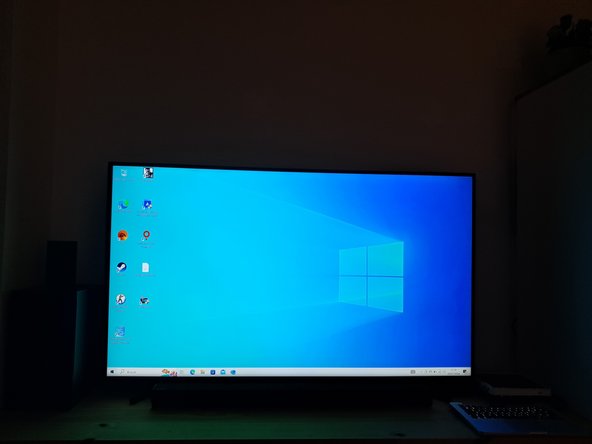
    5. Convert into an iKeyBoard Pro, Compatible Operating Systems: step 5, image 1 of 3 Convert into an iKeyBoard Pro, Compatible Operating Systems: step 5, image 2 of 3 Convert into an iKeyBoard Pro, Compatible Operating Systems: step 5, image 3 of 3
      Ask FixBot

      Add Comment

Conclusion

Recycling isn't so hard, thanks :)

Cancel: I did not complete this guide.

Alpc360

Member since: 12/11/23

414 Reputation

4 Guides authored

0 Guide Comments

Add Comment

View Statistics:

Past 24 Hours: 12

Past 7 Days: 45

Past 30 Days: 125

All Time: 642