Free Shipping on Domestic Orders $75+

Check Account Information.

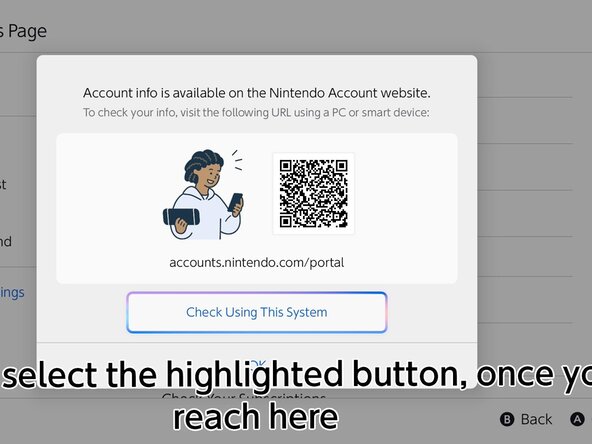
  1. Check Account Information., Head over to the website: step 1, image 1 of 3 Check Account Information., Head over to the website: step 1, image 2 of 3 Check Account Information., Head over to the website: step 1, image 3 of 3
    • Go to the HOME menu, select your user page, then go to User Settings > Nintendo Account (your email) > Check Your Account Information, then click "Check Using This System"

    • Sign in to your Nintendo Account using one of the following methods shown on the system.

    • If your Nintendo Account is automatically filled in, skip this step.

Conclusion

Press B to end the portal.

redratchet21

Member since: 01/29/26

882 Reputation

3 Guides authored

0 Guide Comments

Add Comment

View Statistics:

Past 24 Hours: 0

Past 7 Days: 6

Past 30 Days: 21

All Time: 21