Introduction
The Celestron HomeCast Lite is a portable weather station that provides a user with information about the conditions outdoors. This guide instructs the user on how to replace the buttons in the Celestron Homecast Lite 47020 if they are not functioning. The buttons control the options of the device, including temperature and mode.
Familiarize yourself with the contents of the manual found here.
What you need
-
-
Find the device's back panel.
-
Using the screwdriver, remove the four screws and open the back panel.
-
-


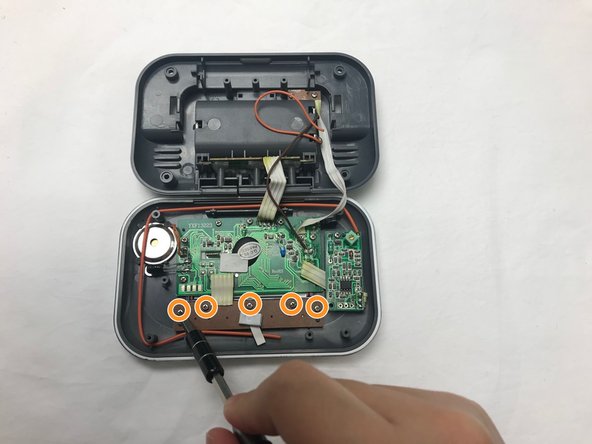


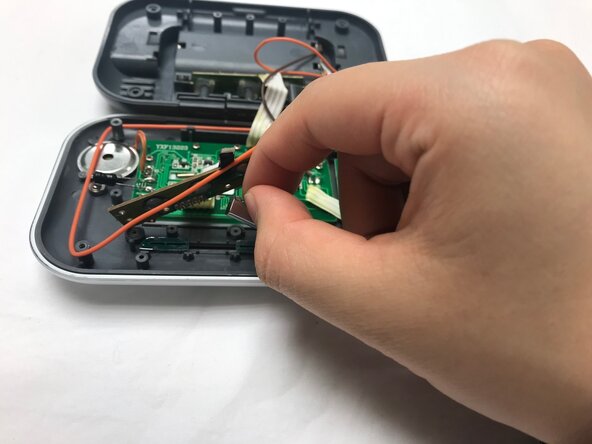

To reassemble your device, follow these instructions in reverse order.



Team

UC Davis, Team S18-G7, Lore Winter 2019 Member of UC Davis, Team S18-G7, Lore Winter 2019
UCD-LORE-W19S18G7
4 Members
3 Guides authored
