Casio CZ-1000 Piano Key Replacement

What you need

  1. Casio CZ-1000 Piano Key Replacement, Backplate: step 1, image 1 of 2 Casio CZ-1000 Piano Key Replacement, Backplate: step 1, image 2 of 2
    • Use a Phillips #1 screwdriver to remove the eleven 7.5 mm screws securing the back plate.

  2. Casio CZ-1000 Piano Key Replacement: step 2, image 1 of 3 Casio CZ-1000 Piano Key Replacement: step 2, image 2 of 3 Casio CZ-1000 Piano Key Replacement: step 2, image 3 of 3
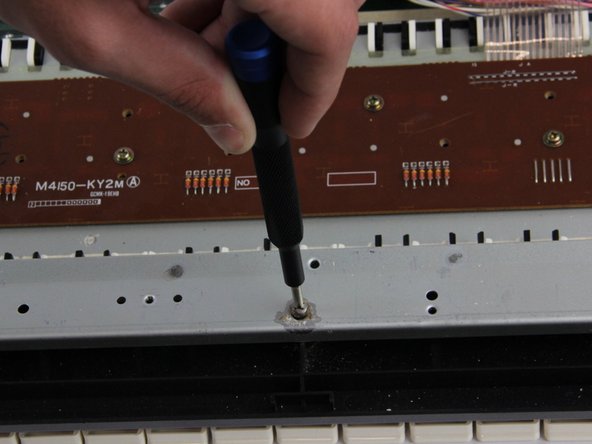
    • Using a Phillips #1 screwdriver, remove all 14 5.5 mm screws from the two motherboards.

    • These screws secure the motherboards to the keyboard assembly and the dial on the right side.

  3. Casio CZ-1000 Piano Key Replacement: step 3, image 1 of 3 Casio CZ-1000 Piano Key Replacement: step 3, image 2 of 3 Casio CZ-1000 Piano Key Replacement: step 3, image 3 of 3
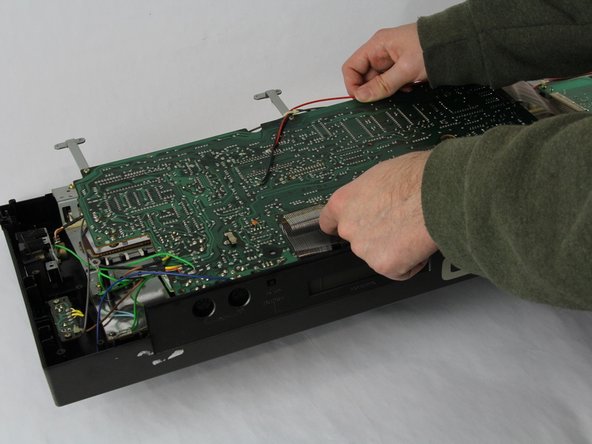
    • Carefully cut the zip tie located in the right-hand corner using a pair of scissors or wire cutters.

    • Be sure to avoid cutting any nearby wires or components.

    • Gently slide all the plugs out of their sockets.

    • This will prevent them from catching on anything or damaging the connectors as you lift.

  4. Casio CZ-1000 Piano Key Replacement, Piano Key: step 4, image 1 of 2 Casio CZ-1000 Piano Key Replacement, Piano Key: step 4, image 2 of 2
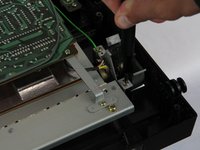
    • Remove the four 7.5 mm screws using a Phillips #1 screwdriver.

    • Lift the rectangular circuit board away to expose the underside of the key bed.

  5. Casio CZ-1000 Piano Key Replacement: step 5, image 1 of 2 Casio CZ-1000 Piano Key Replacement: step 5, image 2 of 2
    • Remove the six 7.5 mm screws using a Phillips #1 screwdriver.

  6. Casio CZ-1000 Piano Key Replacement: step 6, image 1 of 2 Casio CZ-1000 Piano Key Replacement: step 6, image 2 of 2
    • Grab the key bed by the side shown.

    • Lift the key bed up and slide it out from the black case.

  7. Casio CZ-1000 Piano Key Replacement: step 7, image 1 of 2 Casio CZ-1000 Piano Key Replacement: step 7, image 2 of 2
    • Flip the key bed over so that the keys are facing up.

    • Using a pair of tweezers, detach the spring from both the metal bar and the key itself.

    • Lift the key out of the slot in the metal bar and replace!

Conclusion

To reassemble your device, follow these instructions in reverse order.

CJ Fagundo

Member since: 10/31/24

159 Reputation

1 Guide authored

Team

Cuesta, Team 60-3, Krynen Fall 2024 Member of Cuesta, Team 60-3, Krynen Fall 2024

CUESTA-KRYNEN-F24S60G3

4 Members

5 Guides authored

2 Guide Comments

Disassembly went fine, but my cz1000 keys don't look the same

Brian Marshall - Reply

I'm in the same situation as the previous commenter. The disassembly procedure is the same, but the type of key bed is different. Ours seems to be an ASSY with no removable keys.

個人情報 - Reply

Add Comment

View Statistics:

Past 24 Hours: 1

Past 7 Days: 6

Past 30 Days: 27

All Time: 240