
Canon PowerShot SD850 IS Function Set Button Replacement

iDeleted and 6 other contributors
Last updated on Dec 15, 2017
Views: 1.7K
View statistics:
- Past 24 Hours:
- 4
- Past 7 Days:
- 21
- Past 30 Days:
- 99
- All Time:
- 1,697
Comments: 0
No one has left comments on this guide. Will you be first?
Go to guide commentsCompleted: 0 1
No one has marked this guide "completed." Will you be the first?
1 person has marked this guide "completed." It's you — great job!
Favorites: 0 1
No one has favorited (and subscribed to) this guide. Will you be the first?
1 person has favorited (and subscribed to) this guide — and that's you!
Inconsistent Images
Updating the images on this guide to be more consistent with the prerequisites would increase its awesomeness.
Action Shots
Be an action hero! This guide needs images that better demonstrate how to perform specific actions.
Community-Contributed Guide
An awesome member of our community made this guide. It was not created by iFixit staff.
Introduction
Go to step 1 ↓This manual is for replacing the function/set button located on the back of the camera.
What you need
Tools
-
-
Spudger4.9


-
-
-
Slide the light grey tab toward the edge of the camera using your fingernail.
-
Pull the light grey tab up to open the door.
 Ask FixBot
-
-
-
Slide the small brown tab toward the edge of the camera using your fingernail.
-
Let go of the brown tab when the battery pops up.
-
Grab battery and pull straight up to remove from holder.
-
-
-
-
-
Remove the following 4 screws:
-
Two 2.8 mm Phillips #00 at the bottom of the camera.
-
Two 2.75 mm Phillips #00 on the opposite side of the wrist strap.
-
-
-
Open the A/V OUT DIGITAL flap on the side of the wrist strap.
-
Remove the 2.75 mm Phillips #00 under the A/V OUT DIGITAL flap on the side of the wrist strap.
-
-
-
On the bottom of the camera, use your fingernail to slide the light gray tab towards the edge of the camera.
-
Slide light gray door and pull up to open the door.
-
Remove the 8.35 mm Phillips #00 next to the brown tab that holds the battery.
-
-
-
Gently pull the front cover straight out from the camera. This will expose the wiring on the front of the camera.
-
-
-
Slide the back casing (with the screen protector) off to reveal the LCD and back wiring.
-
-
-
-
-
-
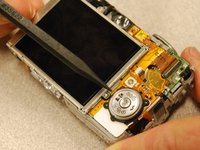
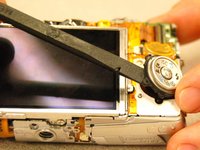
Identify and remove the plastic function set button. Do this by gently prying up as indicated in the photo.
-
-
-
Remove the ribbon cable by lifting on the flat tab and pulling the ribbon cable from the connection.
-
-


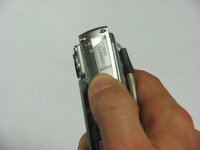
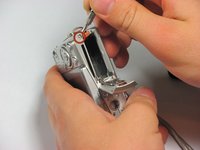


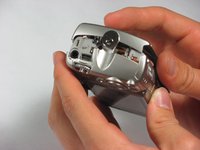
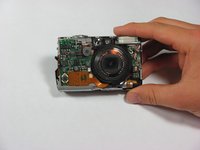




To reassemble your device, follow these instructions in reverse order.

