Introduction
If your HP Chromebook14 G5 is not able to hold a charge, you most likely have a dead battery, which requires replacement.
A functional battery provides power to your laptop. Eventually, laptop batteries will rapidly drain after going through a repeated amount of charge cycles. If you notice significant drops in battery percentage, you should replace your battery.
A punctured battery can cause danger. If your battery is swollen, be sure to take appropriate precautions as soon as possible.
Make sure to power down your device before you begin.
What you need
-
-
-
Remove nine 2.5mm screws embedded in the back cover using the Phillips #0 screwdriver.
-
Remove the back cover using a spudger.
 Ask FixBot
-
-
-


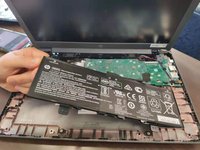
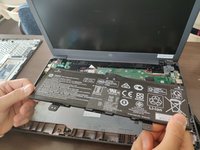
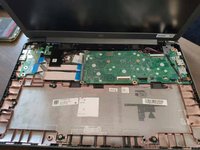
To reassemble your device, follow these instructions in reverse order.

Team

Duke University Pratt School of Engineering, Team S4-G4, Matos-Garner Fall 2019 Member of Duke University Pratt School of Engineering, Team S4-G4, Matos-Garner Fall 2019
DUKEPSE-MATOS-GARNER-F19S4G4
4 Members
48 Guides authored
