Free Shipping on Domestic Orders $75+

Cable Disconnect

Prerequisite Only
This is a prerequisite-only guide! This guide is part of another procedure and isn’t meant to be used alone.
    1. Cable Disconnect, Open the cable compartment: step 1, image 1 of 3 Cable Disconnect, Open the cable compartment: step 1, image 2 of 3 Cable Disconnect, Open the cable compartment: step 1, image 3 of 3
      • Be sure to power down and disconnect your Vive before beginning.

      • Place a finger on the top edge of the compartment cover assembly and slide the assembly toward the front of the Vive until it comes loose from the headset.

      • Lift the cover away from the headset and slide it up the cables until it's out of the way.

      Ask FixBot

      Add Comment

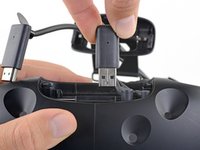
    2. Cable Disconnect, Unplug the HDMI cable: step 2, image 1 of 2 Cable Disconnect, Unplug the HDMI cable: step 2, image 2 of 2
      • Lift the HDMI cable straight up to unplug it from the headset.

      Ask FixBot

      Add Comment

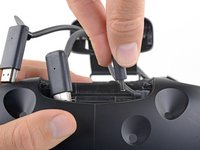
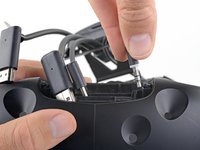
    3. Cable Disconnect, Unplug the remaining cables: step 3, image 1 of 3 Cable Disconnect, Unplug the remaining cables: step 3, image 2 of 3 Cable Disconnect, Unplug the remaining cables: step 3, image 3 of 3
      • Repeat the lifting and unplugging process with the remaining USB, power, and audio cables.

      Ask FixBot

      Add Comment

Conclusion

To reassemble your device, follow these instructions in reverse order.

Cancel: I did not complete this guide.

Adam O'Camb

Member since: 04/11/15

225,477 Reputation

415 Guides authored

0 Guide Comments

Add Comment

View Statistics:

Past 24 Hours: 2

Past 7 Days: 9

Past 30 Days: 21

All Time: 242