Introduction
You don't always have to go to your carrier to install your SIM card. Installing a SIM card is a relatively easy process. Follow this guide on how to change or install a SIM card for the BLU Studio 6.0 HD.
What you need
-
-
-
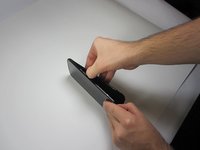
To begin the removal of your back panel, first locate the lift tab on the bottom-right corner.
-
-
-
-
Next, gently slide your thumb (or plastic tool if you prefer) down the seem running the length of your Blu Studio until the rear panel is completely removed.
-
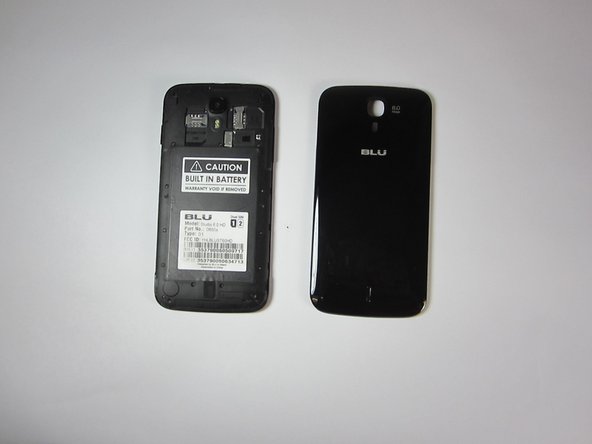
Your rear panel should be placed nearby and in a safe location until you are finished with your task.
-
-
-
-
Look at the sticker on top of the battery housing and note the model, part number and type.
-
Research this information to find out if you have an unlocked version of the phone.
-
-
-
If necessary slide the unneeded SIM card out of it's slot.
-
Take the front end tip of the SIM card (the side with the corner cut) and slide it gently into the SIM card slot.
-
-
-
Turn on your Studio 6.0 and test it to make sure that everything is working.
-
If your phone gives you an error, check your SIM card installation. If everything seems to be correct make sure your SIM card is activated.
-
If everything is working you're good to go.
-
-

 Ask FixBot




To reassemble your device, follow these instructions in reverse order.
Cancel: I did not complete this guide.
7 other people completed this guide.

Team

USF Tampa, Team 9-1, Blackwell Fall 2014 Member of USF Tampa, Team 9-1, Blackwell Fall 2014
USFT-BLACKWELL-F14S9G1
3 Members
96 Guides authored
13 Guide Comments
Okay so my Sim has been working for months just 2 days ago my phone wouldn't turn on and then we'll now it doesn't read the Sim card idk what's going on with this but its getting annoying
Its saying my Sim card is off..how do I turn it on.
I just got this phone and I install the sim card like they say and it still says no sim card
