Free Shipping on Domestic Orders $75+

Blu Studio 5.5 Micro USB Port Replacement

What you need

    1. Blu Studio 5.5 Micro USB Port Replacement, Battery: step 1, image 1 of 1
      • Flip over your Studio 5.5 so the back is facing you.

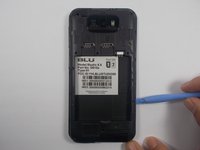
      • Use either the spudger or your fingernail to pull up on the slot in the lower left corner and remove the back cover.

      Ask FixBot

      Add Comment

    2. Blu Studio 5.5 Micro USB Port Replacement: step 2, image 1 of 2 Blu Studio 5.5 Micro USB Port Replacement: step 2, image 2 of 2
      • Place your finger in the small groove beneath the battery.

      • Push the battery toward the top of the phone and lift it out.

      Ask FixBot

      Add Comment

    1. Blu Studio 5.5 Micro USB Port Replacement, Micro USB Port: step 3, image 1 of 1
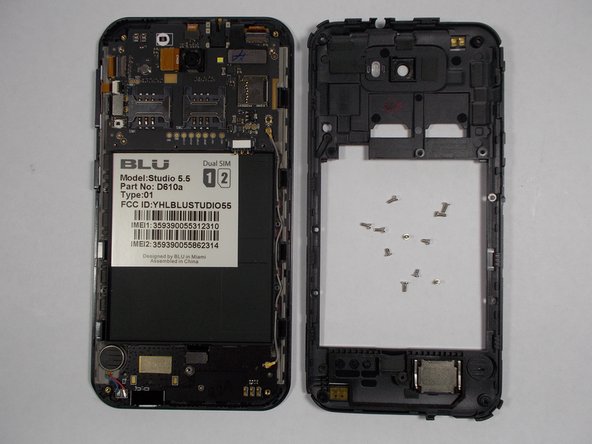
      • Begin by removing the 12 screws along the back of the device.

      • 1 of these screws will be underneath a white sticker. Just press the screwdriver through it and remove it normally.

      • 5 of these screws are 3.5mm, while the remaining 7 are 5mm.

      Ask FixBot

      Add Comment

    2. Blu Studio 5.5 Micro USB Port Replacement: step 4, image 1 of 2 Blu Studio 5.5 Micro USB Port Replacement: step 4, image 2 of 2
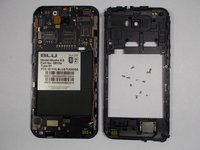
      • Using your plastic opening tool, begin carefully prying the plastic shell from the phone.

      • Make your way around the edge slowly and lift the shell off when you have made a full circuit.

      Ask FixBot

      Add Comment

    3. Blu Studio 5.5 Micro USB Port Replacement: step 5, image 1 of 1
      Tool used on this step:
      Tweezers
      $4.99
      Buy
      • Using your tweezers, locate the small gold-colored plug in the bottom left corner and pull it straight out.

      Ask FixBot

      Add Comment

    4. Blu Studio 5.5 Micro USB Port Replacement: step 6, image 1 of 1
      • Use the tweezers again to pull out a small black plug in the bottom middle.

      Ask FixBot

      Add Comment

    5. Blu Studio 5.5 Micro USB Port Replacement: step 7, image 1 of 1
      • Grip the entire circuit board firmly with your tweezers and pull it towards the bottom of the phone and out.

      Ask FixBot

      Add Comment

    6. Blu Studio 5.5 Micro USB Port Replacement: step 8, image 1 of 1
      • Pry the speaker from the phone with your tweezers.

      • The speaker is glued to the rest of the phone and soldered to the circuit board.

      Ask FixBot

      Add Comment

Conclusion

To reassemble your device, follow these instructions in reverse order.

Cancel: I did not complete this guide.

6 other people completed this guide.

Brian Sullivan

Member since: 10/22/14

647 Reputation

3 Guides authored

Team

UMass Dartmouth, Team 1-2, Shastany Fall 2014 Member of UMass Dartmouth, Team 1-2, Shastany Fall 2014

UMASSD-SHASTANY-F14S1G2

3 Members

36 Guides authored

3 Guide Comments

Should I change the other parts aswell?

branfay1 - Reply Share

i want buy chargin port sir my blue cahrging port was dead plz help me i want buy

muhammadfaisalkhan98 - Reply Share

Where do i buy the %#*@ micro usb port

PoPeYe MaStEr - Reply Share

Add Comment

View Statistics:

Past 24 Hours: 2

Past 7 Days: 16

Past 30 Days: 89

All Time: 4,607