Introduction
The Blink Video Doorbell is a doorbell to provide extra security to your residence by giving you an accessible view whenever necessary. The lens is an added-on part of the device. It allows you to have a consistent, controllable, and color-accurate light source. Refer to the troubleshooting page if there are issues with the LED lights which could be connected to causes such as battery failure, software failure, and a frozen screen. If you need to take out the LEDs, use this guide to remove and replace the LEDs.
What you need
-
-
-
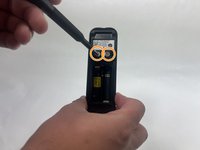
Push the opening key into the small opening with the two gray buttons on the bottom of the device.
-
Push the device up from the mount and slide it off.
 Ask FixBot
-
-
-
Use your finger to slide the gray tab, located near the bottom of the device, upwards.
-
Remove the battery cover.
-
-
-
-
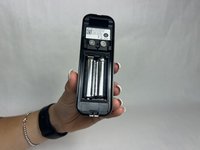
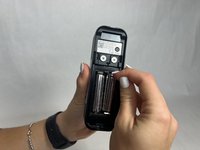
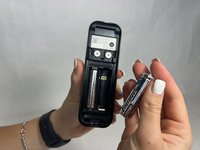
Remove the right battery by pushing the positive end down and pulling the battery out toward yourself.
-
Repeat the procedure for the left battery.
-
-
-
-
-
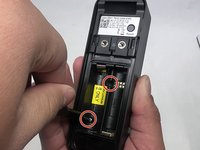
Remove the two 6 mm screws in the battery compartment using a JIS #1 screwdriver.
-
Remove the two 7 mm screws above the battery compartment using a JIS #1 screwdriver.
-
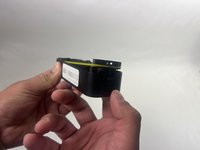
Starting from the bottom of the device, pry the back plate away from the rest of the doorbell.
-
-
-
-
-
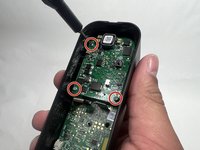
Remove the three 6 mm screws from the upper part of the motherboard using a JIS #1 screwdriver.
-
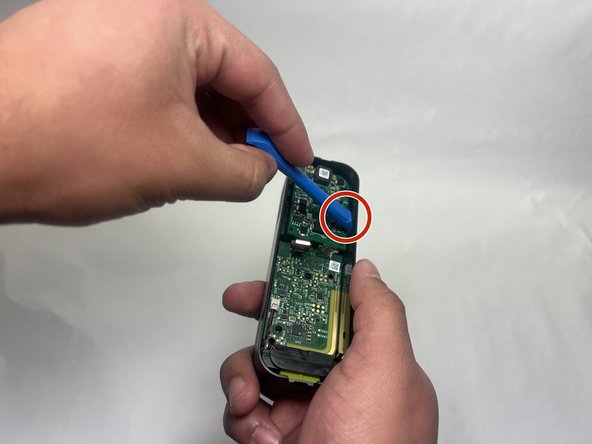
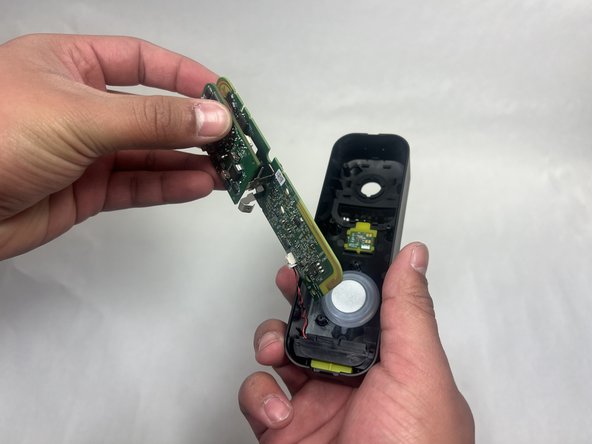
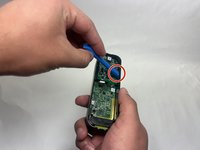
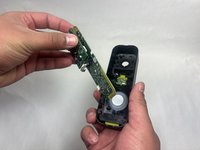
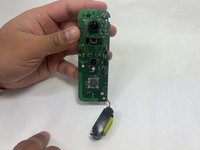
Use an opening tool to release the motherboard from the device.
-
-







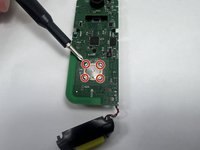
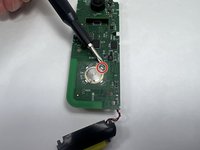
To reassemble your device, follow these instructions in reverse order.

Team

UMass Dartmouth, Team 1-1, Konn Fall 2024 Member of UMass Dartmouth, Team 1-1, Konn Fall 2024
UMASSD-KONN-F24S1G1
4 Members
45 Guides authored
