Free Shipping on Domestic Orders $75+

BlackBerry Curve 8900 Speaker Replacement

Views: 8.5K

View statistics:

Past 24 Hours:
4
Past 7 Days:
39
Past 30 Days:
112
All Time:
8,486
Comments: 9

9 comments on steps.

Completed: 2

2 people have marked this guide "completed." Will you be next?

Favorites: 2

2 people have favorited (and subscribed to) this guide. Will you be next?

Time Required: 20 - 30 minutes
Difficulty: Moderate
Action Shots

Be an action hero! This guide needs images that better demonstrate how to perform specific actions.

Needs Better Images

Better photos will improve this guide. Help out by taking, editing, or uploading new ones!

BlackBerry Curve 8900 Speaker Replacement

Introduction

Go to step 1 ↓

A simple guide on how to replace a BlackBerry Curve 8900 speaker. This guide can be useful if your speaker seems to be damaged or isn't working to its full capabilities. This damage can be caused by dropping the device, foreign objects puncturing the speaker, or simply excessive wear over time. A replacement speaker can be found for purchase online by searching the full device name (listed in title). To accomplish this replacement, a T6 Torx screwdriver and iFixit Opening Tool will be of great help. While nothing here is immediately hazardous, be mindful that many components are fragile and need to be treated accordingly. This beginner friendly guide gives detail on how to disassemble your device to get to the speaker, then how to replace the speaker unit itself.

What you need

Tools

    1. BlackBerry Curve 8900 Speaker Replacement, Battery: step 1, image 1 of 1
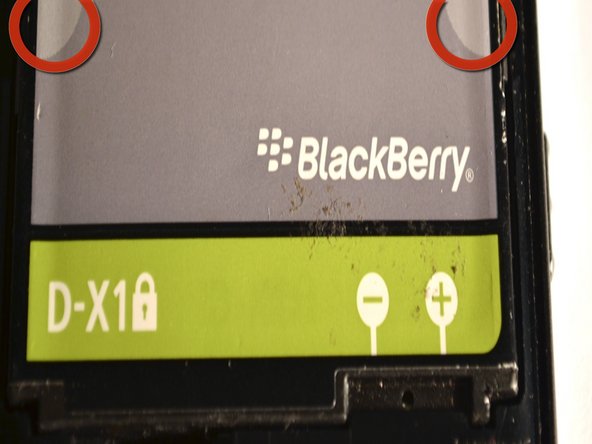
      • Remove the back cover of the phone.

      • The battery will now be visible.

      Ask FixBot

      Add Comment

    2. BlackBerry Curve 8900 Speaker Replacement: step 2, image 1 of 2 BlackBerry Curve 8900 Speaker Replacement: step 2, image 2 of 2
      • Pinch the battery at the grey semi-circles on the top left and top right corners of the battery using your fingers and remove it from the device.

      Ask FixBot

      Add Comment

    1. BlackBerry Curve 8900 Speaker Replacement, Motherboard: step 3, image 1 of 1
      • Remove the lower rear cover, using a small iFixit opening tool.

      Ask FixBot

      Add Comment

    2. BlackBerry Curve 8900 Speaker Replacement: step 4, image 1 of 1
      • Remove the six screws from the mid-frame of the device, using the T6 Torx Screwdriver.

      • Set the screws aside once they've been removed.

      Ask FixBot

      Add Comment

    3. BlackBerry Curve 8900 Speaker Replacement: step 5, image 1 of 1
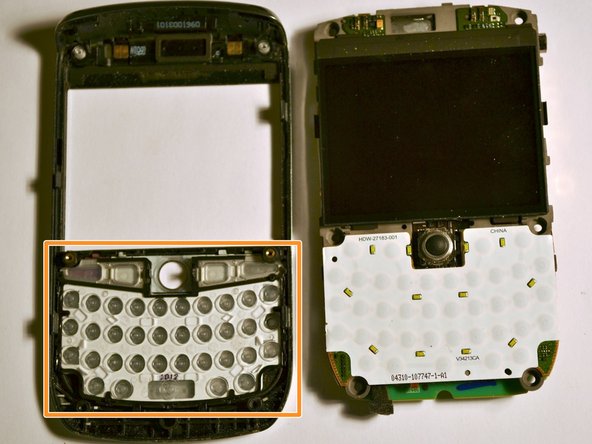
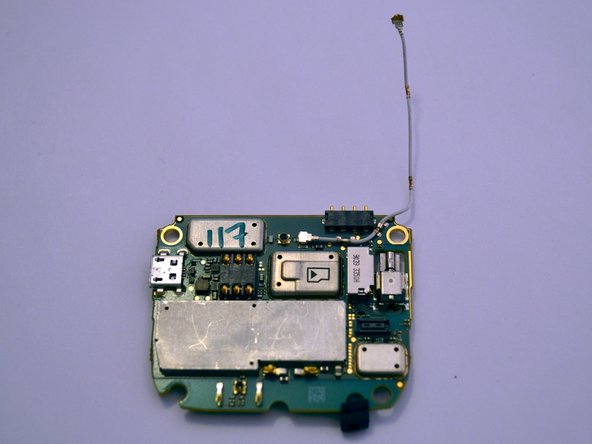
      • Gently remove the mid-frame from the phone, exposing the motherboard.

      • This is the motherboard.

      Ask FixBot

      Add Comment

    4. BlackBerry Curve 8900 Speaker Replacement: step 6, image 1 of 2 BlackBerry Curve 8900 Speaker Replacement: step 6, image 2 of 2
      • Gently pull back the plastic tabs that secure the motherboard to the case.

      • Slowly pull the tabs, working your way around the case, until they are lifted and the motherboard is free.

      • Remove the motherboard.

      • The keypad and navigation ball may become loose and fall off the motherboard.

      Ask FixBot

      Add Comment

    5. BlackBerry Curve 8900 Speaker Replacement: step 7, image 1 of 2 BlackBerry Curve 8900 Speaker Replacement: step 7, image 2 of 2
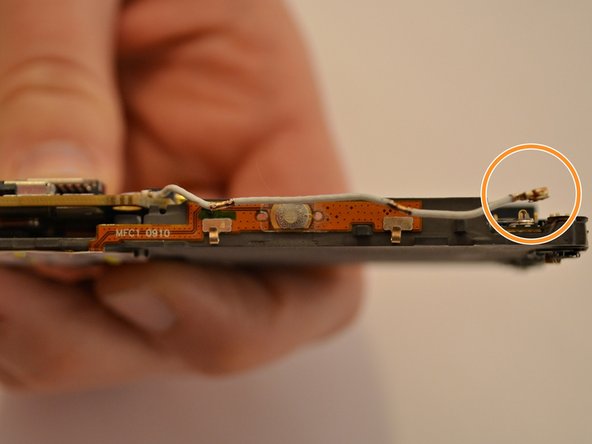
      • Carefully detach the antenna from the two clips on the side of the motherboard.

      • Disconnect the antenna from the motherboard in the same manner.

      Ask FixBot

      Add Comment

    6. BlackBerry Curve 8900 Speaker Replacement: step 8, image 1 of 1
      • Carefully disconnect the ribbon cable located on the bottom right of the motherboard.

      Ask FixBot

      Add Comment

    7. BlackBerry Curve 8900 Speaker Replacement: step 9, image 1 of 2 BlackBerry Curve 8900 Speaker Replacement: step 9, image 2 of 2
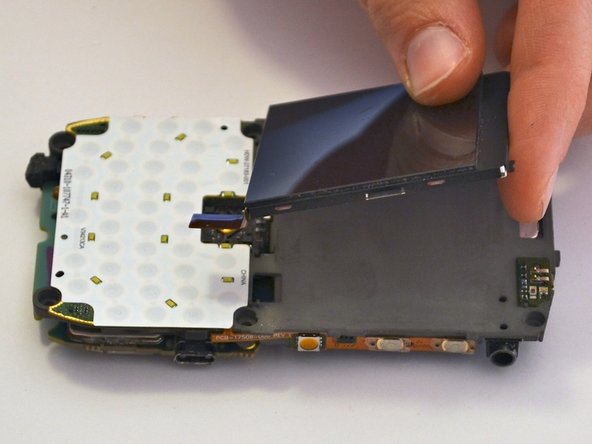
      • Locate the chip underneath the screen.

      • Gently remove the screen, without applying too much pressure, taking care not to damage it.

      Ask FixBot

      Add Comment

    8. BlackBerry Curve 8900 Speaker Replacement: step 10, image 1 of 2 BlackBerry Curve 8900 Speaker Replacement: step 10, image 2 of 2
      • Lift up the motherboard from the bottom edge to reveal the ribbon cables.

      • Carefully disconnect the two ribbon cables connecting the motherboard to the display on either side.

      • Remove the motherboard and place off to the side.

      Ask FixBot

      Add Comment

    1. BlackBerry Curve 8900 Speaker Replacement, Speaker: step 11, image 1 of 1
      • Replace the entire center piece of the case to replace the speaker.

      Ask FixBot

      Add Comment

Conclusion

To reassemble your device, follow these instructions in reverse order.

Cancel: I did not complete this guide.

2 other people completed this guide.

Johnny Tran

Member since: 09/10/11

473 Reputation

4 Guides authored

Team

Cuesta, Team 1-3, Zipperian Fall 2011 Member of Cuesta, Team 1-3, Zipperian Fall 2011

CUESTA-ZIPPERIAN-F11S1G3

3 Members

96 Guides authored

0 Guide Comments

Add Comment

View Statistics:

Past 24 Hours: 4

Past 7 Days: 39

Past 30 Days: 112

All Time: 8,486