Free Shipping on Domestic Orders $75+

Bissell Bolt ION 2-in-1 Cordless Battery Replacement

Views: 20K

View statistics:

Past 24 Hours:
3
Past 7 Days:
25
Past 30 Days:
143
All Time:
19,861
Comments: 26

2 comments on steps, 24 guide comments.

Go to guide comments
Completed: 13

13 people have marked this guide "completed." Will you be next?

Favorites: 0

No one has favorited (and subscribed to) this guide. Will you be the first?

Time Required: 7 minutes
Difficulty: Moderate
Missing Steps

Oops! This guide is currently missing one or more important steps.

Bissell Bolt ION 2-in-1 Cordless Battery Replacement

Introduction

Go to step 1 ↓

This guide will help you take apart the handheld vacuum using the most appropriate tools to replace the battery.

What you need

Tools

    1. Bissell Bolt ION 2-in-1 Cordless Battery Replacement, Battery: step 1, image 1 of 2 Bissell Bolt ION 2-in-1 Cordless Battery Replacement, Battery: step 1, image 2 of 2
      • Push the silver button to disconnect the dirt dish from the handheld vacuum.

      Ask FixBot

      Add Comment

    2. Bissell Bolt ION 2-in-1 Cordless Battery Replacement: step 2, image 1 of 2 Bissell Bolt ION 2-in-1 Cordless Battery Replacement: step 2, image 2 of 2
      • Remove the four 4 .4cm screws using your P0 screwdriver head and screwdriver.

      • Remove the Bissell sign to remove the two 4.4cm screws, using your P0 screwdriver head and screwdriver.

      Ask FixBot

      Add Comment

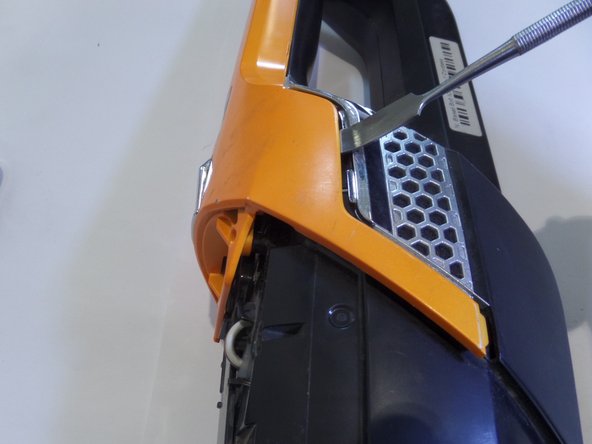
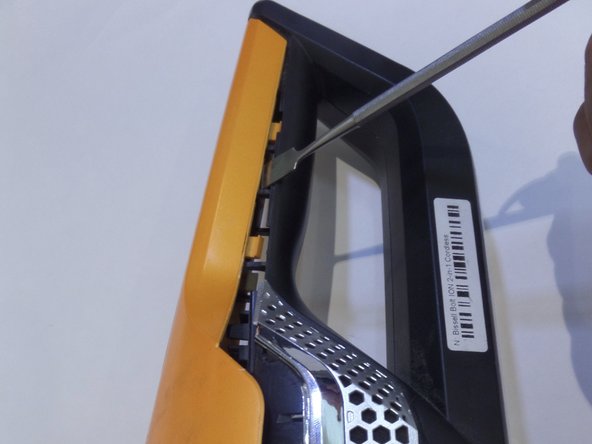
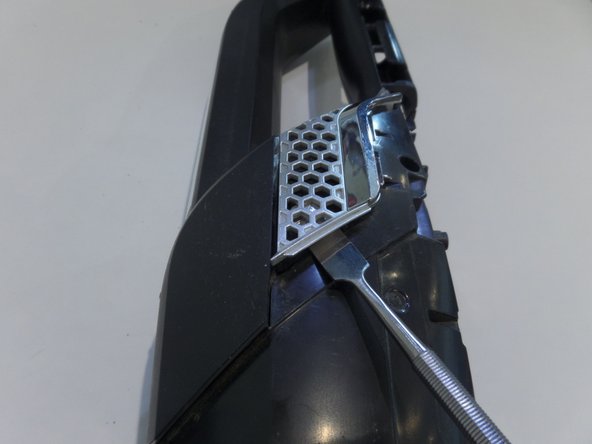
    3. Bissell Bolt ION 2-in-1 Cordless Battery Replacement: step 3, image 1 of 3 Bissell Bolt ION 2-in-1 Cordless Battery Replacement: step 3, image 2 of 3 Bissell Bolt ION 2-in-1 Cordless Battery Replacement: step 3, image 3 of 3
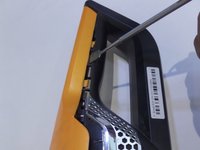
      • Using the metal spudger, insert and lift up to remove the frame from the body.

      • Move along the line and repeat on the other side.

      Ask FixBot

      Add Comment

    4. Bissell Bolt ION 2-in-1 Cordless Battery Replacement: step 4, image 1 of 2 Bissell Bolt ION 2-in-1 Cordless Battery Replacement: step 4, image 2 of 2
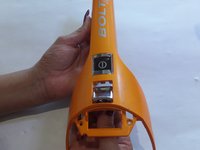
      • Remove the orange frame

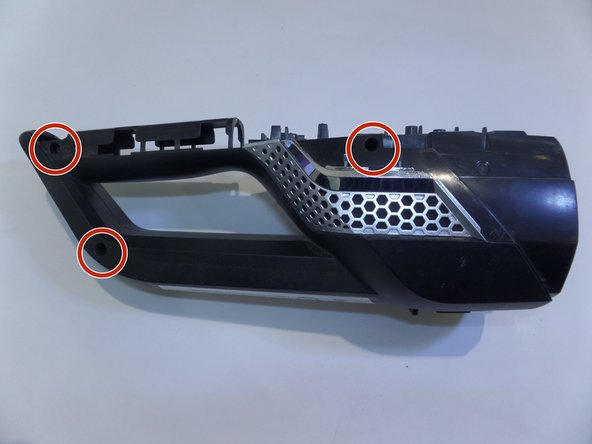
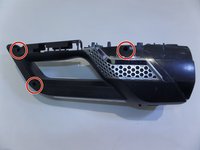
      • Remove the 3 screws on the right side of the vacuum.

      Ask FixBot

      Add Comment

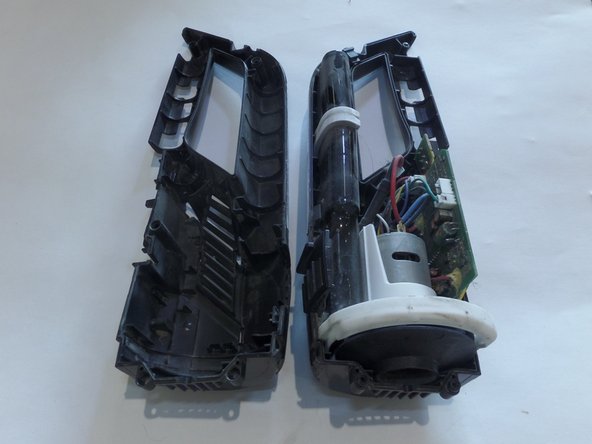
    5. Bissell Bolt ION 2-in-1 Cordless Battery Replacement: step 5, image 1 of 3 Bissell Bolt ION 2-in-1 Cordless Battery Replacement: step 5, image 2 of 3 Bissell Bolt ION 2-in-1 Cordless Battery Replacement: step 5, image 3 of 3
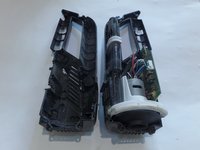
      • With metal spudger remove the metal clip on both sides.

      • Pull device apart using great force

      Ask FixBot

      Add Comment

Conclusion

To reassemble your device, follow these instructions in reverse order.

Cancel: I did not complete this guide.

13 other people completed this guide.

jasmine soria-gamino

Member since: 09/12/17

408 Reputation

2 Guides authored

Team

CSU Fullerton, Team S1-G3, Bruce Fall 2017 Member of CSU Fullerton, Team S1-G3, Bruce Fall 2017

CSUF-BRUCE-F17S1G3

3 Members

60 Guides authored

24 Guide Comments

Do you have the specs for the replacement battery? Model number? Any suggested sources?

Don Abrams - Reply Share

There is no replacement battery. The vacuum does have a two year warranty. If you call Bissell, they will replace the vacuum.

Marietta Eastham - Reply Share

They will replace it with a refurbished one. In 6 months the same thing will happen and they don't warranty the replacement.

elarvick - Reply Share

So why show how to take it apart if I can't replace the battery??

scott brumback - Reply Share

Dang, nice tutorial for a rather obscure dissection. Thank you.

nhgccc1 - Reply Share

Add Comment

View Statistics:

Past 24 Hours: 3

Past 7 Days: 25

Past 30 Days: 143

All Time: 19,861