
Besta Super 5000 Keyboard Replacement

Sarah and
Last updated on Jun 11, 2021
Views: 881
View statistics:
- Past 24 Hours:
- 3
- Past 7 Days:
- 20
- Past 30 Days:
- 93
- All Time:
- 881
Comments: 0
No one has left comments on this guide. Will you be first?
Go to guide commentsCompleted: 1 2
1 person has marked this guide "completed." Will you be next?
2 people have marked this guide "completed." Including you — great job!
Favorites: 0 1
No one has favorited (and subscribed to) this guide. Will you be the first?
1 person has favorited (and subscribed to) this guide — and that's you!
Needs Better Images
Better photos will improve this guide. Help out by taking, editing, or uploading new ones!
Introduction
Go to step 1 ↓This guide will display a step-by-step process on how to repair and replace your Besta Super 5000 keyboard. There is no special equipment or training needed in order to complete the replacement of your keyboard. Working with electrical equipment can always be hazardous, so remember to check the warnings of each step to ensure your safety as well as the integrity of your keyboard.
What you need
Tools


-
-
-
Place your fingers on the battery cover arrow and pull the cover down and off the device.
-
-
-
-
Remove the five screws around the edge of the device using a Phillips #0 screwdriver.
-
-
-
-
-
-
Remove the three silver screws from the black round battery using a Phillips #0 screwdriver.
-
-
-
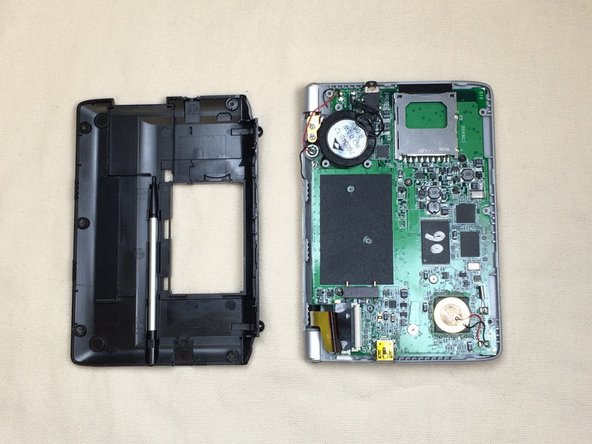
Remove the five small screws from the motherboard using a Phillips #0 screwdriver.
-
-
Tool used on this step:Tweezers$4.99
-
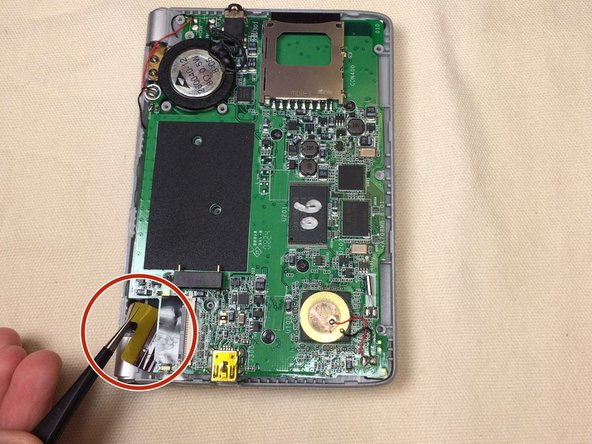
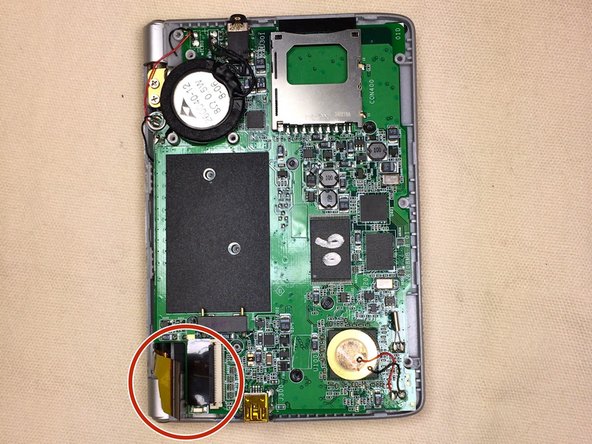
Using a pair of tweezers, pinch the center of the yellow ribbon located in the corner of the device.
-
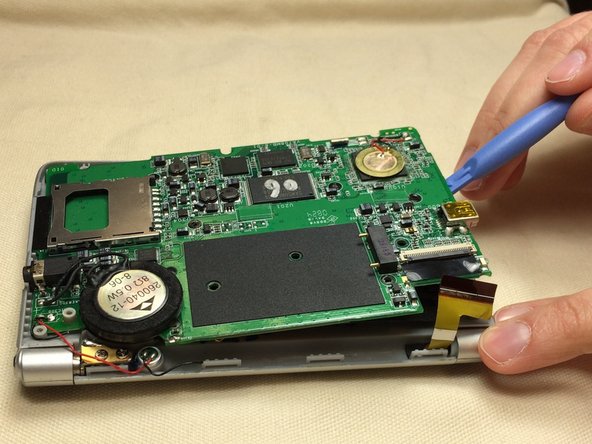
Carefully pull the hidden piece of yellow ribbon out from underneath the motherboard.
-
-
-
Lift the black keyboard mat off of the motherboard.
-
Replace the motherboard.
-
-
-

 Ask FixBot








To reassemble your device, follow these instructions in reverse order.
Cancel: I did not complete this guide.
One other person completed this guide.

Team

Ohio State, Team 1-5, Buehl Fall 2014 Member of Ohio State, Team 1-5, Buehl Fall 2014
OSU-BUEHL-F14S1G5
4 Members
48 Guides authored
