Free Shipping on Domestic Orders $75+

Belkin NetCam HD Lens Piece Replacement

What you need

  1. Belkin NetCam HD Lens Piece  Replacement, Case: step 1, image 1 of 1
    • Use a wrench to loosen up the stand from the back in order to hold the NetCam more comfortably.

    Ask FixBot

    Add Comment

  2. Belkin NetCam HD Lens Piece  Replacement: step 2, image 1 of 1
    • Work a plastic opening tool into the seam and pry the face plate away from the back panel.

    Ask FixBot

    Add Comment

  3. Belkin NetCam HD Lens Piece  Replacement: step 3, image 1 of 2 Belkin NetCam HD Lens Piece  Replacement: step 3, image 2 of 2
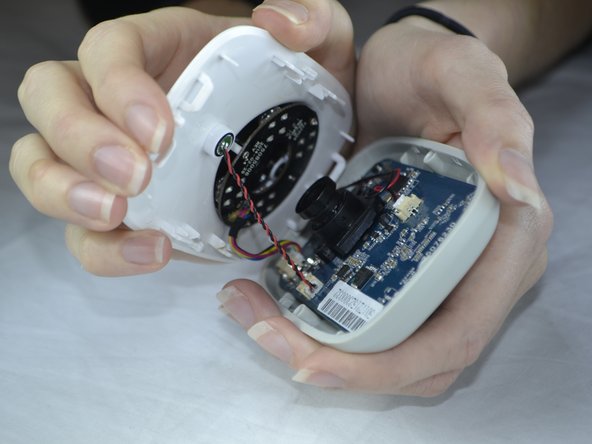
    • Use pressure to separate the covers.

    • When pulling the device apart, separate from the bottom up in order to avoid pulling the wiring at the top apart.

    Ask FixBot

    Add Comment

  4. Belkin NetCam HD Lens Piece  Replacement, Front Casing: step 4, image 1 of 1
    • Carefully use your fingers to gently pull out the white attachment from the tan colored part.

    Ask FixBot

    Add Comment

  5. Belkin NetCam HD Lens Piece  Replacement, Speaker: step 5, image 1 of 2 Belkin NetCam HD Lens Piece  Replacement, Speaker: step 5, image 2 of 2
    • Use a Phillips #0 screwdriver to take out the two 1.2 mm screws on the board.

    Ask FixBot

    Add Comment

  6. Belkin NetCam HD Lens Piece  Replacement: step 6, image 1 of 3 Belkin NetCam HD Lens Piece  Replacement: step 6, image 2 of 3 Belkin NetCam HD Lens Piece  Replacement: step 6, image 3 of 3
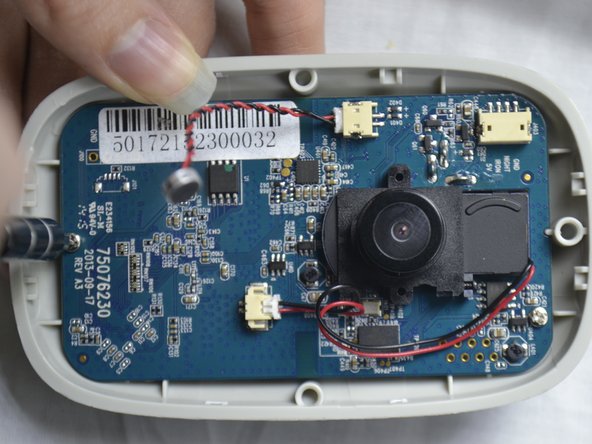
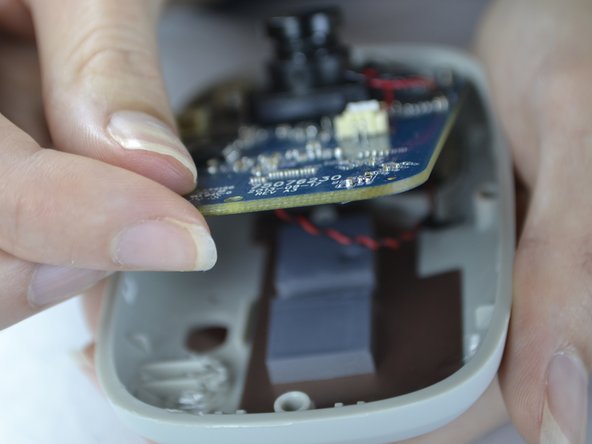
    • With your fingers, pull the circuit board out of the back casing.

    • When pulling the board up be sure to do so carefully so you do not break the cord which is attached on the back side.

    Ask FixBot

    Add Comment

  7. Belkin NetCam HD Lens Piece  Replacement: step 7, image 1 of 2 Belkin NetCam HD Lens Piece  Replacement: step 7, image 2 of 2
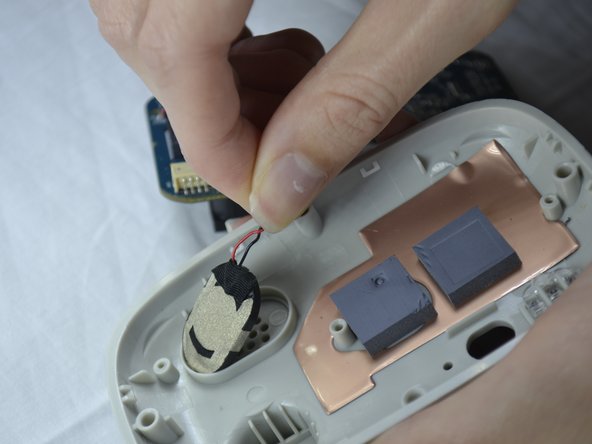
    • Gently pull the speaker out of the holder from the back of the cover.

    Ask FixBot

    Add Comment

  8. Belkin NetCam HD Lens Piece  Replacement: step 8, image 1 of 1
    • The speaker wires are attached with the board. It can be unattached gently by pulling out the white attachment from the port.

    Ask FixBot

    Add Comment

  9. Belkin NetCam HD Lens Piece  Replacement, Lens Piece: step 9, image 1 of 2 Belkin NetCam HD Lens Piece  Replacement, Lens Piece: step 9, image 2 of 2
    • Flip the circuit board to the back side.

    • Fold down the tape with your finger.

    • With the Phillips #0 screwdriver, unscrew the two 1.2 mm screws.

    Ask FixBot

    Add Comment

  10. Belkin NetCam HD Lens Piece  Replacement: step 10, image 1 of 2 Belkin NetCam HD Lens Piece  Replacement: step 10, image 2 of 2
    • Flip the circuit board back to the other side.

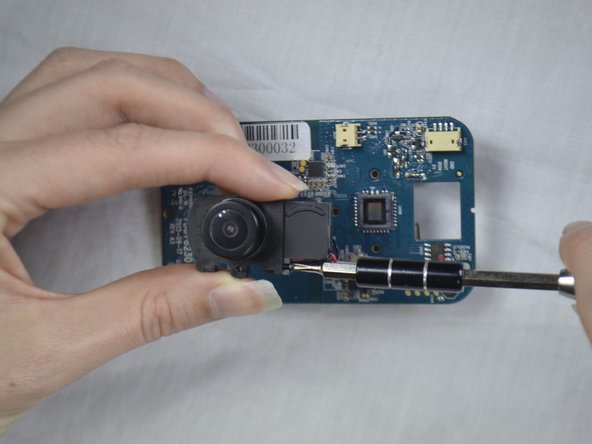
    • Unscrew the screw with a Phillips #0 screw driver.

    Ask FixBot

    Add Comment

  11. Belkin NetCam HD Lens Piece  Replacement: step 11, image 1 of 1
    • Slide the attached piece from the lens holder device.

    Ask FixBot

    Add Comment

  12. Belkin NetCam HD Lens Piece  Replacement: step 12, image 1 of 2 Belkin NetCam HD Lens Piece  Replacement: step 12, image 2 of 2
    Tool used on this step:
    Tweezers
    $4.99
    Buy
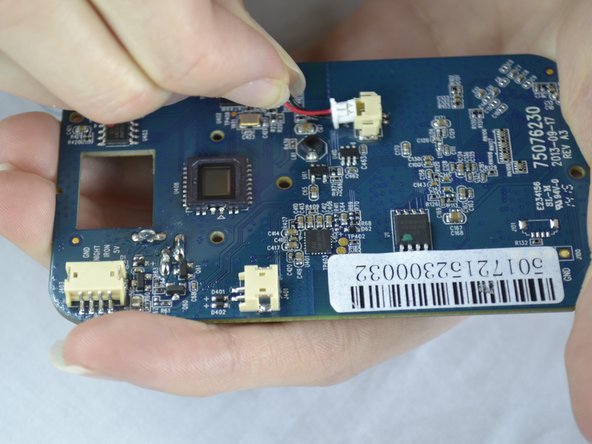
    • Use the tweezers to pull the white attachment out from the port a little.

    • Then, take your fingers and gently pull the white attachment out from the tan port.

    Ask FixBot

    Add Comment

Conclusion

To reassemble your device, follow these instructions in reverse order.

Cancel: I did not complete this guide.

Destinie DiazVerdejo

Member since: 10/04/16

805 Reputation

7 Guides authored

Team

USF Tampa, Team 3-5, Sullivan Fall 2016 Member of USF Tampa, Team 3-5, Sullivan Fall 2016

USFT-SULLIVAN-F16S3G5

4 Members

14 Guides authored

0 Guide Comments

Add Comment

View Statistics:

Past 24 Hours: 1

Past 7 Days: 7

Past 30 Days: 34

All Time: 1,368