Beboncool Gamepad for Nintendo Switch Joystick Replacement

What you need

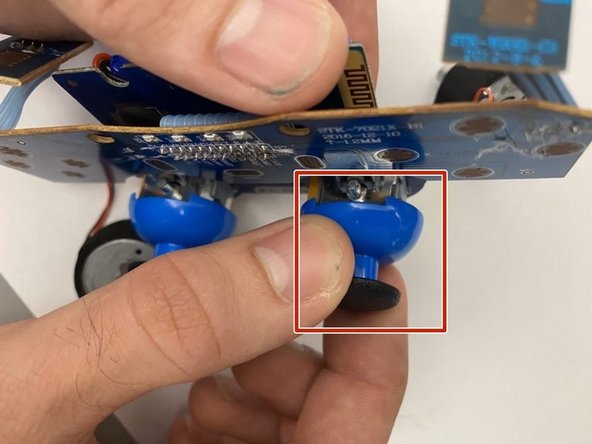
  1. Beboncool Gamepad for Nintendo Switch Joystick Replacement, Beboncool Nintendo Switch Gamepad Disassembly: step 1, image 1 of 3 Beboncool Gamepad for Nintendo Switch Joystick Replacement, Beboncool Nintendo Switch Gamepad Disassembly: step 1, image 2 of 3 Beboncool Gamepad for Nintendo Switch Joystick Replacement, Beboncool Nintendo Switch Gamepad Disassembly: step 1, image 3 of 3
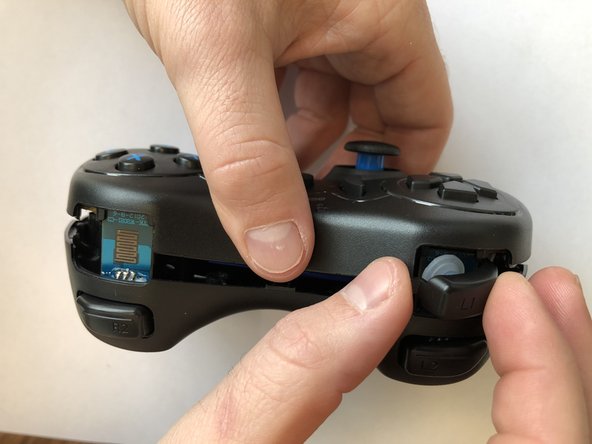
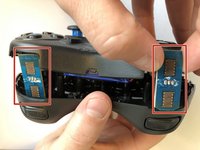
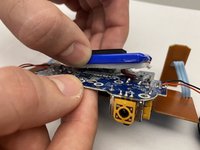
    • Use the plastic opening tool to remove the blue plastic grips from the sides of the controller.

  2. Beboncool Gamepad for Nintendo Switch Joystick Replacement: step 2, image 1 of 2 Beboncool Gamepad for Nintendo Switch Joystick Replacement: step 2, image 2 of 2
    • Use the Phillips #0 screwdriver to remove the seven 5mm screws from the back of the controller.

  3. Beboncool Gamepad for Nintendo Switch Joystick Replacement: step 3, image 1 of 3 Beboncool Gamepad for Nintendo Switch Joystick Replacement: step 3, image 2 of 3 Beboncool Gamepad for Nintendo Switch Joystick Replacement: step 3, image 3 of 3
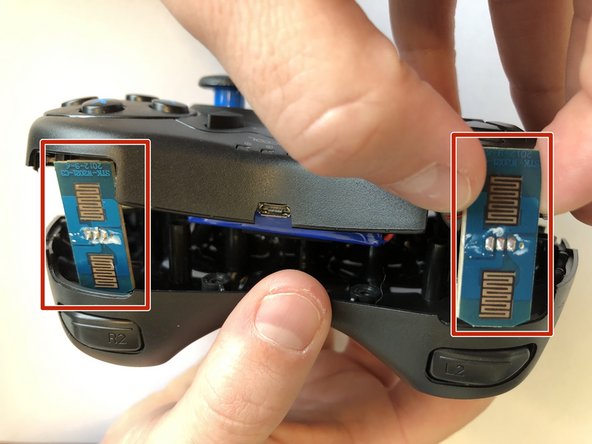
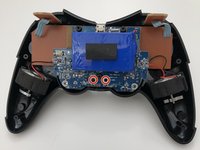
    • Gently separate the two halves of the controller.

    • As the two covers come apart the L1 and R1 button, will fall free from the controller. Be sure not to lose them if they should pop out and fall.

    • Be sure to slide the small circuit boards out of the covers to be able to separate the two halves

  4. Beboncool Gamepad for Nintendo Switch Joystick Replacement: step 4, image 1 of 2 Beboncool Gamepad for Nintendo Switch Joystick Replacement: step 4, image 2 of 2
    • Use the Phillips #0 screwdriver to remove the two 3.5mm screws holding the circuit board in place.

  5. Beboncool Gamepad for Nintendo Switch Joystick Replacement: step 5, image 1 of 3 Beboncool Gamepad for Nintendo Switch Joystick Replacement: step 5, image 2 of 3 Beboncool Gamepad for Nintendo Switch Joystick Replacement: step 5, image 3 of 3
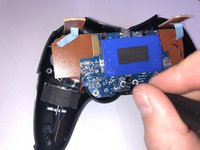
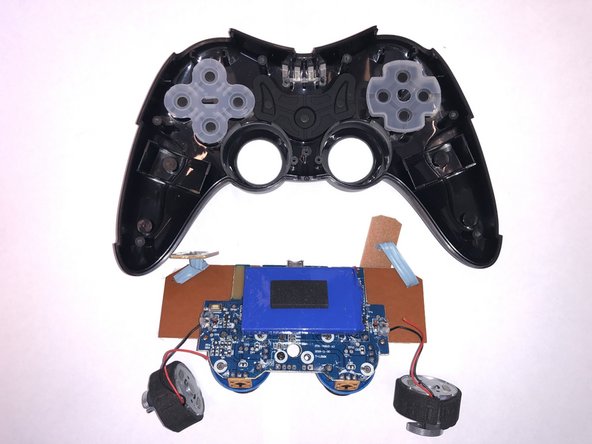
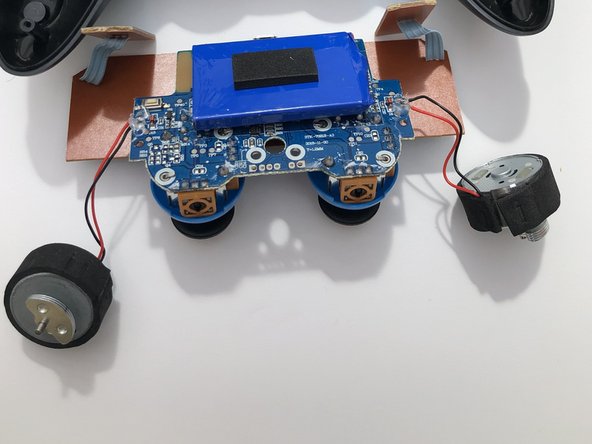
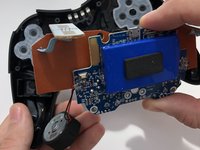
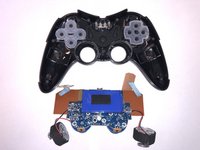
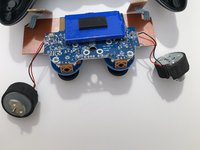
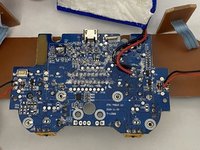
    • Lift the motherboard from the back case with the vibration motors and button boards attached.

  6. Beboncool Gamepad for Nintendo Switch Joystick Replacement, Joystick: step 6, image 1 of 2 Beboncool Gamepad for Nintendo Switch Joystick Replacement, Joystick: step 6, image 2 of 2
    • Remove the joystick cover from the joystick actuator by firmly pulling the cover away from the actuator.

  7. Beboncool Gamepad for Nintendo Switch Joystick Replacement: step 7, image 1 of 2 Beboncool Gamepad for Nintendo Switch Joystick Replacement: step 7, image 2 of 2
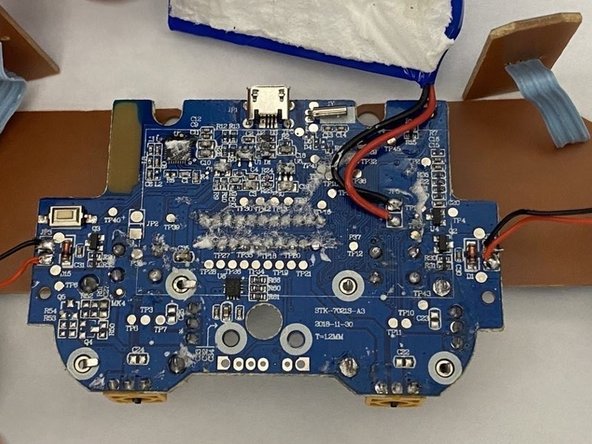
    • Gently separate the battery pack from the back of the motherboard, leaving it connected to the board through its lead cables.

  8. Beboncool Gamepad for Nintendo Switch Joystick Replacement: step 8, image 1 of 1
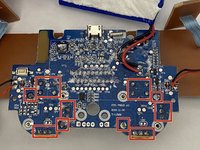
    • Bend each of the retaining tabs located in the the corners of each joystick actuator straight so that they can be removed.

    • If only one of your joysticks is showing issues, just address the pins corresponding to the problematic joystick.

  9. Beboncool Gamepad for Nintendo Switch Joystick Replacement: step 9, image 1 of 3 Beboncool Gamepad for Nintendo Switch Joystick Replacement: step 9, image 2 of 3 Beboncool Gamepad for Nintendo Switch Joystick Replacement: step 9, image 3 of 3
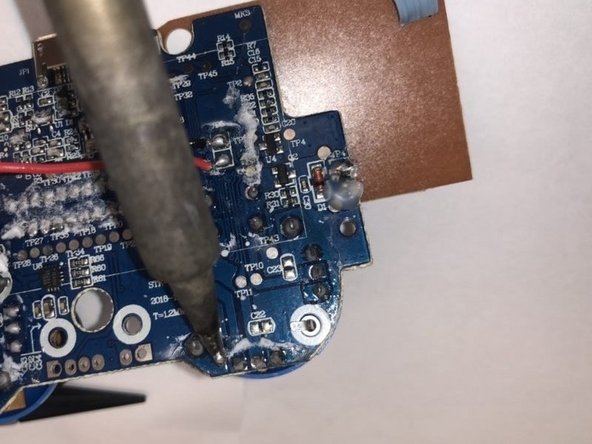
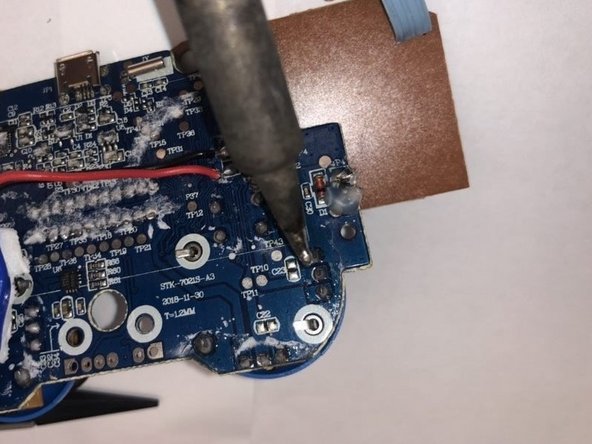
    • Desolder the 12 soldering points connecting the problematic actuator(s) to the motherboard.

    • Remove the actuator from the board.

    • For help with soldering best practices, check out this Soldering and Desoldering Connections Guide.

Conclusion

To reassemble your device, follow these instructions in reverse order.

1 Guide Comment

Me who used my no longer existing nails for the grips lol

TheGuyInTheChair - Reply
Add Comment

View Statistics:

Past 24 Hours: 1

Past 7 Days: 5

Past 30 Days: 26

All Time: 867