Free Shipping on Domestic Orders $75+

Beboncool Gamepad for Nintendo Switch Charging Port Replacement

Views: 1.6K

View statistics:

Past 24 Hours:
5
Past 7 Days:
18
Past 30 Days:
83
All Time:
1,616
Comments: 1

1 comment on steps.

Completed: 1

1 person has marked this guide "completed." Will you be next?

Favorites: 0

No one has favorited (and subscribed to) this guide. Will you be the first?

Time Required: 20 minutes - 1 hour
Difficulty: Difficult
Beboncool Gamepad for Nintendo Switch Charging Port Replacement

Introduction

Go to step 1 ↓

This guide will help to replace a broken or faulty charging port in the Beboncool Gamepad for Nintendo Switch. If your device does not seem to receive any power despite being plugged in to a known working outlet with a known working cable, the charging port may need to be replaced.

What you need

Tools

    1. Beboncool Gamepad for Nintendo Switch Charging Port Replacement, Charging Port: step 1, image 1 of 3 Beboncool Gamepad for Nintendo Switch Charging Port Replacement, Charging Port: step 1, image 2 of 3 Beboncool Gamepad for Nintendo Switch Charging Port Replacement, Charging Port: step 1, image 3 of 3
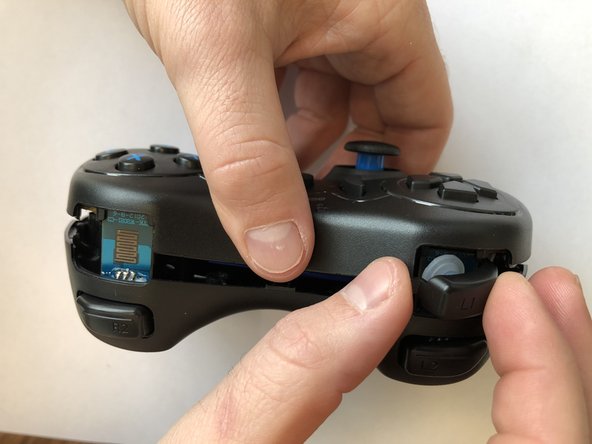
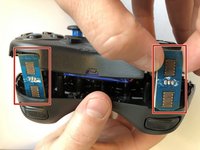
      • Use the plastic opening tool to remove the blue plastic grips from the sides of the controller.

      Ask FixBot

      Add Comment

    2. Beboncool Gamepad for Nintendo Switch Charging Port Replacement: step 2, image 1 of 2 Beboncool Gamepad for Nintendo Switch Charging Port Replacement: step 2, image 2 of 2
      • Use the Phillips #0 screwdriver to remove the seven 5mm screws from the back of the controller.

      Ask FixBot

      Add Comment

    3. Beboncool Gamepad for Nintendo Switch Charging Port Replacement: step 3, image 1 of 3 Beboncool Gamepad for Nintendo Switch Charging Port Replacement: step 3, image 2 of 3 Beboncool Gamepad for Nintendo Switch Charging Port Replacement: step 3, image 3 of 3
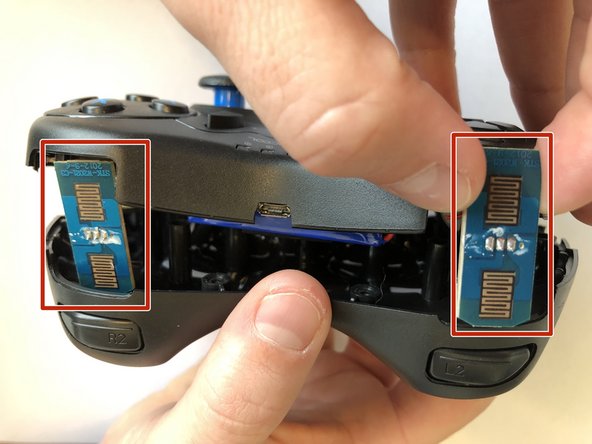
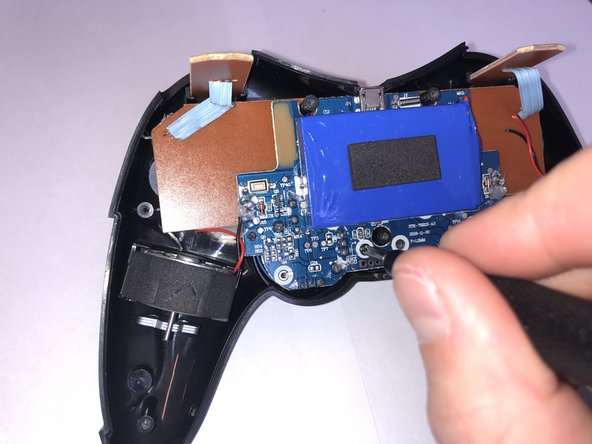
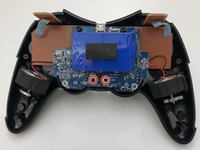
      • Gently separate the two halves of the controller.

      • As the two covers come apart the L1 and R1 button, will fall free from the controller. Be sure not to lose them if they should pop out and fall.

      • Be sure to slide the small circuit boards out of the covers to be able to separate the two halves

      Ask FixBot

      Add Comment

    4. Beboncool Gamepad for Nintendo Switch Charging Port Replacement: step 4, image 1 of 2 Beboncool Gamepad for Nintendo Switch Charging Port Replacement: step 4, image 2 of 2
      • Use the Phillips #0 screwdriver to remove the two 3.5mm screws holding the circuit board in place.

      Ask FixBot

      Add Comment

    5. Beboncool Gamepad for Nintendo Switch Charging Port Replacement: step 5, image 1 of 2 Beboncool Gamepad for Nintendo Switch Charging Port Replacement: step 5, image 2 of 2
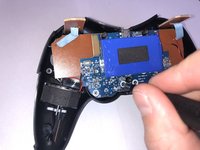
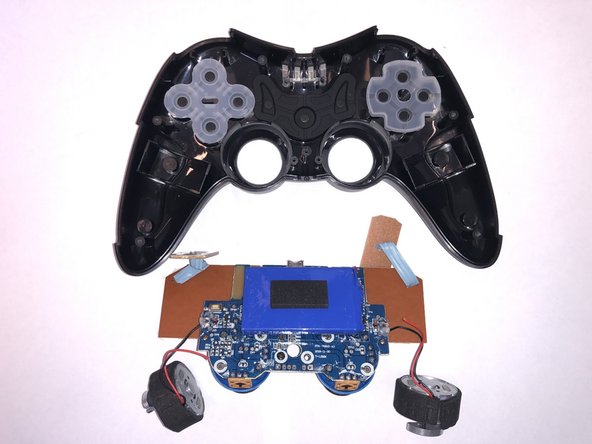
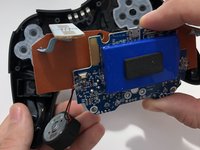
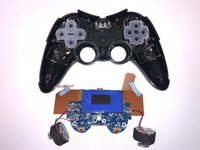
      • Lift the motherboard from the back case with the vibration motors and button boards attached.

      Ask FixBot

      Add Comment

    6. Beboncool Gamepad for Nintendo Switch Charging Port Replacement: step 6, image 1 of 2 Beboncool Gamepad for Nintendo Switch Charging Port Replacement: step 6, image 2 of 2
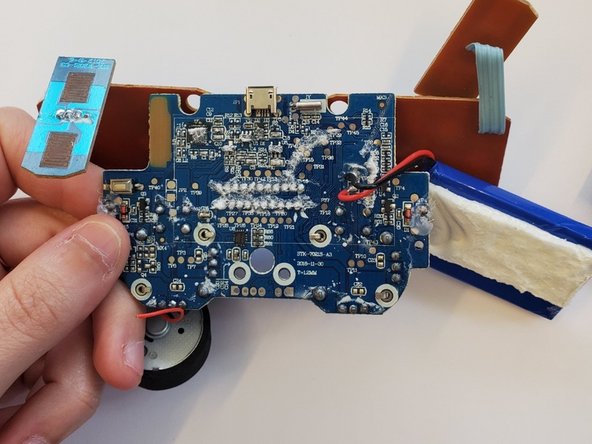
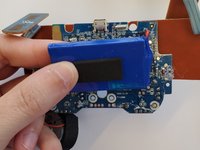
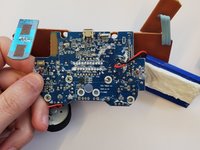
      • Gently pull the battery from the circuit board, leaving it connected to the board with its lead wires.

      Ask FixBot

      Add Comment

    7. Beboncool Gamepad for Nintendo Switch Charging Port Replacement: step 7, image 1 of 3 Beboncool Gamepad for Nintendo Switch Charging Port Replacement: step 7, image 2 of 3 Beboncool Gamepad for Nintendo Switch Charging Port Replacement: step 7, image 3 of 3
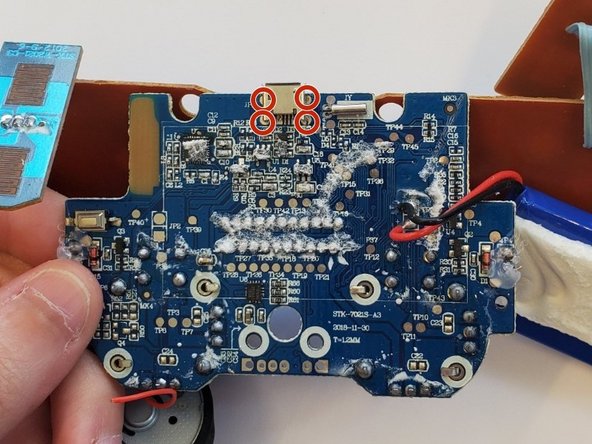
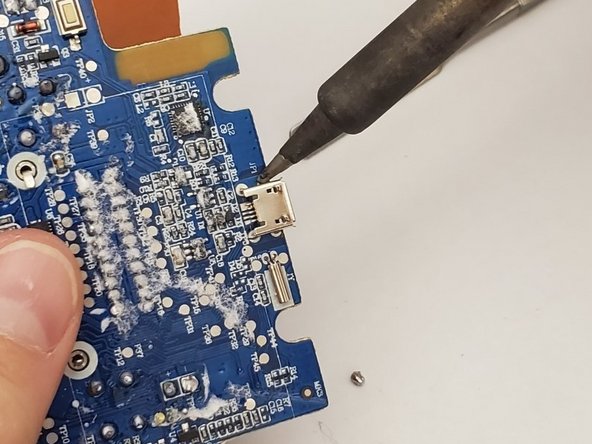
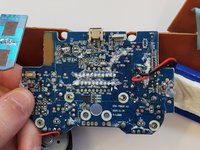
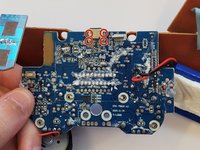
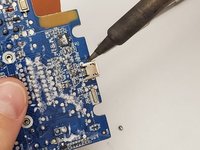
      • Remove the charging port from the edge of the motherboard by desoldering each of its four solder points and lifting the port from the board.

      Ask FixBot

      Add Comment

Conclusion

To reassemble your device, follow these instructions in reverse order.

Cancel: I did not complete this guide.

One other person completed this guide.

0 Guide Comments

Add Comment

View Statistics:

Past 24 Hours: 5

Past 7 Days: 18

Past 30 Days: 83

All Time: 1,616