
Bose SoundDock Portable v2 Battery Replacement

Evan Low and
Last updated on Jun 23, 2015
Views: 29K
View statistics:
- Past 24 Hours:
- 10
- Past 7 Days:
- 53
- Past 30 Days:
- 203
- All Time:
- 28,744
Comments: 8
8 guide comments.
Go to guide commentsCompleted: 4 5
4 people have marked this guide "completed." Will you be next?
5 people have marked this guide "completed." Including you — great job!
Favorites: 0 1
No one has favorited (and subscribed to) this guide. Will you be the first?
1 person has favorited (and subscribed to) this guide — and that's you!
Better Introduction
Improve this guide by completing or revising its introduction.
What you need

-
-
-
Using your thumbnail or a coin, push in the slotted knob on the battery and turn it counterclockwise to unlock the battery.
 Ask FixBot
-
-
-
-
On the new battery, make sure the slot in the knob on the battery is in a horizontal position.
-
Insert the battery into the multi-pin connector.
-
-
-
Push in the slotted knob and turn it clockwise until the slot is vertical. This locks the battery in place.
-
-


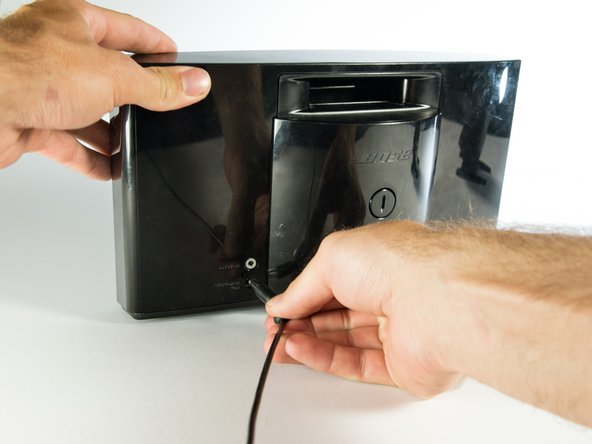
To reassemble your device, follow these instructions in reverse order.
Cancel: I did not complete this guide.
4 other people completed this guide.

Team

Cal Poly, Team 4-1, Maness Spring 2015 Member of Cal Poly, Team 4-1, Maness Spring 2015
CPSU-MANESS-S15S4G1
4 Members
60 Guides authored
8 Guide Comments
I think it would be cool to show a Teardown of the Bose SoundDock Portable v2 Battery.
I agree. These batteries seem prone to failure and I’d like to replace the cells or whatever it is that is the failure point.
Thanks for your easy and concise help.
Battery is repairable.
There are 4 screws under plastic plugs under sticker. They are one way heads :( use force or a drill.
Locking thingy removal - push the cross pin through - pliers or vise grips to grab and pull out completely. Keep an eye on where spring went.
There may be a bit of glue or tape holding cover too.
4 x 18650 Li-ion cells in 2 banks at each side of the charging board which is held down by 5 screws. Some adhesive was used to hold the cells to the back.
Use meter to check. Mine had one cell at 0V so that was the culprit.
Remove any bad cells by cutting the glue about the temp sensors to carefully get them out of the way. Then cut the cell tags - careful not to short anything as there is charge about. I found it faster to cut tags but you could unglue all cells and lift the board and do that way. My replacement cell came from a Dell laptop pack. Glue the new battery in place (I used automotive trim tape as it was handy) and solder the new cell. Reglue temp sensors.
Reassemble with some new screws.
Hi. How do you push the cross pin through? I can’t
