Samsung Galaxy Express 3 Battery Replacement

  1. Samsung Galaxy Express 3 Battery Replacement, Battery: step 1, image 1 of 3 Samsung Galaxy Express 3 Battery Replacement, Battery: step 1, image 2 of 3 Samsung Galaxy Express 3 Battery Replacement, Battery: step 1, image 3 of 3
    • Place the phone face-down on the table.

    • Remove the back cover by lifting up on the groove in the upper-left corner of the phone.

  2. Samsung Galaxy Express 3 Battery Replacement, Back Cover: step 2, image 1 of 3 Samsung Galaxy Express 3 Battery Replacement, Back Cover: step 2, image 2 of 3 Samsung Galaxy Express 3 Battery Replacement, Back Cover: step 2, image 3 of 3
    • Run your fingers along the perimeter of the phone to pop up a corner of the back cover.

    • Peel slowly to fully remove the back cover.

  3. Samsung Galaxy Express 3 Battery Replacement: step 3, image 1 of 3 Samsung Galaxy Express 3 Battery Replacement: step 3, image 2 of 3 Samsung Galaxy Express 3 Battery Replacement: step 3, image 3 of 3
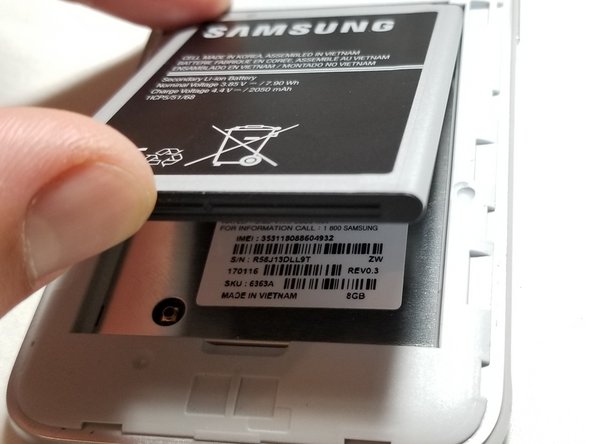
    • Press on the bottom of the battery and lift the battery up and out of the phone.

Conclusion

To reassemble your device, follow these instructions in reverse order.

Adrian Eaton

Member since: 01/12/15

617 Reputation

4 Guides authored

0 Guide Comments

Add Comment

View Statistics:

Past 24 Hours: 1

Past 7 Days: 5

Past 30 Days: 13

All Time: 313