
BLU Life X8 Front Camera Replacement

Alexander Prasil and 3 other contributors
Last updated on Dec 13, 2017
Views: 678
View statistics:
- Past 24 Hours:
- 3
- Past 7 Days:
- 18
- Past 30 Days:
- 81
- All Time:
- 678
Comments: 0
No one has left comments on this guide. Will you be first?
Go to guide commentsCompleted: 0 1
No one has marked this guide "completed." Will you be the first?
1 person has marked this guide "completed." It's you — great job!
Favorites: 0 1
No one has favorited (and subscribed to) this guide. Will you be the first?
1 person has favorited (and subscribed to) this guide — and that's you!
Introduction
Go to step 1 ↓The front camera may become damaged or scratched over time, causing poor quality pictures. This guide will explain how to access, remove, and replace your BLU Life X8 front camera.
What you need
Tools


-
-
-
Flip the phone over so that the screen is facing down.
-
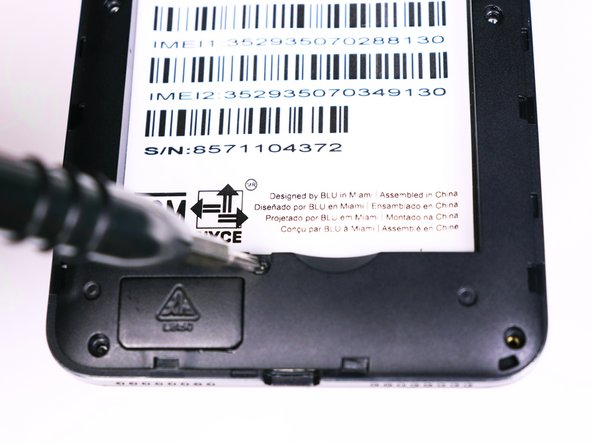
Slide the opening tool between the micro-USB port and the back cover.
-
Use the opening tool to create a gap.
 Ask FixBot
-
-
-
Once the back panel is off, locate the indent at the bottom of the battery.
-
Use your thumb to slip the battery out of the case.
-
-
-
-
-
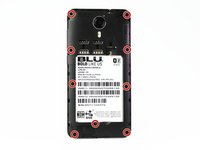
Use the Phillips #00 bit to undo the nine 1.5mm screws from the back of the device.
-
-
-
-
Wedge the opening tool into the seam of between the screen and the gray frame.
-
Run the opening tool along the seam to release the clips that hold the two pieces together.
-
-
-
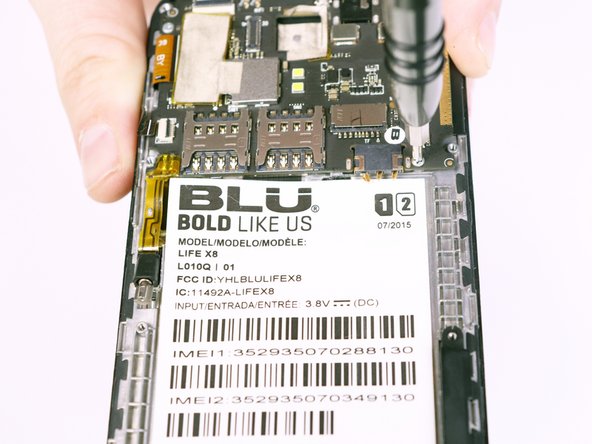
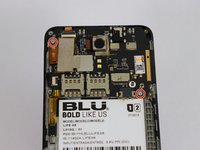
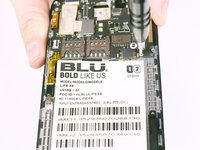
Use the Phillips #00 Phillips bit to undo the two 1.5mm screws from the motherboard.
-
-
Tool used on this step:Tweezers$4.99
-
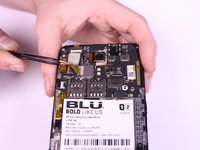
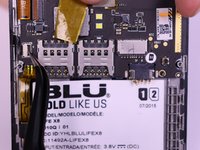
Use the tweezers to peel away the mesh tape and reveal the ribbon connectors.
-
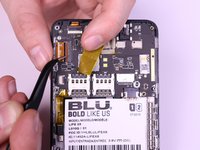
Use the tweezers to lift the brown and black tabs to release the ribbon cables and unlock them.
-
-
-
The ribbon cables should be free. Pull back on the ribbons to release them from their connectors.
-
-
-
-
-
Flip the motherboard over.
-
Lift the front camera from its housing.
-
-








To reassemble your device, follow these instructions in reverse order.

Team

USF Tampa, Team S1-G2, Nance Fall 2017 Member of USF Tampa, Team S1-G2, Nance Fall 2017
USFT-NANCE-F17S1G2
4 Members
72 Guides authored
