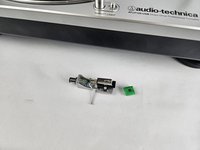
Audio-Technica AT-LP120-USB Cartridge and Stylus Replacement

  1. Audio-Technica AT-LP120-USB Cartridge and Stylus Replacement, Cartridge and Stylus: step 1, image 1 of 1
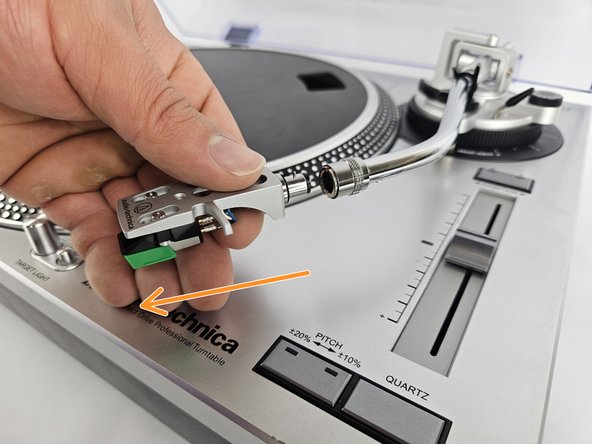
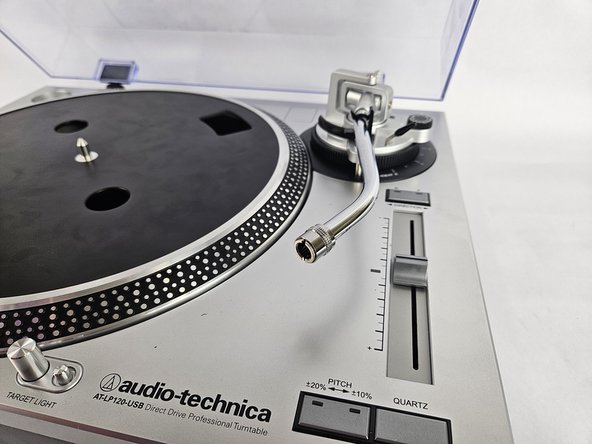
    • Locate the cartridge and stylus at the end of the tonearm.

  2. Audio-Technica AT-LP120-USB Cartridge and Stylus Replacement: step 2, image 1 of 3 Audio-Technica AT-LP120-USB Cartridge and Stylus Replacement: step 2, image 2 of 3 Audio-Technica AT-LP120-USB Cartridge and Stylus Replacement: step 2, image 3 of 3
    • Unscrew the lock to loosen the connection from the tonearm to the stylus.

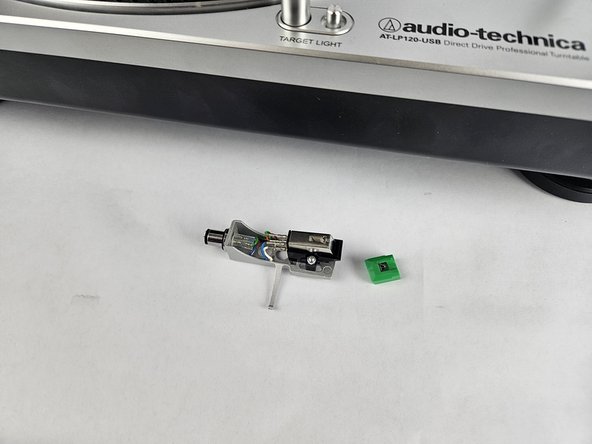
    • Pull off the stylus.

  3. Audio-Technica AT-LP120-USB Cartridge and Stylus Replacement: step 3, image 1 of 2 Audio-Technica AT-LP120-USB Cartridge and Stylus Replacement: step 3, image 2 of 2
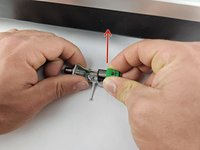
    • Pinch together slightly on the green part around the stylus and pull up.

Conclusion

To reassemble your device, follow these instructions in reverse order.

One other person completed this guide.

David

Member since: 10/31/24

253 Reputation

2 Guides authored

Team

Cuesta, Team 20-3, Krynen Fall 2024 Member of Cuesta, Team 20-3, Krynen Fall 2024

CUESTA-KRYNEN-F24S20G3

5 Members

6 Guides authored

0 Guide Comments

Add Comment

View Statistics:

Past 24 Hours: 5

Past 7 Days: 21

Past 30 Days: 76

All Time: 456