Introduction
This guide will show the steps to take out and replace a defective Ram for the Asus UL30VT-X1.
What you need
-
-
-
Locate the two screws on the ram panel.
-
Unscrew the two screws using a Phillips Head #00 screwdriver.
-
-
-
-
Locate the small cut out at the bottom of the ram panel.
-
Lift the rem panel up with your finger and remove it to expose the ram.
-
-
-
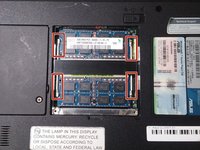
locate the white clips on the sides of the ram.
-
Push the white clips to the side so the ram pops out
-
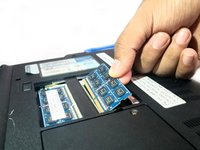
Afterword use your fingers to pull the ram towards you.
-


 Ask FixBot


To reassemble your device, follow these instructions in reverse order.

Team

University of North Texas, Team S6-G7, Thomas Fall 2017 Member of University of North Texas, Team S6-G7, Thomas Fall 2017
UNT-THOMAS-F17S6G7
3 Members
48 Guides authored
